
Screenshots


About Wallvero: Aesthetic Wallpapers
Make your iPhone feel like you. Explore curated wallpapers, preview the details, and find a fresh look for your Lock Screen and Home Screen.
From quiet landscapes and colorful abstract art to space scenes, anime-inspired illustrations, and cars, Wallvero brings different moods together in one easy-to-browse collection.
FIND YOUR NEXT LOOK
• Explore wallpaper stories and collections by category.
• Search for a subject, style, or mood.
• Browse full-screen previews before choosing a wallpaper.
• Tap or swipe through stories, or hold to pause on a favorite.
SAVE IT. MAKE IT YOURS.
Save wallpapers to Photos or share them using the iOS share sheet. Follow the in-app setup guide to apply your choice with your iPhone's wallpaper controls.
DESIGNED FOR IPHONE DUO
Explore wallpapers composed for a wider reveal on iPhone Duo. Save one landscape image, adjust its framing in iOS, and see more of the scene when you open your Duo in landscape. Duo collections are available on supported devices.
FREE TO EXPLORE
Browse and preview the catalog without a subscription. Selected wallpapers are free to save and share; premium wallpapers require Wallvero Pro.
WALLVERO PRO
Unlock saving and sharing for every premium wallpaper with an auto-renewable monthly subscription. There is no free trial. The price is shown in the app before purchase. Payment is charged to your Apple Account at confirmation. Your subscription renews automatically unless canceled at least 24 hours before the current period ends. Manage or cancel your subscription in your App Store account settings. Restore Purchases is available in the app.
Wallvero saves images to Photos. Apply them manually using iOS wallpaper controls; the app does not automatically change your wallpaper. An internet connection is required to browse and download the catalog.
Privacy Policy: https://guru-apps.com/privacy
Terms of Use (EULA): https://guru-apps.com/wallvero-terms
AVALW Coverage
Not yet mentioned in AVALW articles.
Similar apps


 Zedge™ Wallpapers & RingtonesZedgeDiscover millions of background wallpapers & ringtones or make your own with AI.★ 4.7 17993k


 Zillow Real Estate & RentalsZillow.comFind your new home to buy or rent with expert real estate tools and millions of listings right at your fingertips. Seamlessly save, search, and share home listi★ 4.8 7238k


 Android AutoGoogle LLCControl maps, media and messaging, with Gemini while you drive★ 4.1 6304k


 Amazon AlexaAMZN Mobile LLCUse the Amazon Alexa app to manage Alexa-enabled devices, control music playback, view shopping lists on the go, keep track of upcoming reminders, check on acti★ 4.5 5906k


 PinterestPinterest, Inc.Pinterest is a place of endless possibilities. You can: - Discover everyday inspiration - Shop styles you love - Try and learn something new Create boards, save★ 4.8 5789k


 Parallel Space - app cloningLBE TechRun multiple accounts of the same app on a single device★ 4.1 5115k


 Microsoft SwiftKey AI KeyboardSwiftKeyAI-powered Copilot. Personalized keyboard with gifs, stickers & themes★ 4.3 4602k



 World of Tanks Blitz – Daylight AssaultWargaming Group LimitedCharge into battle with the explosive energy of daylight! This bright World of Tanks Blitz theme brings 5 high-resolution wallpapers packed with sun-scorched de★ 4.1 4525k
More by this developer


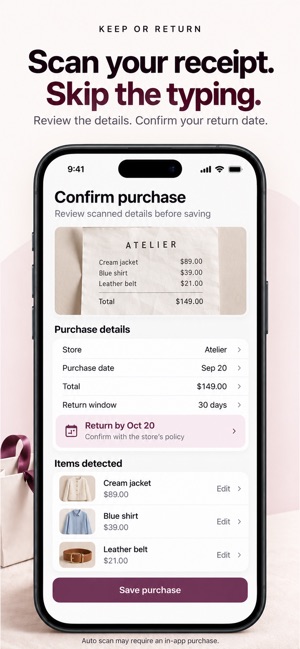
 Keep or ReturnGuruApps, LLCKeep what you love. Return the rest before the deadline. Keep or Return brings your purchases, decisions, returns, and refunds into one place. Add what you boug-


 Scanora - PDF ScanGuruApps, LLCTurn your iPhone into a fast, beautifully simple document scanner with Scanora. Scan receipts, contracts, notes, forms, invoices, and other paper documents. Sca★ 5.0 1


 Guru Remote: TV ControllerGuruApps, LLCTurn your iPhone into a simple, fast remote for your Smart TV. Guru Remote connects directly to supported LG webOS and Samsung Tizen TVs over your local network★ 5.0 1

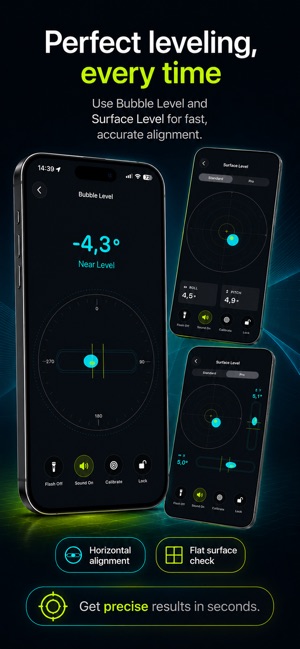

 Bubble Level: Smart ToolkitGuruApps, LLCPrecision Toolkit: Level is a practical measuring toolkit for iPhone and iPad, designed for home improvement, DIY projects, alignment, leveling, and quick every★ 5.0 2