
Screenshots


About Zhiwei: Timetable & Reminders
Keep your child's class schedule, after-school activities and weekly plan in one place. Zhiwei: Timetable & Reminders helps parents see what's next, organize recurring lessons, set class reminders and keep learning records.
The native interface and AI assistant support English and Simplified Chinese. New assistant replies follow the app language. Your class names, notes and existing chat history keep their original wording.
SEE THE WEEK AT A GLANCE
Use a color-coded weekly timetable to organize school classes, music lessons, sports and other activities. View actual dates and check today's plans without searching through messages.
A SEPARATE SCHEDULE FOR EACH CHILD
Create child profiles and switch between their timetables. Keep each child's classes and reminders organized in your account.
ADJUST CLASSES AS PLANS CHANGE
Add recurring lessons, change a single occurrence, check for time conflicts and record locations. Choose a class color to make the week easier to read.
SET REMINDERS AND SAVE YOUR TIMETABLE
Set advance class reminders and save the weekly timetable as an image. For assistant reminders, choose daily briefings, quiet hours and a daily limit, or snooze a reminder. Preparation/departure reminders and schedule-change alerts are off by default.
OPTIONAL CLASS ASSISTANT
Use Chat to find, add, reschedule or cancel classes. The assistant asks for missing details and confirms changes affecting multiple classes. Eligible changes can be undone, and chat history is saved to your account. Ask in English, Chinese or a mix of both; new replies follow the app language.
LEARNING AND GROWTH RECORDS
Describe lesson progress in Chat or choose an evaluation or artwork image. AI helps prepare the record and associate it with a course and lesson; review and edit the information before saving. Find evaluations in Profile > Growth records, grouped by matching course names and lessons. You can also add observations manually.
ABILITY INSIGHTS
The Abilities tab brings together eight general abilities and course scores. Open a detail view to see supporting records and AI reference analysis. Scores summarize recorded observations; they are not standardized developmental or medical assessments. Missing scores are shown as insufficient data.
TRY IT BEFORE SIGNING IN
Try Demo includes sample schedules and manual planning without an account. Sign in with Apple or email verification to use account features without installing WeChat. Chat, growth records and server-based ability analysis require sign-in. WeChat sign-in is optional and can sync with the same WeChat account in our mini program. Different sign-in methods use separate accounts.
MORE TO KNOW
The native interface follows your device language, or you can change it in iOS Settings. User content is not automatically translated.
Signed-in data and evaluation images require an internet connection. Saves and deletions are confirmed by the server. Optional AI features require permission to send relevant content to OpenAI through our server and proxy.
All features are free, with no subscriptions, purchases or external paid unlocks. Phone reminders require notification permission. Saving a timetable requires permission to add an image to Photos. Evaluation imports access only images you choose in the system photo picker.
AVALW Coverage
Not yet mentioned in AVALW articles.
Similar apps
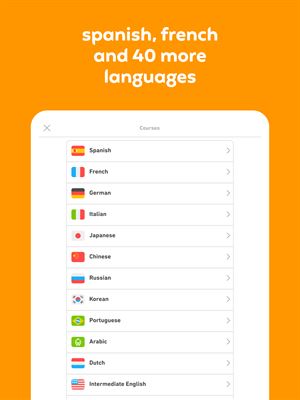
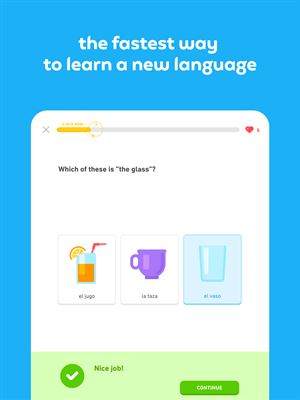
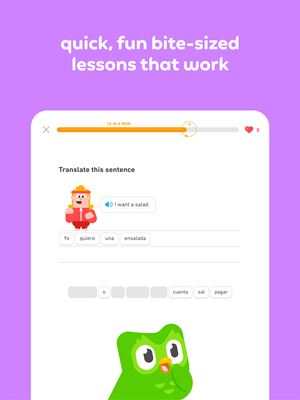
 Duolingo - Language LessonsDuolingo Inc.Learn a new language with the world’s most-downloaded education app! Duolingo is the fun, free app for learning 40+ languages through quick, bite-sized lessons.★ 4.7 5492k


 Duolingo: Language LessonsDuolingoLearn a new language, chess & more with the world's most downloaded education app! Duolingo is the fun, free app for learning 40+ languages through quick, bite-★ 4.7 5492k


 Read Along by GoogleGoogle LLCLearn to read with the magic of your voice and a friendly reading buddy★ 4.6 5287k


 Brainly: AI Homework HelperBrainlyQuick Math Helper & Science Solutions | Get Homework Answers for School Doubts★ 4.5 4470k


 Gauth: AI Study CompanionGauthTech Pte. Ltd.Ask anything, get right answer★ 4.8 2111k


 Remind: School CommunicationParentSquareRemind is a communication platform that helps every student succeed. Whether you're in the classroom, at home, or anywhere in between, Remind makes it easy to s★ 4.8 1799k


 Memrise: Fun language lessonsMemriseImprove vocabulary & learn to speak English, Spanish, German, Japanese & more!★ 4.4 1571k


 ClassDojoClassDojoClassDojo connects teachers, tutors, kids, and families★ 4.8 1341k


