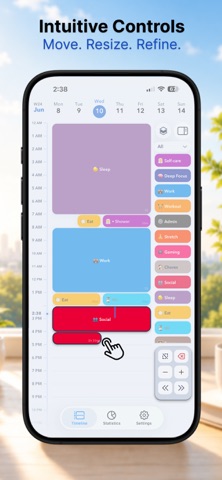
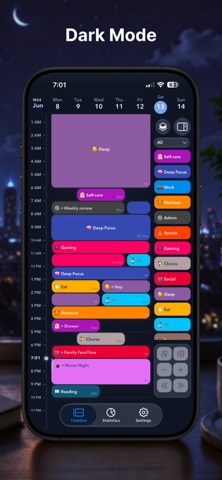
Plan your day, one block at a time. 24 Block helps you turn your plans into colourful blocks, see how your day fits together, and adjust things as you go. Make space for work, study, self-care, and a little breathing room. • Your day, at a glance. Explore your timeline or switch to Schedule for a full 24-hour overview. • Easy to plan, easy to adjust. Drag blocks to move them, resize them, or enter exact times. Add titles and notes to keep the details close. • Keep the little things together. Break bigger activities into subtasks, tick off your checklist, and create recurring routines for the parts of your day that repeat. • Your calendars, alongside your blocks. See events from your device’s calendars directly on your timeline. Your original calendar events stay unchanged. • Your plans across devices. Enable optional iCloud sync through your own Apple account. • More ways to make it yours. Choose colours, emojis, or Apple’s SF Symbols, and start your week on Monday or Sunday. • A quick look at what’s next. Add the Today widget or turn on a Lock Screen Live Activity to keep your current and upcoming blocks close. • Look back at your day. Explore your stats by day, week, month, or year. Start planning offline, with no separate 24 Block account to create. The in-app tour will help you get settled in. Website: https://24block.app Privacy Policy: https://24block.app/privacy/ Terms of Use: https://24block.app/terms/
Productivity · iPhone, iPad · Free
Rating: 5.0 out of 5, based on 3 user ratings.