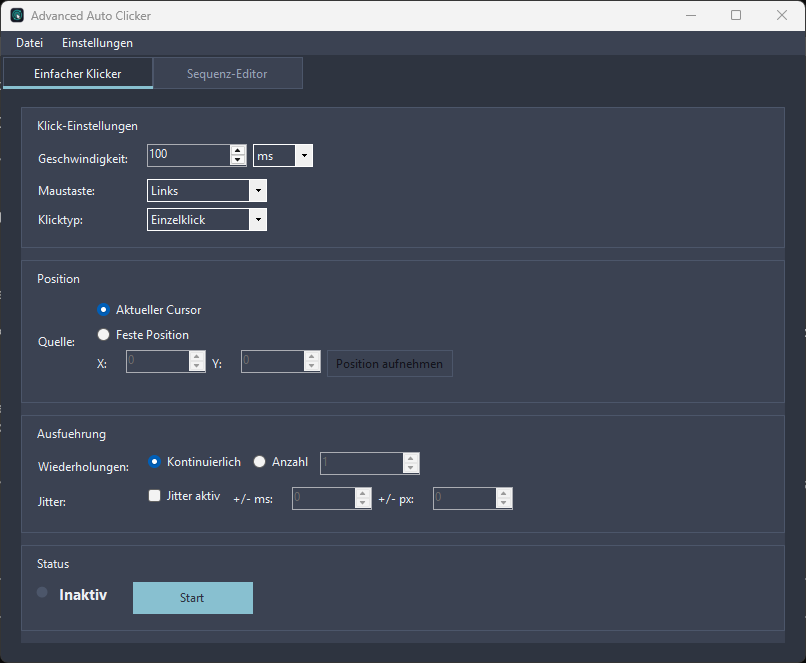
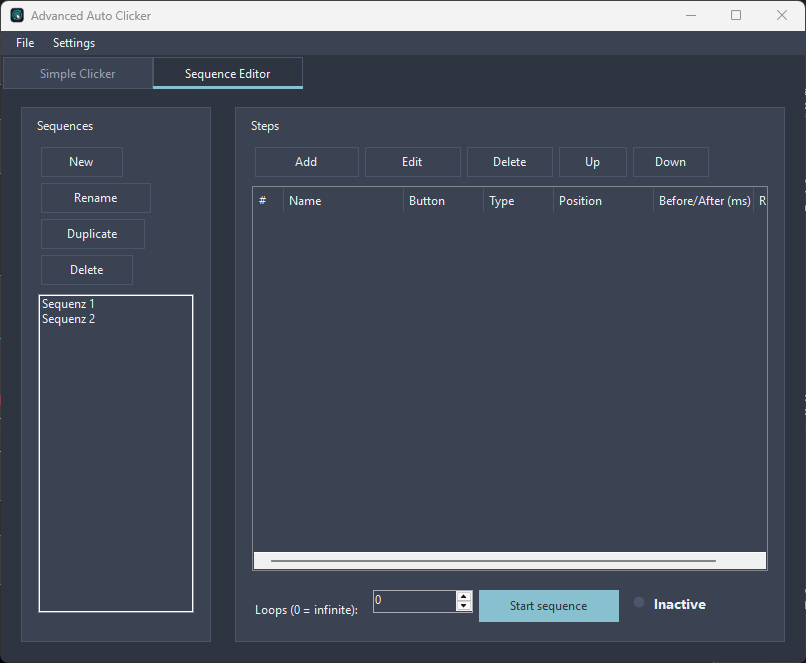
Advanced Auto Clicker automates repetitive mouse actions on Windows 10 and 11 — reliably, precisely, and without any learning curve. The app combines a classic auto clicker with a full-featured editor for multi-step click sequences, making it suitable for both rapid continuous clicking and complex automated workflows. SIMPLE MODE Set the click speed (in milliseconds or seconds), mouse button (Left, Right, Middle, X1, X2), and choose between single or double clicks. Click continuously or for a fixed number of repetitions — either at the current cursor position or at precisely defined coordinates that can be captured with a single button press. SEQUENCE EDITOR (MACROS) Create any number of named sequences consisting of multiple steps. Each step has its own mouse button, position, delay before and after execution, and repetition count. Steps can be reordered via drag and drop, and the entire sequence can be repeated multiple times or run indefinitely. This allows you to accurately reproduce even sophisticated, repetitive workflows. CONVENIENCE FEATURES Global hotkeys: Start and stop automation using freely configurable key combinations — system-wide, even while the app is running in the background. System tray integration: The app runs discreetly in the notification area, and the tray icon always reflects the current status. Random jitter: Optional variations in timing and position make clicks appear more natural. Multiple themes: Choose from a variety of interface designs. SAVE AND SHARE Sequences are stored in a readable file format. Export your macros, back them up, share them with others, and import them again whenever needed. WHO IS IT FOR? For all Windows users who want to eliminate repetitive clicking tasks — from simple repeated clicks to precise, multi-step automation workflows.
Utilities · Windows · Free