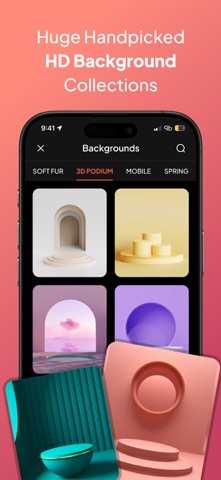
Looking for the easiest way to add text to photos with stunning fonts, styles, backgrounds, and effects? iTextly is the complete photo text editor that helps you design eye-catching images, social media posts, quote graphics, and more-right from your iPhone or iPad. With over 300+ fonts, HD backgrounds, stickers, shapes, and powerful editing tools, iTextly makes it effortless to transform ordinary photos into professional-grade designs. Powerful Tools to Add Text to Photos • 300+ Unique Fonts Access a massive collection of beautiful fonts, including 3D, handwriting, bold, elegant, serif, and sans-serif styles. • Add Text to Any Image Insert your message, caption, quote, or brand name onto any photo in seconds. Fully customizable. • HD Background Collection Choose from a wide variety of professionally designed HD backgrounds for your canvas, including nature, abstract, minimalist, and more. • Custom Gradients & Themes Apply smooth and vibrant text gradients or use pre-made image themes for fast, beautiful results. • Import Photos from Gallery Prefer your own images? Easily import photos from your camera roll or gallery to create fully personalized edits. • Stickers and Emojis Add fun stickers, emojis, and graphic elements to bring personality and style to your designs. • Custom Shapes Use stars, circles, hearts, polygons, and more to frame your content. You can even insert your own image inside shapes for added creativity. Advanced Text Customization • Change text color, gradient, background, stroke, and shadow • Rotate and resize text for perfect alignment • Adjust kerning (letter spacing) and line spacing • Create curved text in arcs or full circles • Add perspective text to simulate 3D depth or skewed views • Combine multiple text layers with different styles • Organize your layout with guides and snapping Full Background Editing • Select from built-in HD backgrounds • Upload and layer your own photos • Use AI-powered background removal for cutouts • Switch between backgrounds instantly without losing text or layout Export and Share Anywhere • Save your image in high resolution • Share directly to Instagram, Facebook, Twitter, Snapchat, or messaging apps • Perfect for posts, stories, ads, flyers, banners, and more Perfect For: • Social media content creators • Influencers and marketers • Small businesses and entrepreneurs • Students, bloggers, and casual users • Anyone who wants to add text to photos with style Use iTextly to: • Design quotes, captions, and social media graphics • Add branding or promotional text to photos • Make memes, greeting cards, and digital flyers • Create thumbnails, banners, and product shots • Write on pictures for personal or professional use Subscription Information iTextly is free to download and offers a limited set of tools. To unlock all features, you can subscribe to iTextly Premium. Premium Features Include: • Full font and sticker library • Access to all HD backgrounds and themes • Advanced text and shape editing • Unlimited exports and high-resolution saves Subscription Plans: • Weekly and yearly plans available • Payment charged to your Apple ID account • Auto-renewal unless turned off in iTunes settings • Cancel anytime via App Store account settings Why Choose iTextly? • All-in-one photo and text editor • Easy to use, powerful results • Huge selection of fonts, styles, and backgrounds • Constantly updated with new features • Trusted by thousands of creators worldwide Download Add Text to Photos - iTextly today and start creating unique, professional-quality images in seconds. Whether you're editing photos for fun, business, or creativity — your design journey starts here. Terms of Use: https://docs.google.com/document/d/1ukc0nU9pDJAArs4wwGQgIgtd_7gH0wusnGjPa3j5nz4 Privacy Policy: https://docs.google.com/document/d/1ph2mekjqM18ZTPFgDZH2nJPknD6ANtuhwtmhIcvsfx4 Support: contact.tarunapps@gmail.com
Photo & Video · iPhone, iPad · Free
Rating: 3.0 out of 5, based on 2 user ratings.