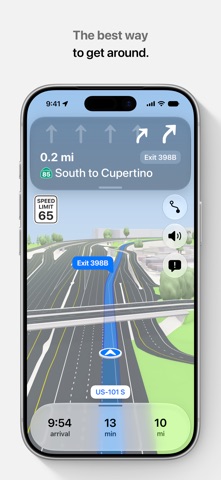
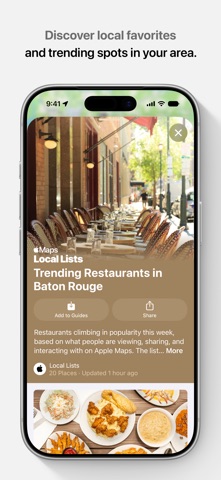
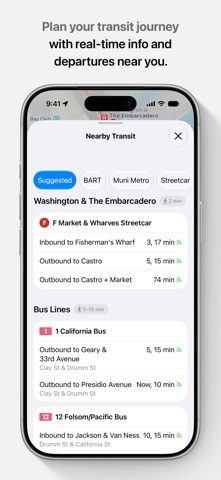
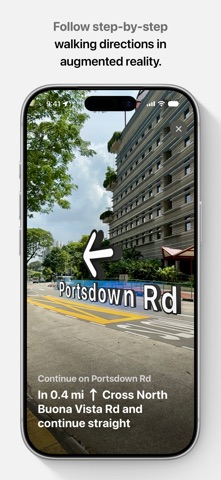
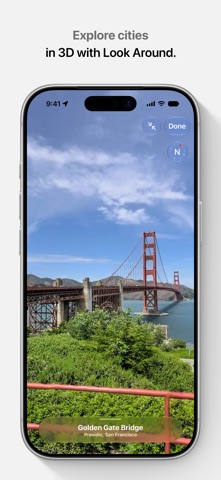
Apple Maps is the best way to navigate and explore the world - all with your privacy protected. What's new: • Local Lists uses intelligent insights from Apple Maps to surface locally relevant places for meeting friends, dining, and more. • Enhanced Flyover combines aerial imagery with AI to enable you to view cities in stunning detail. Get around with ease. • Plan up to 15 stops with multi-stop routing, and sync routes from Mac to iPhone automatically. • Follow easy voice and lane guidance to stay in the correct lane before your next turn. • Avoid delays with real-time traffic incidents like accidents and road closures. • View speed limits and get alerts for speed and red-light cameras along your route. • Report and see incidents like accidents, hazards, and speed checks. • Download offline maps to your iPhone or Watch for places information like hours and ratings, and turn-by-turn directions for driving, walking, cycling, or transit. • Get real-time transit updates so you never miss a bus, train, or ferry. • Follow bike lanes, paths, and roads with cycling directions that include elevation information • Get AR walking directions that overlay step-by-step guidance onto the real world around you. • Create and save custom walking routes for easy offline navigation. • Explore topographic maps with contour lines, hill shading, and trail information for hikes in select parks around the world, and save them for offline access and turn-by-turn navigation. Explore and discover places • Explore the world with an interactive 3D globe featuring enhanced terrain details. • Navigate major cities worldwide with detailed 3D features like elevation, landmarks, and crosswalks. • Experience immersive ground-level exploration with Look Around. • Discover places to eat, shop, and explore with curated Guides by trusted publishers. • Search using natural language queries like “pet-friendly restaurant with free wifi.” • Make reservations, view menus, or order directly within Maps. • Ask Siri to find places you'd like to go. • Save places and add personal notes in Places Library. • Revisit your history anytime with Visited Places. • Rate and add photos to places you've visited. • Find directions to your gate at the airport or your favorite store in a shopping mall with indoor maps. Maps on CarPlay • Access your favorite and frequent destinations with one tap. • Report incidents such as accidents, hazards, speed checks, and more. • Share your ETA with friends and family members with ease. Apple Business is a free tool that allows businesses to claim their locations and take control of how their information is seen across Apple. Owners can add details like a logo, business hours, address, photos, promotions, events, and more. Visit business.apple.com for more details. *Availability and features vary by country, region or device.
Travel · iPhone, iPad · Free
Rating: 2.2 out of 5, based on 63704 user ratings.