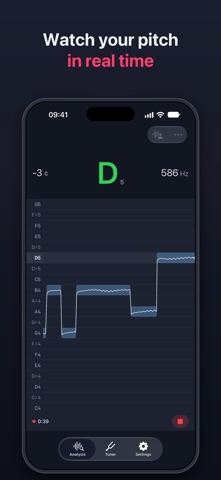
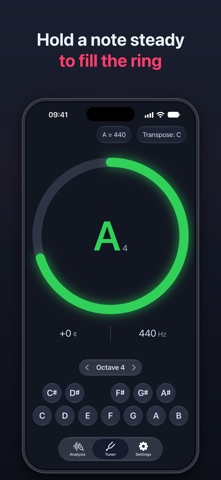
AudioPitch helps singers and instrumentalists sing and play in tune. It's made for instruments where you control the pitch yourself: trumpet, trombone, saxophone, violin, cello and more. Sing or play, and see every note. Record your practice, replay it with your pitch line, and find exactly where you drifted sharp or flat. AudioPitch shows you what your ear alone can miss. — RECORD & REVIEW TAKES Record a take right from the Analysis screen, then play it back with the piano roll or graph following along. Every take keeps its stats: range, time in tune, average deviation, and whether you tend to go sharp or flat. Name your takes and build a library to track your progress. Save one take for free, or unlimited takes with Pro, which also lets you share takes as audio or export them as MIDI. — REAL-TIME PITCH MONITOR Watch your pitch as you sing or play. The piano roll shows your notes on a familiar grid, so intervals and phrases are easy to follow. The precision graph (Pro) shows the same pitch as a continuous line against an in-tune band, down to the cent. — HOLD-THE-NOTE PRACTICE (Pro) Hold a note steady and in tune to fill the ring. Ideal for long tones, breath support, embouchure and bow control. You choose how long the ring takes to fill. — TUNER & REFERENCE TONES A chromatic tuner accurate to ±0.1 cents, plus reference tones across several octaves to check your ear. — MADE FOR YOUR INSTRUMENT Transpose for Bb, Eb and F instruments, adjust the reference pitch from A = 440 Hz, set how strict "in tune" is, and choose how quickly detection responds. — EXPORT TO MIDI (Pro) Turn what you sang or played into a MIDI file and open it in any DAW or notation app. Pro features require a subscription or a one-time lifetime purchase, available in the app. Terms of Use: https://www.apple.com/legal/internet-services/itunes/dev/stdeula/
Music · iPhone, iPad · Free
Rating: 4.8 out of 5, based on 8 user ratings.