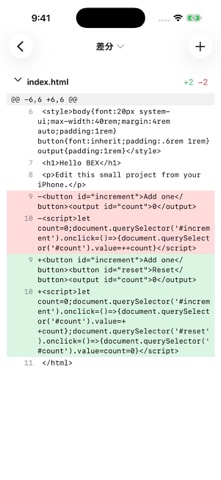
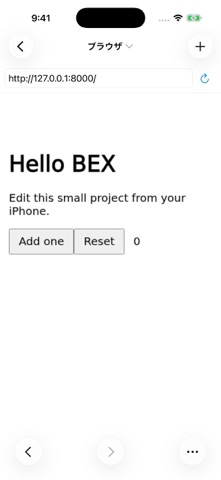
bex connects your iPhone to Codex, Claude Code and DeepSeek Harness running on your own PC. Follow ongoing work, continue conversations, and respond to questions or approval requests while away from your desk. What you can do - Start an AI conversation or continue one from your PC - Send instructions and respond to questions and approvals - View and edit project files and inspect code changes - Use the terminal and browser running on your PC - Attach photos, videos and files, or dictate a message - Choose AI models and settings - Follow work through Live Activities Requirements - An iPhone running iOS 26 or later - A PC running bex Host, paired using its QR code or connection information - Your own account or API key for the AI service you choose, with the necessary Host configuration. Service terms, usage limits and charges are set by each AI provider. AI processing, commands and project operations run on the paired PC. Keep bex running on that PC. A separate bex account is not required. The main app interface is in Japanese. Connections are authenticated and encrypted. Before connecting, the app explains that messages, attachments and project content are sent to the Host and AI services. bex is an independent app and is not affiliated with OpenAI, Anthropic or DeepSeek. Product names and trademarks belong to their respective owners.
Developer Tools · iPhone, iPad · Free