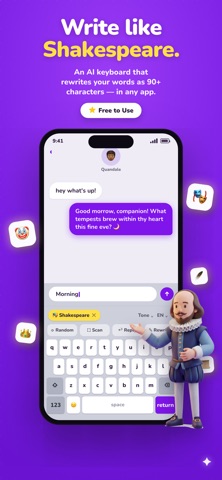
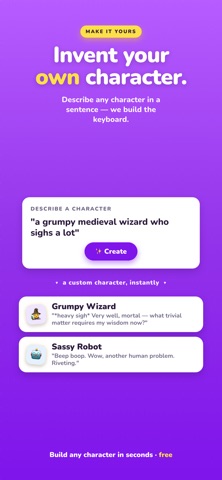
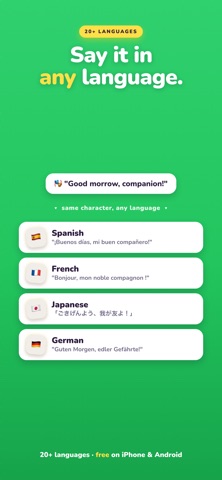
Type it plain. Send it legendary. CharacterKey is a full iPhone keyboard with AI built in. Pick a character, tap Rewrite, and your message comes back as Shakespeare, a pirate, a corporate exec, pure brain rot or 80+ other voices. It works in every app where you type, with no copy-paste and no app switching. 85 CHARACTERS, ONE TAP AWAY - Shakespeare: thy texts, but poetic - Brain Rot: literally cooked fr - Pick-up Lines: rizz on demand - Corporate Speak: synergize your group chat - Pirate Speak, Darth Breather, Caveman Speak, UwUtter, Drunk Text, Red Flag Roast and many more MAKE YOUR OWN Create a character in seconds: give it a name, an emoji and a few words about how it should write. It's saved on your keyboard, ready whenever you are. REPLY IN CHARACTER Copy or highlight a message and tap Reply. CharacterKey writes a response in your chosen voice, ready to send. 29 WRITING TOOLS Fix grammar, translate, summarize, make it formal, simplify it, turn notes into bullet points, write an email, decline politely, get the key points and more. Great for work, school and everything in between. 24 LANGUAGES Write and translate in Spanish, French, German, Japanese, Korean, Hindi, Arabic and more, in any character's voice. A KEYBOARD THAT FEELS LIKE HOME CharacterKey looks and types like the keyboard you already know: - Swipe typing: glide across the letters to type whole words - Smart autocorrect and suggestions that learn how you write - Emoji suggestions and a full emoji keyboard with search - Press-and-hold accents, key previews, hold-to-delete and space-bar cursor control - Light and dark mode on every iPhone and iPad WORKS EVERYWHERE YOU TYPE Messages, WhatsApp, Instagram, TikTok, Snapchat, Discord, X, Reddit, Gmail, Tinder, Hinge, Notes, any app with a text field. PRIVACY FIRST - We don't track your typing - We don't store your messages - We don't sell your data - Full Access is only used for the AI features you tap HOW IT WORKS 1. Download CharacterKey 2. Add the keyboard in Settings (the app walks you through it) 3. Switch to CharacterKey in any app 4. Pick a character and tap Rewrite or Reply Terms of Use (EULA): https://characterkey.app/eula.html Privacy Policy: https://characterkey.app/privacy.html
Utilities · iPhone, iPad, Android · Free
Rating: 4.7 out of 5, based on 54 user ratings.