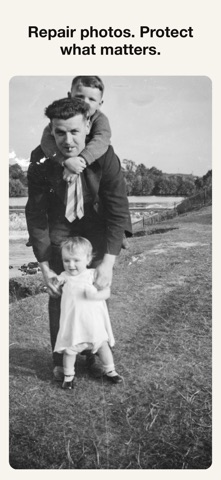
Cleanr by MRVL is a complete photo repair, privacy, and memory-preservation studio in one app — genuinely free, and it never watermarks your free exports. PRIVACY & REPAIR WORKFLOWS • Precision Protect (Pro) — brush over the areas to keep exactly as they were, restore everything else, and Cleanr flags anything unexpected • Safe Share — on-device face detection is free; QR/barcode, email, phone, and postal-address detection (Pro) add 7 ready-made presets (Social Media, School/Children, Marketplace, and more); you review every match before anything is redacted • Edit Receipts — a private, on-device record of which tools ran in an export, so you always know what Cleanr actually did • Memory Rescue — a diagnose-and-approve workflow: Cleanr explains what it found in an old or damaged photo, you approve each fix, and it flags unintended changes to faces • Batch Recipes (Plus/Pro) — save edits, export settings, and privacy choices as a reusable Recipe, then apply it to a whole batch in one pass • Cleanr Scan — analyses a photo and recommends a sensible repair order • RAW / Apple ProRAW import (Experimental) — early, clearly labelled support for developing RAW photos TOOLS INCLUDED • Auto Enhance — one-tap tone, colour and detail enhancement • Object Removal + Auto Blemish — brush away small objects; Cleanr fills the area on-device from the surrounding picture, and tells you if a selection is too large to fill convincingly • Background Removal — removes any background in one tap (people, products, pets, food) • Background Replacement — 15 presets: transparent, blur, solid colours, gradients, sky • Sky Replace — 6 gradient skies: Blue Day, Golden Hour, Sunset, Dusk, Overcast, Stormy • B&W Colouriser — adds a warm, tonal colour tint to black-and-white photos • Photo Restoration — tidy and enhance old family photos (cannot repair heavy dust or scratches) • JPEG Cleanup — remove compression artefacts for sharper, cleaner images • Portrait Blur — blurs the background behind the detected subject • Night Denoise — reduce noise in low-light photos • Photo Unblur / Sharpen — sharpen soft shots (can't restore missing detail) • Smart Crop — 6 aspect ratios optimised for social platforms • Add Text — add custom text overlays with full font and colour control • Watermark / Logo — add your logo or watermark in 9 positions • Adjustments — brightness, contrast, saturation, warmth, and sharpness with live preview • Picture Frames — Polaroid, Vintage, Film Strip, and more • EXIF Stripper — remove GPS and metadata before sharing • Non-destructive Projects — save an edit, undo, redo, and keep editing later INCLUDED WITH AI PRO • HSL Colour — hue rotation, saturation, vibrance, and luminance controls • Tone Curves — interactive 5-point curve editor with Catmull-Rom spline • Selective Adjust — brush-mask adjustments for specific areas of your photo • Face Retouch — smooths and brightens skin inside detected faces • Precision Fill — brush a region; Cleanr fills it from the surrounding picture, on-device FAITH MODE Warm presets and scripture overlays designed for Christian creators sharing their faith online. NOW AVAILABLE IN 9 LANGUAGES Cleanr is available in English, Spanish, French, German, Portuguese (Brazil), Italian, Japanese, Chinese (Simplified), and Arabic — set your preferred language any time in Settings. SUBSCRIPTION OPTIONS • Free — most tools with daily limits, no watermarks ever • Plus (£3.99/mo or £29.99/yr) — unlimited usage, batch processing, higher-quality export • Pro (£7.99/mo or £59.99/yr) — everything in Plus, commercial licence • AI Pro (£12.99/mo or £99.99/yr) — all 5 advanced editing tools TERMS OF USE (EULA): By downloading and using Cleanr, you agree to Apple's standard End User Licence Agreement: https://www.apple.com/legal/internet-services/itunes/ Privacy Policy: https://mrvltechnologies.com/privacy-policy/ Terms and Conditions: https://www.mrvltechnologies.com/terms-and-conditions/
Photo & Video · iPhone, iPad · Free
Rating: 3.0 out of 5, based on 1 user ratings.