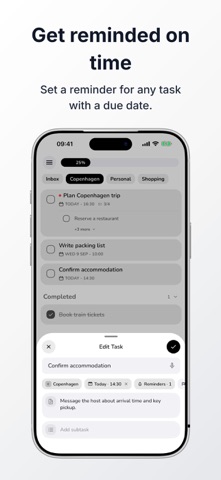
ClearDo keeps everyday tasks simple. Capture what you need to do, organize it into clear lists, and focus on the next step—without creating an account first. Add notes and due dates, keep projects easy to scan, and track progress without a crowded dashboard. START IN SECONDS • Create and complete everyday tasks • Add notes and due dates • Get reminders when tasks are due • Organize work in up to four lists • Review task progress and statistics • Use light, dark, or system appearance • Export and import lists, tasks, and list images CLEARDO PRO • Get multiple reminders before a task is due • Break larger tasks into subtasks and see progress • Add priorities and recurring schedules • Build shopping lists with quantities, units, prices, and totals • Focus with Pomodoro and stopwatch modes, with time tracked by task • Capture tasks by voice • Use unlimited lists, archives, links in notes, and more accent colors • Sign in with active ClearDo Pro to sync automatically across devices LOCAL WITHOUT AN ACCOUNT. AUTOMATIC SYNC WITH PRO. ClearDo works for everyday planning without an account. With active ClearDo Pro, sign in and ClearDo automatically syncs your data across devices. ClearDo is for people who want a capable to-do list without turning every task into a project-management system. APPLE WATCH Use the Apple Watch companion to view today’s tasks, add new tasks, and mark tasks complete. Terms of Use (EULA): https://www.apple.com/legal/internet-services/itunes/dev/stdeula/
Productivity · iPhone, iPad · Free
Rating: 3.0 out of 5, based on 2 user ratings.