
Screenshots
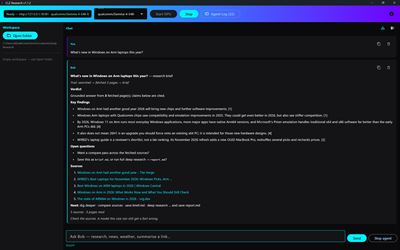
About CLZ Research
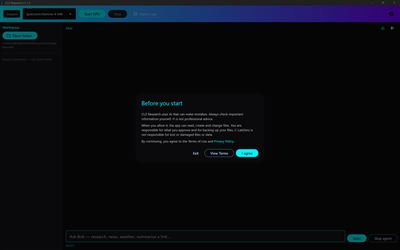
CLZ Research is a private research assistant that runs on your own Windows on Snapdragon PC. Ask a question and it searches the web, reads the pages, and writes a short, clear answer with links to its sources. If it can't find anything that supports an answer, it tells you so instead of guessing.
The AI runs on your PC, not in the cloud. CLZ Research uses local AI models on the Snapdragon NPU through Qualcomm's GenieX runtime, so your prompts and the model's answers are generated on your own machine. Your chats, research sessions and settings stay on your PC, and there's no account to create.
Try the 7 day trial.
RESEARCH WITH REAL SOURCES
Ask about any topic and get a short brief with real source links. Then keep going by typing follow-ups in the chat:
- dig deeper: read more pages on the current topic
- compare sources: see where sources agree and differ
- open questions: get suggested follow-up questions
- save brief.md: save the research brief to a file (asks for your approval first)
- deep research on and save report.md: build a fuller report
- clear research: start fresh
Quick factual questions get a short, direct answer. If the sources don't back it up, Snap Research says it couldn't confirm it.
EVERYDAY HELPERS
- Latest news headlines (try "news in UK")
- Live weather with follow-up questions about the forecast (try "weather in London")
- Paste a web link to get a summary of the page
YOUR FILES (OPTIONAL)
Choose a folder with Open folder and CLZ Research can work with the files inside it. It can't read or write outside the folder you pick. Get a quick map of a folder's files, or compare two files side by side. Any change to your files needs your Approve first.
VOICE MODE (OPTIONAL)
Talk to CLZ Research hands-free. Your speech is turned into text on your PC using the Snapdragon NPU (Whisper), and replies are read aloud. The speech model is a one-time download from inside the app. The microphone is used only while Voice Mode is on.
MAKE IT YOURS
The assistant is called Bob. You can change his display name and system prompt, or load your own prompt and quotes files to adjust his tone. An Agent Log shows what the app is doing behind the scenes: searches, pages fetched and the model's reasoning. You can export your chat to a Markdown file at any time.
WHAT YOU NEED
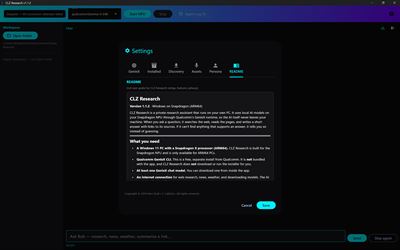
- A Windows 11 PC with a Snapdragon X processor (ARM64). Snap Research is built for the Snapdragon NPU and is only available for ARM64 PCs.
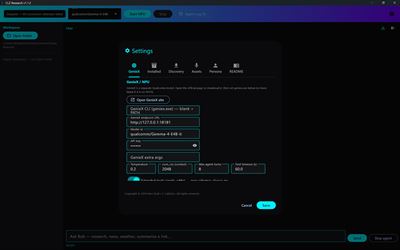
- Qualcomm GenieX CLI, a free, separate install from Qualcomm. It is not included with Snap Research. In the app, open Settings > GenieX > Open GenieX site to get it from Qualcomm.
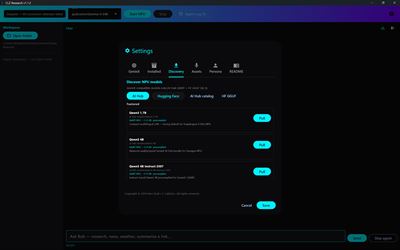
- At least one GenieX chat model, which you can browse and download inside the app (Qualcomm AI Hub and Hugging Face).
- An internet connection for web research, news, weather and model downloads. The AI model itself runs on your PC.
- A microphone and speakers, only if you want to use Voice Mode.
AVALW Coverage
Not yet mentioned in AVALW articles.
Similar apps


 MyJio: For Everything JioJio Platforms LimitedTrue 5G, recharges, payments & UPI, music & movies, backup, games, news & more.★ 4.4 27428k


 Microsoft WordMicrosoft CorporationThis application requires a qualifying Microsoft 365 subscription. Microsoft 365 includes premium Word, Excel, and PowerPoint apps, 1 TB cloud storage in OneDri★ 4.8 17535k



 Samsung NotesSamsung Electronics Co, Ltd.(Samsung Notes is optimized for Samsung Galaxy Books. Other computers may have issues running it.) "Samsung Notes allows you to use the enhanced S Pen to write ★ 4.8 15228k



 ChatGPT ClassicOpenAIThe official ChatGPT desktop app brings you the newest model improvements from OpenAI. Do more on your PC with ChatGPT: · Instant answers—Use the [Alt + Space] ★ 4.8 11034k


 ChatGPTOpenAI OpCo, LLCIntroducing ChatGPT for iOS: OpenAI’s latest advancements at your fingertips. This official app is free, syncs your history across devices, and brings you the l★ 4.8 11034k


 Microsoft OutlookMicrosoft CorporationOutlook helps you stay connected and organized at the office and at home with easy access to emails, files, calendar events, and contacts across all your accoun★ 4.3 10673k


 Turbo VPN: Unlimited VPN ProxyINNOVATIVE CONNECTING PTE.LIMITEDDo you want online security and privacy while browsing? Turbo VPN now provides the fastest, reliable and encrypted network. With Turbo VPN, you can get the safe★ 4.7 10243k



 Microsoft ExcelMicrosoft CorporationThis application requires a qualifying Microsoft 365 subscription. Microsoft 365 includes premium Word, Excel, and PowerPoint apps, 1 TB cloud storage in OneDri★ 4.8 9702k