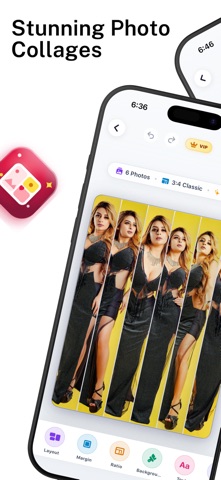
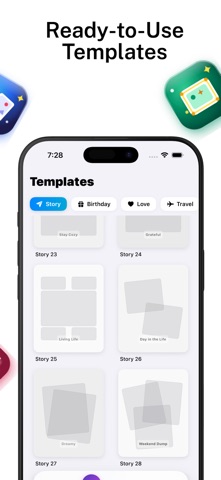
Turn your favorite photos into clean photo collages, aesthetic layouts, and social media stories in seconds. Whether you want to combine family pictures, create side-by-side comparison photos, design aesthetic Instagram grids, or cut out subjects with one-tap AI, Collage Maker gives you complete creative tools in one easy-to-use app. Remix up to 10 photos instantly, customize borders and spacing, apply solid colors, gradients, or textures, and save your creations in crystal-clear Ultra 4K resolution. CORE FEATURES Photo Grids and Layouts - Combine up to 10 photos into seamless grid arrangements. - Adjustable border width, margin padding, and corner curvature. - Swap layout styles instantly while preserving selected photo positions. - Side-by-side mode for before and after comparisons. AI Background Remover and Cutout - Automatic subject detection powered by Apple Vision technology. - Remove backgrounds in a single tap without manual tracing. - Erase and restore brush with adjustable sizing for precise edge refinement. - Edge feathering slider for smooth, natural cutout blending. - Export transparent PNG cutouts ready for graphic design or sharing. Background Customization and Textures - 15 procedural vector textures including paper grain, dots, terrazzo, grid, and geometric patterns. - Curated solid color palette and two-tone gradient fills. - Auto-blur background mode for portrait depth-of-field effects. Social Media Canvas Ratios - Preset aspect ratios for Instagram feed, Stories, Reels, TikTok, Pinterest, and Facebook. - MultiFit no-crop feature to display vertical or horizontal photos without clipping edges. Freestyle Scrapbook Canvas - Place, rotate, and scale pictures freely across an open workspace. - Multi-layer arrangement for moodboards, scrapbooks, and creative collages. Photo Editor and Enhancements - Precise adjustments for brightness, contrast, saturation, exposure, warmth, and sharpness. - Curated photo filters including vintage, clean black and white, cinematic, and natural tones. - Typography tool with custom fonts, colors, and text alignment. - Creative stickers and freehand drawing brushes. High-Resolution Export - Choose between Standard, HD, and Ultra 4K export quality. - High-fidelity rendering engine preserves photo clarity and detail. - Direct save to your Photo Library and quick sharing options. Privacy and On-Device Processing All image editing and AI subject cutout processing happen securely on your device. Your photos are never uploaded or stored on external cloud servers. Privacy Policy: https://sites.google.com/view/kalkani-privacy-policy/home Terms of Use (EULA): https://www.apple.com/legal/internet-services/itunes/dev/stdeula/
Photo & Video · iPhone, iPad · Free
Rating: 3.5 out of 5, based on 2 user ratings.