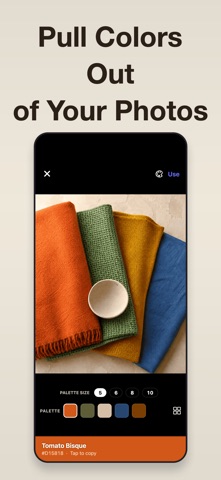
Turn the color in front of you into a clear name, usable codes, and a palette you can keep. Sample any point in the camera view, or choose an existing photo when you are working from a saved reference. CAPTURE A STEADIER SAMPLE • Tap any point, or long-press to average a 24×24-pixel area • Use the loupe and white-balance calibration in difficult lighting • Auto mode reads color continuously as you move the camera GO FROM SAMPLE TO SPEC • A built-in color-name database returns the closest name • Copy HEX, RGB, HSL, HSV, CMYK, and LAB values • Compare your sample against every swatch in the built-in paint and design libraries, including RAL Classic BUILD A PALETTE FOR THE PROJECT • Six harmonies: complementary, analogous, triadic, split-complementary, tetradic, and monochromatic • Pull 5, 6, 8, or 10 dominant colors from a photo and tune HSL • Save named palettes, search history, and star important samples CHECK BEFORE YOU APPLY • Test WCAG contrast and preview three color-vision modes Lighting, camera sensors, and displays affect sampled color; use results as a practical reference, not a replacement for a calibrated colorimeter. Capture the color, name it, and leave with a reusable palette in moments. Some of the features described require a subscription. Terms of Use: https://zeroplay.io/docs/legal/terms-of-service Privacy Policy: https://zeroplay.io/docs/legal/privacy-policy
Productivity · iPhone, iPad, Android · Free
Rating: 4.3 out of 5, based on 110 user ratings.