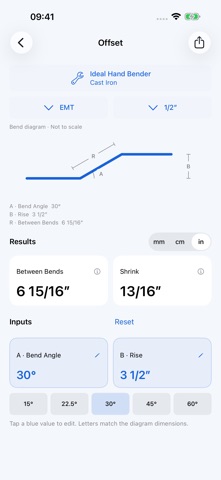
Keep conduit dimensions and bend diagrams together. Choose a bend, equipment and size, then enter your dimensions to see the results. Features • 10 bend types: offsets, parallel offsets, 3-point and 4-point saddles, kicks with 90s, 90-degree bends, compound 90s around circular, square and rectangular obstacles, and segmented 90s. • Diagram letters match the inputs. Tap a value to edit it, or fine-tune with step controls and a slider. • Calculate mark positions, bend spacing, shrink, developed length or angle per bend, depending on the selected bend. • Switch between millimeters, centimeters and fractional inches. English and Simplified Chinese follow your system language. • View equipment specifications and bend-center references. Save custom outside diameters, centerline radii and 90-degree deducts. • Units, equipment selections and calculator inputs are saved automatically. Share result text when needed. Calculations work offline without an account or sign-in. There are no ads. External manufacturer references require an internet connection. Equipment and conduit Results depend on the dimensions you enter and matching the equipment, former and conduit parameters. Chinese equipment entries are setup templates: a verified radius and deduct must be supplied before saving them as custom equipment. The app does not check national installation codes or calculate material springback or deformation. Check results against your equipment instructions and actual conduit.
Utilities · iPhone, iPad · $2.99