
Screenshots


About Connect My NAS
Connect your NAS without the usual setup hassle.
Connect My NAS keeps the folders you use on your network storage available and reconnects them automatically when needed.
No complicated network settings. No technical setup screens. Just add your NAS, choose the folders you want to use, and let Connect My NAS take care of the rest.
SIMPLE NAS CONNECTION
Connect My NAS can find NAS devices on your local network, or you can add one manually using its address.
Add the folders you want to connect, sign in once, and access them with a single click.
AUTOMATIC RECONNECTION
Your NAS folders can reconnect automatically when:
• Connect My NAS starts
• your computer wakes from sleep
• your network connection returns
You can also choose to launch Connect My NAS automatically when you log in.
QUICK FOLDER ACCESS
Once a folder is connected, open it with a single click.
No need to reconnect your NAS manually every time you restart your computer or wake it from sleep.
MULTIPLE NAS DEVICES
Connect more than one NAS and see their connection status from one simple place.
Connect My NAS also gives you quick access from the menu bar, so your storage is always close at hand.
YOUR PASSWORDS STAY SECURE
NAS passwords are stored securely using the system credential store.
7-DAY FREE TRIAL
Connect My NAS includes 7 days of full access.
After the trial, continued use requires a one-time Lifetime Unlock.
No subscription.
BUILT FOR SIMPLICITY
Connect My NAS is designed for people who simply want their network storage available without dealing with complicated configuration.
No complicated server management.
No unnecessary network tools.
No technical jargon.
Just your NAS, connected.
AVALW Coverage
Not yet mentioned in AVALW articles.
Similar apps


 Phone by GoogleGoogle LLCReliable phone calls with spam protection, caller ID and more helpful features★ 4.4 52440k


 Google Play servicesGoogle LLCGoogle Play services - Google services for Android apps★ 4.3 44573k



 Call of Duty®: Modern Warfare® 4 (Windows)Activision Publishing Inc.War erupts on the Korean Peninsula as North Korea launches a full-scale invasion that threatens to destabilize the world in Call of Duty®: Modern Warfare® 4. A ★ 4.3 16579k


 gov.brServiços e Informações do BrasilGov.br is a means of user access to digital public services.★ 4.6 14047k


 MyTelkomsel – Buy InternetTelkomselBuy credit, internet quota, streaming, game voucher & get cashback with e-wallet★ 3.8 12353k


 myIM3: Data Plan & Buy PackageIndosat Ooredoo HutchisonCheck balance & quota, detect & block spam, exchange IMPoin only on myIM3★ 4.4 11302k


 Files by GoogleGoogle LLCClean up your phone, find files, play media, and share files offline★ 4.5 9097k


 CNH do BrasilServiços e Informações do BrasilDigital driver's license and vehicle registration certificate, first driver's license, traffic violation and vehicle information.★ 4.9 8390k
More by this developer


 BookTeleport: eBook TransferDaniel MiaraBookTeleport makes it easy to move your own e-books from your Mac to a USB-connected e-reader. Choose a book or simply drag it into the app. BookTeleport prepar-

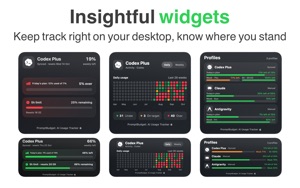

 PromptBudget: AI Usage TrackerDaniel MiaraPromptBudget helps developers pace a weekly AI usage allowance from the Mac menu bar using a compact menu app, detailed or the main app. Keep your computer awak-


 Spin & Draw: Drawing GuesserDaniel MiaraTurn any table into a drawing game night. Spin & Draw is a pass-the-phone drawing and guessing game for 2–6 players. Grab some paper, a notebook or a whiteboard-


 Control DeckDaniel MiaraControl Deck turns your built-in display into a dedicated control surface when you connect an external monitor. It helps you put unused screen space to work wit-