
Screenshots


About Copio: Clipboard Keyboard
Copy, switch apps, hunt for it again, paste... Sound familiar?
Copio is a clipboard history keyboard. It remembers the text and links you copy, so you can insert any of them from your keyboard in any app. No more app-hopping.
SOUND FAMILIAR?
- Re-copying the same address, order number or link again and again
- Typing the same greetings and replies every day
- Switching between apps just to carry text across
- Accidentally inserting a huge block of text
HOW IT WORKS: 3 STEPS
1. Copy as usual (it is saved when you open the app or bring up the keyboard)
2. Tap the globe key to switch to the Copio keyboard
3. Press and hold a clip: it fills with color, then inserts
WHAT MAKES IT DIFFERENT
- Press and hold to insert: a stray tap never inserts, so no more accidental walls of text (switch back to plain taps in Settings if you prefer)
- Undo button: inserted too much? One tap takes it back
- Pins: keep your most-used clips on top, always
- Category tabs: text and images are sorted automatically. File greetings, addresses and replies into your own categories and switch with tabs on the keyboard (add URL, number and email tabs in Settings)
- Swipe to file or edit: on the keyboard, swipe a clip to the left to file it into a category or fix the text. In the app, press and hold a clip to file it
- No duplicates: copy the same text or image again and it simply moves to the top
- Open the app from the keyboard: one button takes you to Copio
- Search: find any clip by keyword
- Widget, Control Center and Share sheet: save with one tap, or send text, links and images straight from Safari and other apps
- Paste button: saves what you copied with no permission prompt
GREAT FOR
- Anyone who reuses email and chat templates
- Typing addresses, phone numbers and member IDs
- Collecting links and notes while researching
- Cutting down copy-and-paste mistakes
FREE
Your 3 most recent clips, 2 pins and 3 clips filed into categories are free.
PRO: ONE-TIME PURCHASE
Unlimited history, pins and category filing, plus image clips. No subscription: pay once and keep it.
PRIVACY
Your history stays on your device and is never uploaded. No account, no ads, no analytics.
SETUP
Settings > General > Keyboard > Keyboards > Add New Keyboard > Copio, then turn on Allow Full Access.
Available in English, Japanese, Korean, Simplified Chinese and Spanish.
AVALW Coverage
Not yet mentioned in AVALW articles.
Similar apps


 MyJio: For Everything JioJio Platforms LimitedTrue 5G, recharges, payments & UPI, music & movies, backup, games, news & more.★ 4.4 27428k


 Microsoft WordMicrosoft CorporationThis application requires a qualifying Microsoft 365 subscription. Microsoft 365 includes premium Word, Excel, and PowerPoint apps, 1 TB cloud storage in OneDri★ 4.8 17535k



 Samsung NotesSamsung Electronics Co, Ltd.(Samsung Notes is optimized for Samsung Galaxy Books. Other computers may have issues running it.) "Samsung Notes allows you to use the enhanced S Pen to write ★ 4.8 15228k



 ChatGPT ClassicOpenAIThe official ChatGPT desktop app brings you the newest model improvements from OpenAI. Do more on your PC with ChatGPT: · Instant answers—Use the [Alt + Space] ★ 4.8 11034k


 ChatGPTOpenAI OpCo, LLCIntroducing ChatGPT for iOS: OpenAI’s latest advancements at your fingertips. This official app is free, syncs your history across devices, and brings you the l★ 4.8 11034k


 Microsoft OutlookMicrosoft CorporationOutlook helps you stay connected and organized at the office and at home with easy access to emails, files, calendar events, and contacts across all your accoun★ 4.3 10673k


 Turbo VPN: Unlimited VPN ProxyINNOVATIVE CONNECTING PTE.LIMITEDDo you want online security and privacy while browsing? Turbo VPN now provides the fastest, reliable and encrypted network. With Turbo VPN, you can get the safe★ 4.7 10243k



 Microsoft ExcelMicrosoft CorporationThis application requires a qualifying Microsoft 365 subscription. Microsoft 365 includes premium Word, Excel, and PowerPoint apps, 1 TB cloud storage in OneDri★ 4.8 9702k
More by this developer


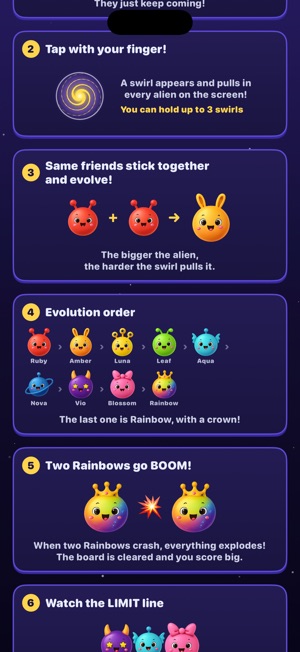
 Cosmic Merge AliensHiromichi Fujiwara■ Pull them in, merge them, BOOM! Aliens keep falling from outer space. You can't drop them, and you can't move them. The only thing you can do is place a swirl-


 Entertainment StockHiromichi FujiwaraEntertainment Stock brings your own videos and music into one place: import them, let the app name and sort them, then edit and play them right on your iPhone. -


 Trip Story AIHiromichi Fujiwara撮りためた動画を、59秒以内の縦型ショート動画に。 Trip Story AI は、カメラロールの動画を選ぶだけで、いいところを切り出してテロップを付け、そのまま投稿できる縦型動画(1080×1920)に仕上げるアプリです。旅行、カフェ、日常のVlog、ペット、やり方紹介など、題材は自由です。 ■ 動画を選ぶだけ カメ-


 Crown Fish SwimingHiromichi Fujiwara■ A little clownfish's journey home A huge tidal whirlpool swept Kuma the clownfish far, far away from home. Alone in a deep, unfamiliar sea, Kuma meets Genjii,-