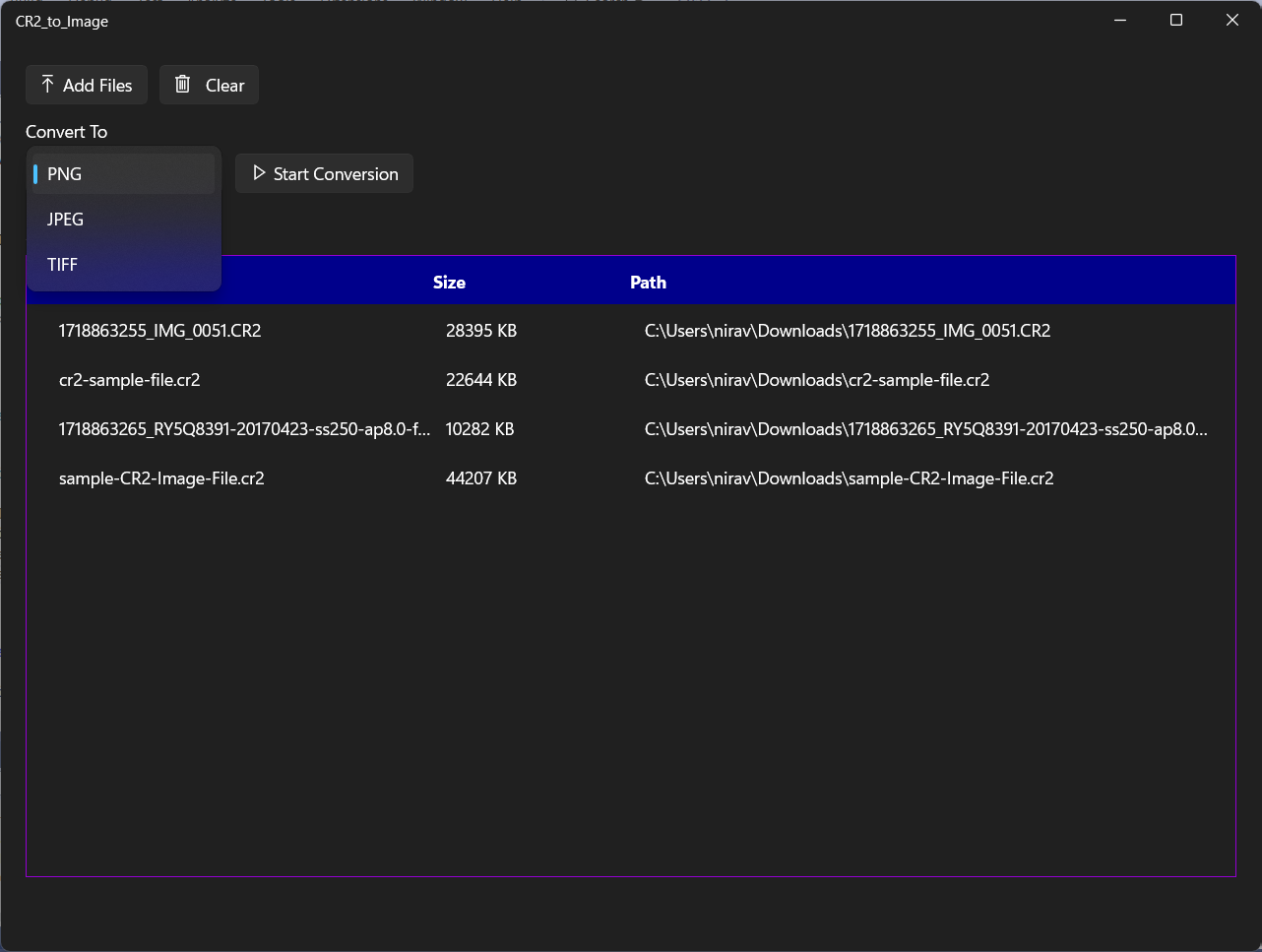
Description: 📸 Convert Canon CR2 RAW Files into Stunning Images in Seconds! 🚀 Are you a photographer looking for a fast, easy, and reliable way to view and convert your Canon RAW (.CR2) photos? Look no further! CR2 to Image is the ultimate lightweight utility designed to seamlessly convert your high-quality Canon RAW files into widely supported everyday image formats right on your Windows PC. Whether you need to quickly share a preview with a client, post on social media, or edit in standard photo software, we’ve got you covered! ✨ Key Features: • ⚡ Lightning-Fast Batch Conversion: Convert a single photo or process dozens of files at the same time with incredible speed. • 🖱️ Drag & Drop Support: Effortlessly drop your CR2 files directly into the app to get started instantly. • 💯 Flawless Quality: Retain your original photo's sharpness, contrast, and color richness without severe compression. • 🎨 Popular Output Formats: Choose your exact output format! Export directly to web-friendly JPEG, high-quality transparent PNG, or lossless TIFF. • 🔒 100% Secure & Offline: Your photos never leave your computer. All rendering and conversion processes happen entirely locally on your machine for total privacy. 🌟 Free & Premium Tiers: Get started absolutely for FREE, which includes up to 10 free, high-speed conversions every single day! Need to process bulk photoshoots? Upgrade to CR2 Pro inside the app to unlock: ✔️ Unlimited Daily Conversions (Process thousands of images without limits!) ✔️ A 100% Ad-Free Premium Experience ✔️ Support ongoing development & updates ☕ Download CR2 to Image today and completely streamline your photography workflow! 📷✨
Photo & Video · Windows · Free
Rating: 4.6 out of 5, based on 65 user ratings.