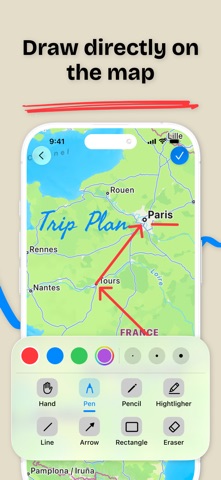
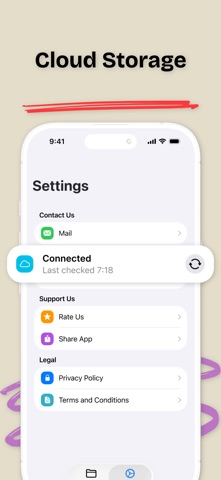
Draw on any map. Plan trips, mark places, add notes. This app lets you draw and write on maps. Mark a meeting spot, draw a route, highlight an area, or add notes. Everything stays on the map so you can find it later. Easy drawing tools Use pen, pencil, highlighter, or eraser. Add shapes like lines, rectangles, arrows, and circles. Pick any color. Make lines thick or thin. Add text or photos. Your maps will look clear and easy to read. Saving and sharing Save your map with all your drawings and notes. Share it with friends or coworkers. Great for giving directions, planning trips, or showing project locations. Works with Apple Pencil Draw with Apple Pencil for smooth, precise lines. iCloud Sync Your maps sync across all your Apple devices. Start on iPhone, continue on iPad. Features: * Draw directly on maps * Pen, pencil, highlighter, eraser * Lines, rectangles, arrows, circles * Text, Photos * Many colors and line sizes * Save and share your maps * Apple Pencil support * iCloud Sync across devices
Productivity · iPhone, iPad · Free
Rating: 4.7 out of 5, based on 25 user ratings.