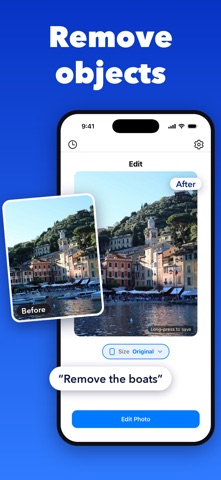
Edit AI - AI Photo Editor Edit Photos With Words. Take a picture and use simple text to edit it—remove objects, add objects, remove a person, or add a person. Type "remove the chair" or "add a dog," and watch the magic happen. No complicated tools, just your words and AI power. Key Features: - AI Photo Editor: Edit photos by just typing what you want. - Remove Objects: Erase anything from your photos with a single text. - Add Objects: Insert items like pets, cars, or props effortlessly. - Remove Person: Clear people from your shots in seconds. - Add Person: Place anyone into your photos with ease. - Easy Photo Editing: Fast, fun, and beginner-friendly with text. - Edit Pics Quickly: Perfect your images in moments. - High-Resolution Results: Get sharp, detailed edits at up to 4x the resolution. - Pick Your Size: Choose 1:1 for posts, 9:16 for Stories and Reels, 4:5, 16:9 and more. - Crop and Frame: Pinch and drag to frame your photo exactly how you want it. - Edit History: Every edit saved with its before and after, ready to compare or reuse. Important Note: Edit AI requires a subscription to access all features. A monthly or yearly in-app purchase is required to use the app. Monthly and Yearly Subscriptions: Unlock Edit AI's powerful photo editing features with our monthly or yearly subscriptions (in-app purchases required). Choose the plan that best suits your needs to access all features. Terms and Privacy: - Terms of Use: https://www.edit-ai.co/tos - Privacy Policy: https://www.edit-ai.co/privacy_policy/ Why Edit AI? Say goodbye to tedious photo editing apps. Edit AI understands your text, making it the easiest way to remove objects, add people, or tweak your pictures. Whether for social media or personal fun, Edit AI delivers professional results with minimal effort. Download Edit AI now and start editing photos with words!
Photo & Video · iPhone, iPad · Free
Rating: 4.8 out of 5, based on 4 user ratings.