Screenshots
About Everyday PDF
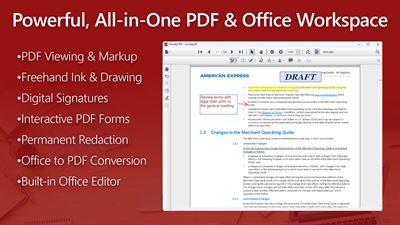
View, annotate, manage, and fill out PDF forms effortlessly with Everyday PDF, a fast and flexible desktop workspace for Windows 10 and 11. Open, edit, and convert Microsoft Office files—including Word, Excel, and PowerPoint—directly into high-quality PDFs without leaving the app. Packed with powerful text markups, freehand ink tools, interactive form handling with data import/export, digital signatures, page reordering, and permanent redaction, Everyday PDF streamlines your entire document workflow in one clean, unified interface.
Key Features:
✅ All-in-One Document Workspace: Create, view, annotate, and manage PDF documents alongside Microsoft Word, Excel, and PowerPoint files in a single unified interface.
✅ Streamlined Launch Window: Quickly open recent files, drop documents into the drag-and-drop zone, or launch dedicated Word, Excel, and PowerPoint editors.
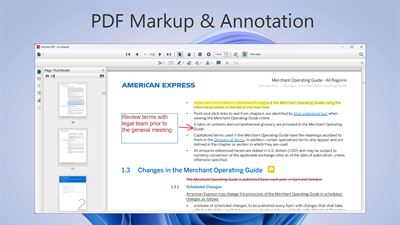
✅ Comprehensive Annotation Tools: Highlight, underline, strikethrough, or squiggly-line text, draw freehand with customizable ink palettes, and add sticky note comments.
✅ Vector Drawing & Shapes: Insert straight lines, arrows, rectangles, circles, polygons, polylines, clouds, and text callouts to mark up diagrams and reports.
✅ Digital Signatures & Stamps: Sign contracts electronically using a touch/mouse signature pad and apply standard business or custom stamps.
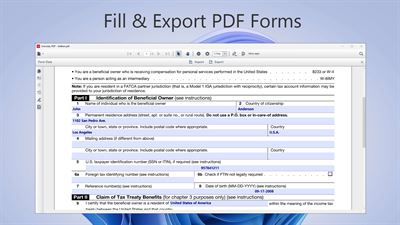
✅ Interactive PDF Forms & Data Transfer: Complete interactive PDF form fields seamlessly and import or export form data in FDF, XFDF, XML, and JSON formats.
✅ Page Organization: Rotate, delete, drag-and-drop reorder, and multi-select pages using a full-screen grid thumbnail layout.
✅ Permanent Content Redaction: Select and permanently burn in redactions over sensitive text or graphical areas with customizable fill and overlay properties.
✅ Multi-Format Document Conversion: Convert Word, Excel, PowerPoint, text documents, and images directly into standardized PDF files.
✅ Multi-Window Viewing: Open multiple PDF documents in dedicated standalone windows for side-by-side comparison across displays.
Supported Formats:
• PDF Formats: .pdf
• Form Data Formats (Import & Export): .fdf, .xfdf, .xml, .json
• Microsoft Word Formats (View, Edit & Convert to PDF): .doc, .docx, .dot, .dotx, .docm, .dotm, .odt, .rtf, .txt
• Microsoft Excel Formats (View, Edit & Convert to PDF): .xls, .xlsx, .xlsm, .xltx, .xltm, .xlsb, .csv
• Microsoft PowerPoint Formats (View & Convert to PDF): .ppt, .pptx, .pps, .ppsx, .potx
• Image Formats (Convert to PDF): .png, .jpg, .jpeg, .bmp
Everyday PDF provides a focused, reliable environment for managing all your document viewing, editing, markup, and PDF form processing needs on Windows. By combining broad file format compatibility across PDF and Microsoft Office documents with essential annotation tools, digital signing, form data import/export, and redaction features, it serves as the complete desktop document utility whether you are reviewing business reports, filling out tax forms, signing agreements, or organizing page layouts.
AVALW Coverage
Not yet mentioned in AVALW articles.
Similar apps


 Phone by GoogleGoogle LLCReliable phone calls with spam protection, caller ID and more helpful features★ 4.4 52440k


 Google Play servicesGoogle LLCGoogle Play services - Google services for Android apps★ 4.3 44573k



 Call of Duty®: Modern Warfare® 4 (Windows)Activision Publishing Inc.War erupts on the Korean Peninsula as North Korea launches a full-scale invasion that threatens to destabilize the world in Call of Duty®: Modern Warfare® 4. A ★ 4.3 16579k


 gov.brServiços e Informações do BrasilGov.br is a means of user access to digital public services.★ 4.6 14047k


 MyTelkomsel – Buy InternetTelkomselBuy credit, internet quota, streaming, game voucher & get cashback with e-wallet★ 3.8 12353k


 myIM3: Data Plan & Buy PackageIndosat Ooredoo HutchisonCheck balance & quota, detect & block spam, exchange IMPoin only on myIM3★ 4.4 11302k


 Files by GoogleGoogle LLCClean up your phone, find files, play media, and share files offline★ 4.5 9097k


 CNH do BrasilServiços e Informações do BrasilDigital driver's license and vehicle registration certificate, first driver's license, traffic violation and vehicle information.★ 4.9 8390k
More by this developer

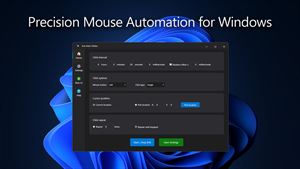
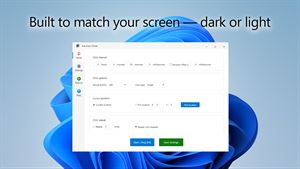
 Ace Auto ClickerXSKJToolAppsAce Auto Clicker is a fast and reliable tool that automates mouse clicks on Windows 10 and 11. Designed for gamers, testers, and professionals, it allows you to★ 3.7 53
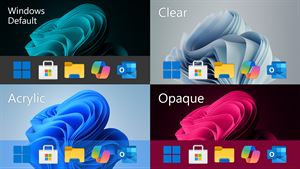
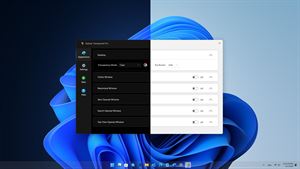
 Taskbar Transparent ProXSKJToolAppsTransform your desktop with full control over your taskbar’s transparency behavior. Taskbar Transparent Pro lets you assign different transparency effects for e★ 4.6 116
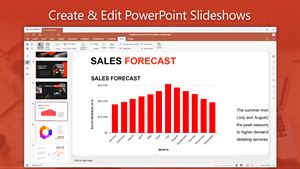
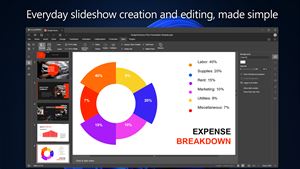
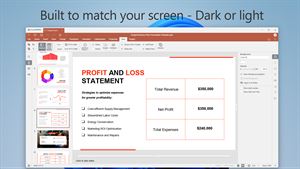
 PPT Editor ProXSKJToolAppsPPT Editor Pro is a full-featured presentation editor for Windows 10 and 11 that focuses on compatibility with Microsoft PowerPoint. It opens, edits, and saves ★ 5.0 6
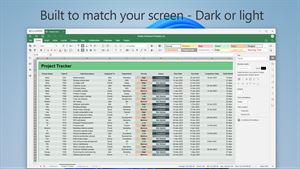
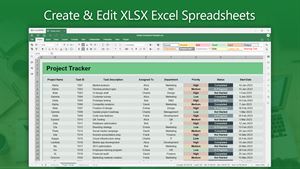
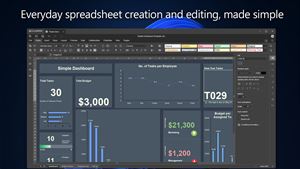
 XLSX Editor Pro.XSKJToolAppsXLSX Editor Pro is a full-featured spreadsheet editor for Windows 10 and 11 that focuses on compatibility with Microsoft Excel and LibreOffice Calc. It opens, e★ 4.6 28