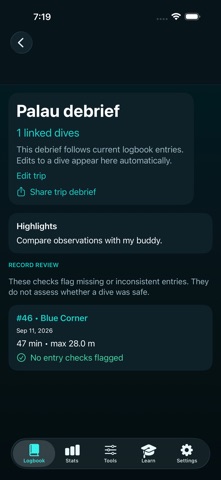
Link existing dives into a named trip, add highlights and next-time notes, and review missing or inconsistent log entries. HOW IT WORKS 1. Open Trip Debrief from the logbook and select the dives from the trip. 2. Add highlights and next-time notes, then review the record-completeness prompts. 3. Share the debrief. Edits to linked dives appear in the trip; missing dive links are retained and identified. The private dive logbook and existing reference workflows remain available. Unreadable saved records are preserved rather than reseeded. WHAT TO KNOW Completeness prompts are record checks, not dive safety assessments, decompression advice or future dive plans. Sample Diver records are examples. Confirm your own logs with your training, equipment and dive computer. iPhone and iPad.
Sports · iPhone, iPad · $0.99