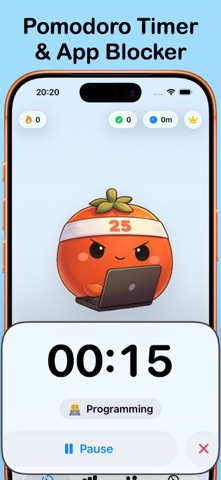
FOCUS FIRST. EARN YOUR SCROLL. Focus Lock combines a Pomodoro timer with Screen Time app blocking. Choose your distracting apps, complete a focus session, and earn time to use them. Built by someone with ADHD who was tired of losing hours to doomscrolling. TWO WAYS TO FOCUS Lock In mode keeps your selected apps locked until you earn an unlock window by completing a focus session. Earned time is measured by actual app usage. Three five-minute emergency unlocks are available each day. Prefer session-based blocking? Turn off Lock In and block distractions only during focus sessions, with optional blocking during breaks. BUILT FOR IPHONE DUO On the inner display, the countdown and session controls sit on opposite sides of the fold. Half-folded on your desk, the timer stays visible above the controls. Open it like a book, fold it closed, or use Split View: your session keeps going. BUILD A FOCUS HABIT - Start with 25- or 45-minute focus sessions. - Tag your work and see where your focus time goes. - Track daily and weekly progress, streaks, and badges. - Share your focus cards and milestones. - Follow the timer with Live Activities and completion alerts. AlarmKit alarms are available on supported iOS versions with your permission. FREE AND PREMIUM Start free with up to three app or category selections for blocking. Premium adds unlimited selections, custom focus durations from 15 to 120 minutes, and custom tags. Optional subscriptions are available in the app; prices and trial availability are shown before purchase. Screen Time permission is required for app blocking. Privacy Policy: https://sleepybytes.com/privacy-policy/ Terms of Use: https://www.apple.com/legal/internet-services/itunes/dev/stdeula/
Productivity · iPhone, iPad · Free
Rating: 5.0 out of 5, based on 2 user ratings.