
Screenshots


About FolioBind: EPUB Studio
FolioBind turns the files already on your device into real EPUB ebooks — and fixes the EPUBs you already have.
CONVERT ANYTHING
Import TXT, Markdown, DOCX, PDF, CBZ, ZIP or CBR and FolioBind builds a proper EPUB. TXT and Markdown get chapter-aware reflowable text with an automatic table of contents. Flip horizontal text into vertical right-to-left layout and back — ideal for Chinese, Japanese and Korean. Image references in your text — a local file path or a direct link — are fetched and embedded automatically, no manual attaching required. PDF pages and comic archives (CBZ/ZIP/CBR) become fixed-layout books that keep your original page art. DOCX text and images convert to clean reflowable EPUB. Queue a whole folder and convert it in one batch.
EDIT AND REPAIR EPUBS YOU ALREADY HAVE
Point FolioBind at any EPUB and it inspects the file, tells you exactly what's wrong, and fixes it: rebuilds a broken container or manifest, repairs the table of contents, upgrades EPUB2 files to EPUB3, embeds remote images, strips embedded fonts, and edits metadata — title, authors, series, subjects, identifiers, rights, publish date and reading direction.
TYPOGRAPHY YOU CAN SEE BEFORE YOU SAVE
A live preview renders your real content with the exact CSS FolioBind writes into the EPUB, so line height, paragraph spacing, first-line indent, margins and vertical right-to-left layout are all judged by eye, not by number.
BUILT FOR YOUR LIBRARY
Automatically convert images to JPEG and downsize them to save storage space, without touching your originals. Quickly convert between Simplified and Traditional Chinese offline. Generate a fresh source copy instead of overwriting your files. Share finished books straight to Apple Books, Kindle, Mail or any app that accepts EPUB.
PRIVATE BY DESIGN
Everything happens on your device. No account, no upload, no server round-trip — your files never leave your iPhone or iPad.
Free includes one conversion per day and the full editing and repair toolset. FolioBind Pro removes the daily limit and unlocks batch conversion, available as a monthly subscription or a one-time lifetime purchase.
Privacy Policy: https://mlt-solutions.github.io/app-legal-docs/foliobind/PRIVACY
Terms of Use: https://mlt-solutions.github.io/app-legal-docs/foliobind/TERMS
AVALW Coverage
Not yet mentioned in AVALW articles.
Similar apps


 Phone by GoogleGoogle LLCReliable phone calls with spam protection, caller ID and more helpful features★ 4.4 52440k


 Google Play servicesGoogle LLCGoogle Play services - Google services for Android apps★ 4.3 44573k



 Call of Duty®: Modern Warfare® 4 (Windows)Activision Publishing Inc.War erupts on the Korean Peninsula as North Korea launches a full-scale invasion that threatens to destabilize the world in Call of Duty®: Modern Warfare® 4. A ★ 4.3 16579k


 gov.brServiços e Informações do BrasilGov.br is a means of user access to digital public services.★ 4.6 14047k


 MyTelkomsel – Buy InternetTelkomselBuy credit, internet quota, streaming, game voucher & get cashback with e-wallet★ 3.8 12353k


 myIM3: Data Plan & Buy PackageIndosat Ooredoo HutchisonCheck balance & quota, detect & block spam, exchange IMPoin only on myIM3★ 4.4 11302k


 Files by GoogleGoogle LLCClean up your phone, find files, play media, and share files offline★ 4.5 9097k


 CNH do BrasilServiços e Informações do BrasilDigital driver's license and vehicle registration certificate, first driver's license, traffic violation and vehicle information.★ 4.9 8390k
More by this developer
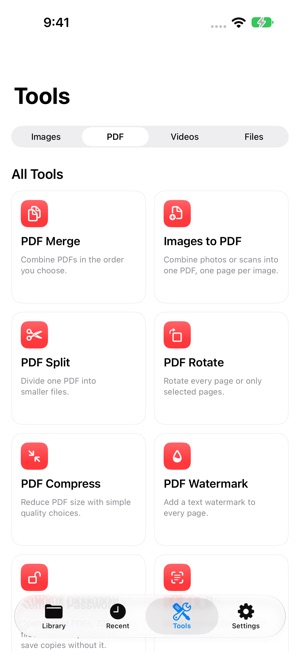

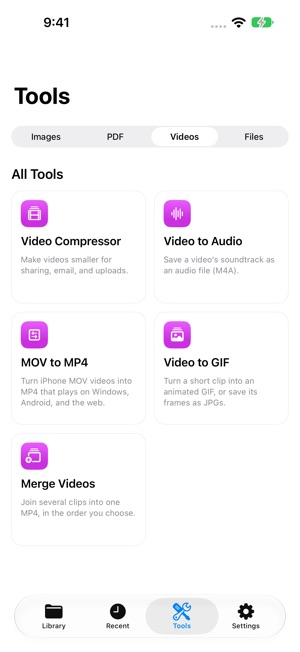
 LokalTools: Photo & PDF ToolsKIEN WEI CHOOPaperwork often comes with a very specific request. Make a passport photo, lay out an ID card or passport on A4, or add a text watermark to a PDF—right when you-


 Kitty GambitKIEN WEI CHOOKitty Gambit is a calm focus timer built around an ambient tabletop scene. Start a work session, choose your companion cats, and let them play chess or checkers-


 ContentCue: Read & ListenKIEN WEI CHOOContentCue is a mobile browser, RSS reader, and podcast player — all in one app. Read, listen, and never lose your place. IMMERSIVE WEB READER Browse any websit-


 GrepTag: Search & Tag BooksKIEN WEI CHOOGrepTag is a keyword-scanning and tagging utility for your local TXT and EPUB files. Point it at your collection, search inside every file, and let it tag your -