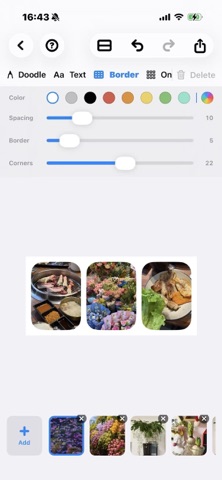
Start with photos from your library, then tap any edge to insert more—left, right, top, or bottom. Your collage takes shape naturally, not from a fixed grid. • Freeform insert: Tap + on any edge to expand your layout in any direction • One-tap layout: Auto-arrange multiple photos in seconds, then fine-tune • Frames & spacing: Adjust borders, corners, and gaps for clean, social-ready looks • Doodle & text: Draw and add text directly on your collage • Photo editing: Crop, rotate, and adjust colors without leaving the app • High-quality export: Save to Photos as JPEG or PNG • Share extension: Send photos from other apps straight into Freeform Collage
Utilities · iPhone, iPad · Free
Rating: 4.9 out of 5, based on 15 user ratings.