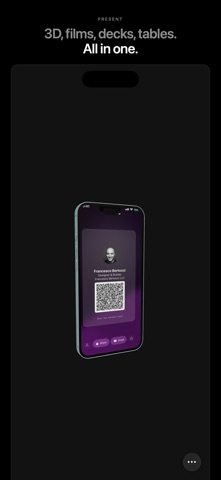
Show anything full screen, make it a presentation, and share it as a link that plays in any browser. FreeView opens web pages, PDFs, videos, photos, Keynote and PowerPoint files, 3D models and more edge to edge, without browser bars or app chrome. PRESENT ANYTHING • PDFs, Keynote, PowerPoint, Pages and Word files as slides • Videos and audio full screen, with AirPlay • Photos, animated GIFs and SVGs, filled to the edges in their own colour • Spreadsheets and CSV as clean tables, Markdown as a reading page • 3D models (USDZ, OBJ, STL, GLB) you can spin, and Lottie animations • HTML prototypes with their CSS and JS, any web address, pages saved for offline MAKE IT YOURS Add a cover with your logo, name, photo and contacts, and Magic slides that lay themselves out around your words and pictures: a title becomes the hero, pictures fill the slide, text sits beside them. Tap a picture to see it full screen. Put a live website on a slide, or attach files for people to download. Any web address on a slide becomes a QR code. Pick a style, save it by name, copy it to another presentation, or make one from your logo's colours. Duplicate a presentation to change just a few things. EDIT IN PLACE Crop, rotate or reimagine photos with Image Playground (where available), trim and mute videos, trim or re-record audio, and fix PDF pages, right inside the presentation. Take photos, scan documents or record audio straight into a slide. Revert brings back the original. PRESENT IT YOURSELF Record a commentary: you on camera, talking over your slides. Choose how it's laid out afterwards, share it in the link so people watch you present over the live slides, or save it as a video for social posts. SHARE AS A LINK Share a presentation and anyone can watch it in a browser, ready to present, with your cover as the link preview. Choose how long the link works, add a message, update it after edits without changing the link, and see how many times it was opened. KIOSK MODE AND NIGHT MODE Hand someone your iPad: in kiosk mode nothing is drawn over what you show, and leaving takes your PIN. Night mode turns everything deep red on black, easy on dark-adapted eyes. Autoplay runs the slides on their own, round and round. PRIVATE BY DESIGN • Private browsing and "Don't remember my browsing" • Lock with Face ID • No account, no ads, no tracking. Your files and history never leave your device unless you share them FREEVIEW PRO FreeView is free to use: present, edit and style anything, keep your 3 most recent presentations, and share one link at a time for up to a week. FreeView Pro keeps every presentation and shares any number of links, up to 2 GB each, for up to 90 days, with passwords, views per slide and no FreeView mark: • Monthly: $1.99 per month • Yearly: $9.99 per year, starting with a free week (until November 15, a launch offer instead: $4.99 for the first year) • Lifetime: $19.99, one-time purchase ($9.99 until November 15) Payment is charged to your Apple Account at confirmation of purchase (after the free week, if you start one). Monthly and yearly subscriptions renew automatically unless cancelled at least 24 hours before the end of the current period; your account is charged for renewal within 24 hours before the period ends. Manage or cancel in Settings → Apple Account → Subscriptions. Any unused part of a free trial is forfeited when you purchase a subscription. Terms of Use (Apple Standard EULA): https://www.apple.com/legal/internet-services/itunes/dev/stdeula/ Terms: https://freeview.app/terms.html Privacy Policy: https://freeview.app/privacy.html
Photo & Video · iPhone, iPad · Free
Rating: 5.0 out of 5, based on 4 user ratings.