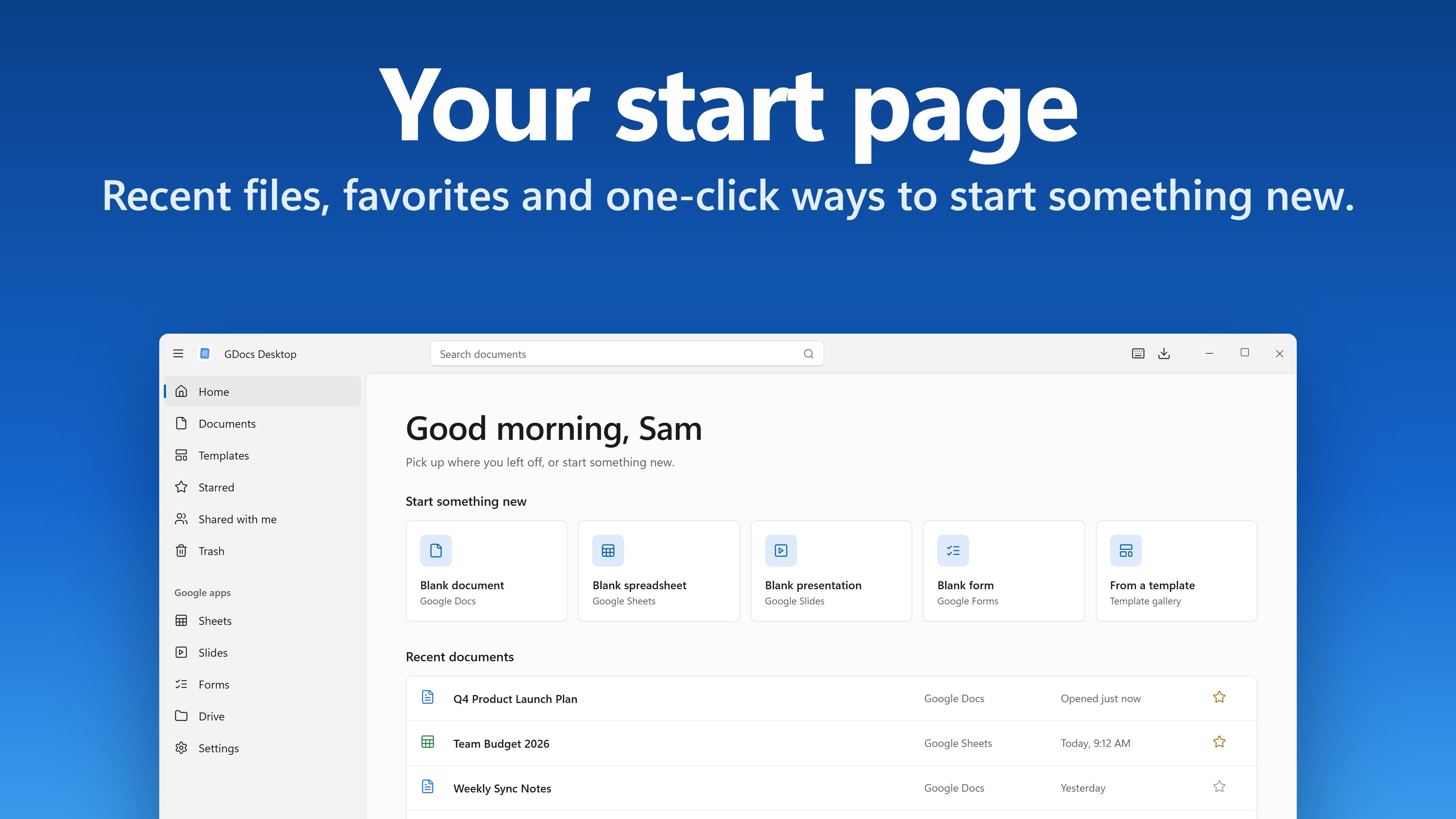
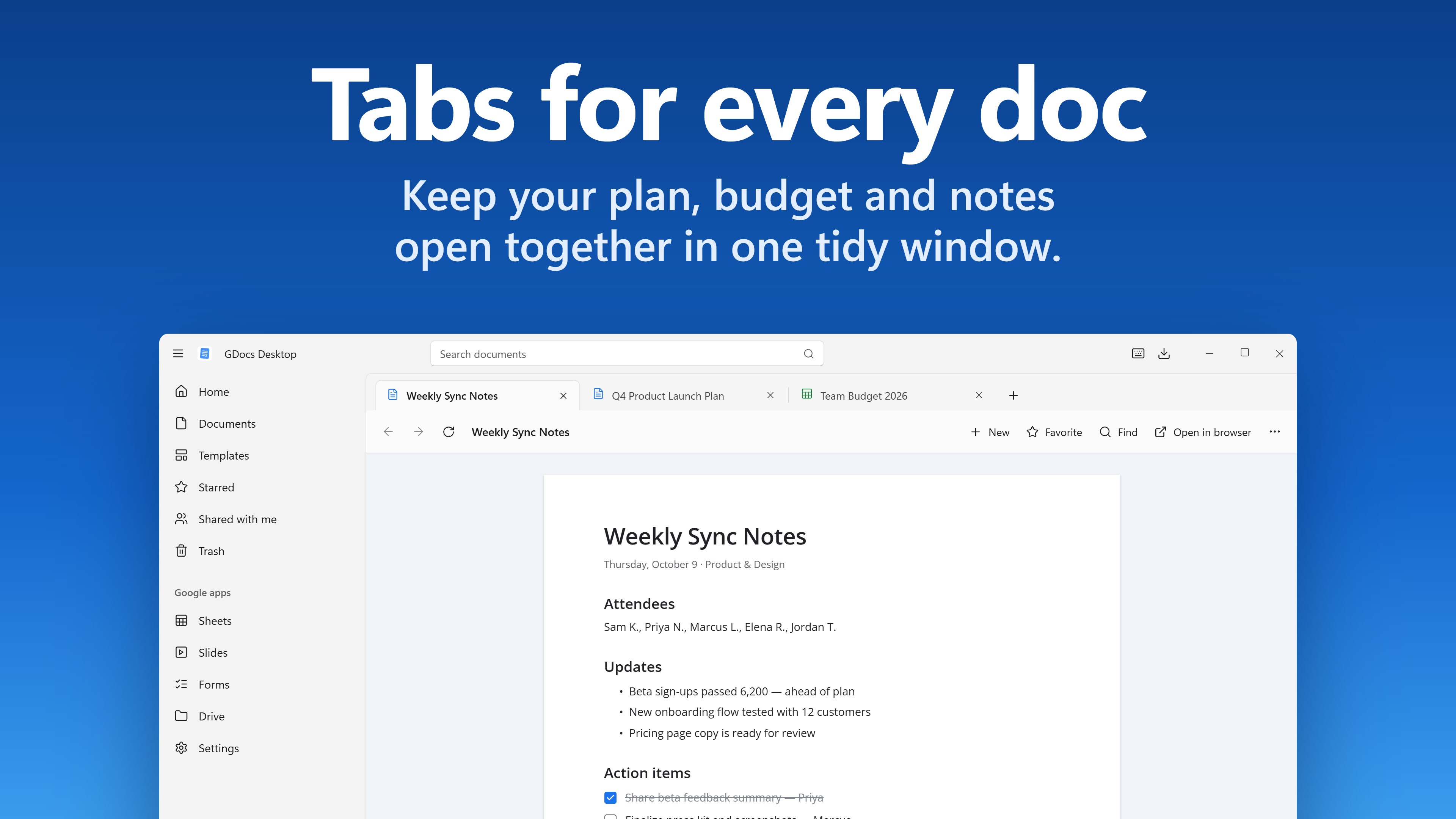
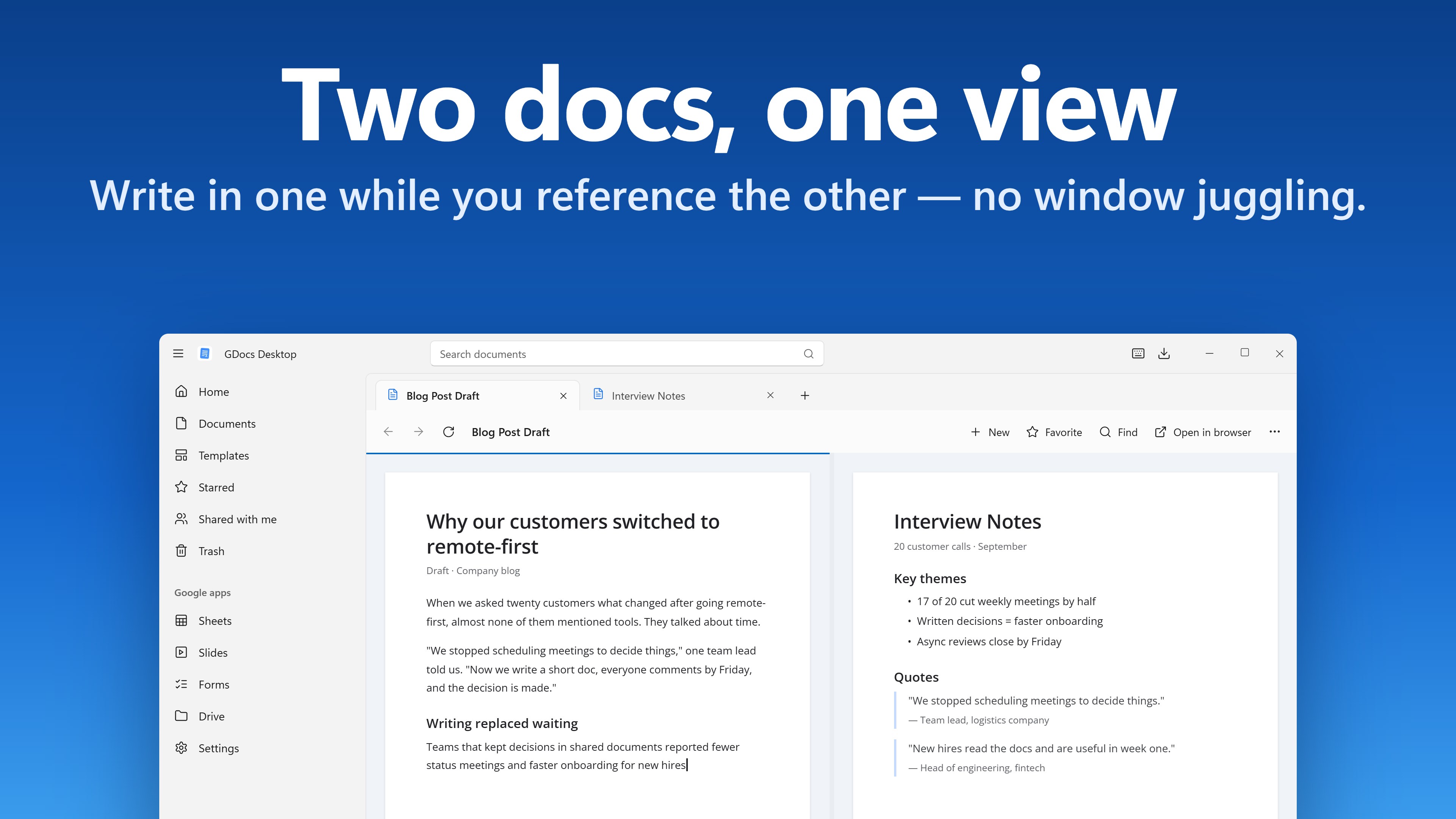
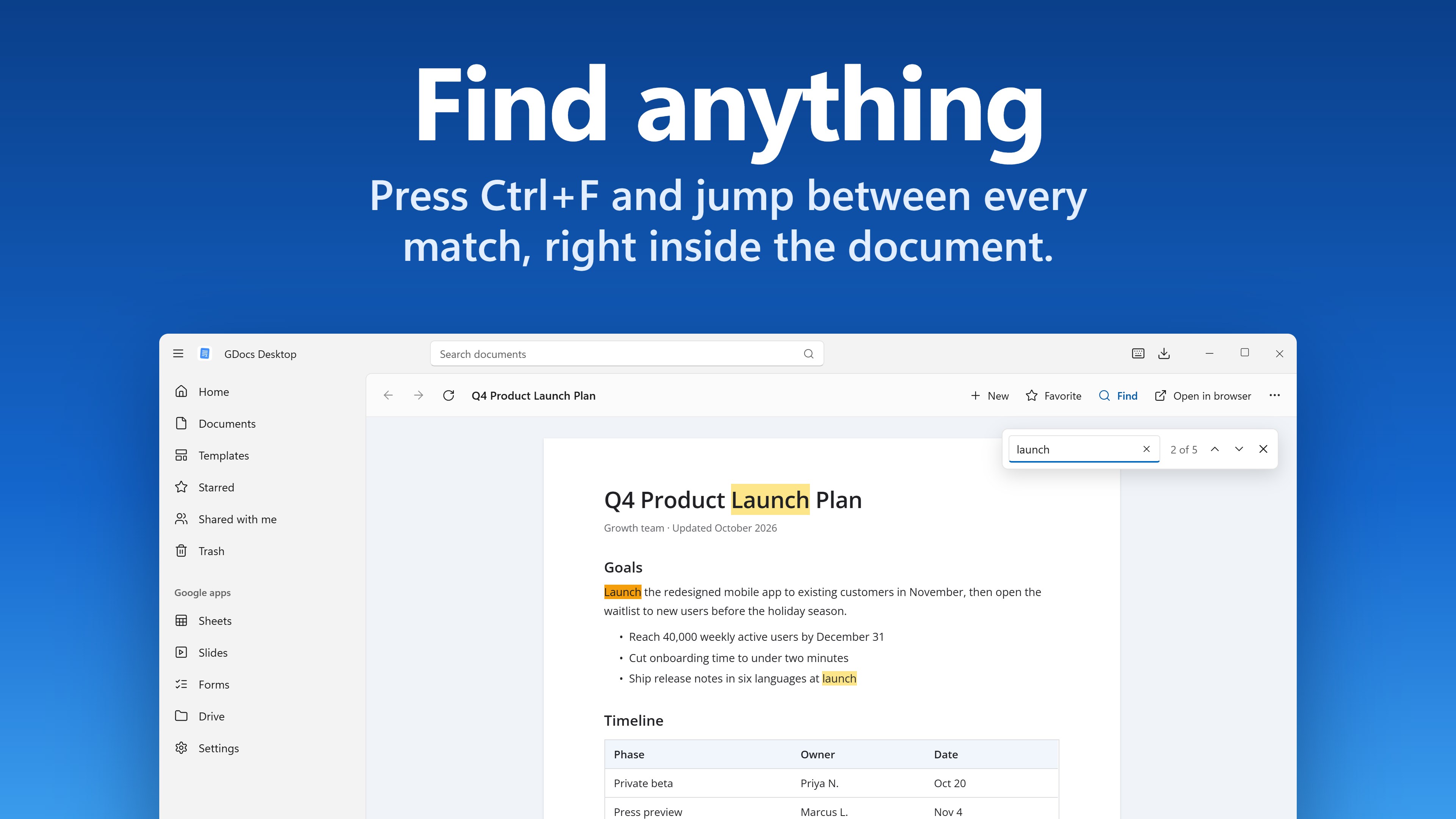
GDocs Desktop for Google Docs write, plan and present without losing it among your browser tabs. GDocs Desktop gives Docs, Sheets, Slides and Forms a window of their own, with a start page for your documents, tabs and split view, export in one click, and a command palette that opens files and runs commands from the keyboard. A START PAGE OF YOUR OWN Open the app and you land on Home. Start a blank document, spreadsheet, presentation or form in one click, or pick a template from the gallery. Your favorites sit underneath, followed by the documents you opened recently, which you can filter by name. GDocs Desktop keeps the recent list on this PC. Turn it off or clear it in Settings at any time. EVERYTHING ONE CLICK AWAY A navigation rail puts Home, Documents, Templates, Starred, Shared with me and Trash side by side, with Google Sheets, Slides, Forms and Drive below them. Search your documents from the title bar. Press Ctrl+D to add a document to your favorites, and it stays on the rail and on the start page. Choose what opens when the app starts: the start page, your documents, the template gallery, Starred, Shared with me or Trash. TABS AND WORKSPACES Keep up to 20 documents open in tabs: Ctrl+T opens a new one and Ctrl+Tab moves between them. Background tabs stay loaded, so switching back doesn't reload the page. Save the documents you work on every morning as a workspace and reopen them together in one click. Or turn on "Reopen my tabs" and GDocs Desktop starts where you left off. EXPORT AND SHARE Download a copy in the format you need, straight from the toolbar: • Documents: Word (.docx), PDF, Markdown, EPUB, OpenDocument (.odt), Rich Text (.rtf), plain text or a zipped web page • Spreadsheets: Excel (.xlsx), OpenDocument (.ods), PDF, CSV or TSV of the sheet on screen, or a zipped web page • Presentations: PowerPoint (.pptx), OpenDocument (.odp), PDF or plain text • Drawings: PDF, PNG, JPEG or SVG For a spreadsheet's PDF, choose the sheet on screen or the whole spreadsheet, the paper size, orientation, scale and margins, and whether gridlines, page numbers and sheet names are printed. Copy the link you need from the toolbar: the editor link, a read-only preview link, a "make a copy" link, a template link, a direct PDF download link, or a Markdown link with the document's title, ready to paste into notes or chat. The choices depend on the kind of file. COMMAND PALETTE AND SHORTCUTS Press Ctrl+K and start typing. One box creates a new file, opens a recent document, a favorite or a workspace, goes to any section, switches accounts, exports, copies a link, runs a command or searches your documents. Inside a document it also searches the editor's own menus. Find (Ctrl+F), find and replace (Ctrl+H) and print (Ctrl+P) are on the toolbar and in the palette. In a document they open the editor's own tools, so they work the way you already know. Change any of 18 keyboard shortcuts in Settings, and turn on a system-wide shortcut (Ctrl+Alt+D unless you pick another) that brings GDocs Desktop to the front from anywhere in Windows. ROOM TO WRITE Full screen with F11. Focus mode hides the navigation rail and gives your document the whole window. The mini window shrinks the page into a small window that stays on top while you work in another app, and "Keep window on top" does the same for the full window. Zoom in and out with Ctrl+Plus and Ctrl+Minus. Dark documents (experimental) shows Google Docs pages in dark colors. Pictures keep their own colors, and what you print or export is unchanged. DOWNLOADS YOU CAN SEE Every download and export appears in one panel (Ctrl+J) with live progress. Pause, resume or stop each one, or stop them all at once. While files are arriving, the taskbar button shows the progress and a count. Choose your download folder, sort files into folders by type, keep both files or replace the old one when a name is taken, open files as soon as they finish, and get a Windows notification when a download is done. TWO DOCUMENTS SIDE BY SIDE Split view puts two tabs next to each other: the report beside the spreadsheet it quotes, your notes beside the draft. Drag the bar between them, or move it with the arrow keys. TEXT FROM PICTURES, VOICES FOR DOCUMENTS Turn a screenshot, a photo of a page or a picture on the clipboard into a Google Doc. Windows reads the text on this PC, and you check it before the document is made. Copied something already? "New document from clipboard" starts a document and pastes it in. Have a document or presentation read aloud with Windows' own voices, pause and resume from the bar at the bottom, or save it as an audio file. Pick the voice and the speed in Settings. FROM OTHER APPS, AND IN BULK Share a link, text or a picture to GDocs Desktop from other apps (Windows 10 version 2004 or later), and open the .gdoc, .gsheet and .gslides shortcut files of Google Drive for desktop straight into a tab. Export your open tabs, favorites or recent documents in one go, each kind of file in the format you choose. Turn on Back up favorites and GDocs Desktop saves copies of your favorite documents to a folder you pick, every day or every week, while it is open. SEVERAL GOOGLE ACCOUNTS Add your work and personal Google accounts, give each one a name, and switch between them from the title bar or the command palette without signing out of either. PART OF WINDOWS Close the window and GDocs Desktop keeps running in the notification area, ready to reopen the moment you need it; you can turn that off. Right-click the taskbar button to create a document, spreadsheet or presentation, or to reopen a recent document or a favorite. Start with Windows is there if you want it and stays off until you turn it on. PRIVATE BY DESIGN You sign in on Google's own page, so your password and 2-Step Verification stay between you and Google. Your session is stored only on this PC. GDocs Desktop adds no ads, no analytics and no tracking of its own; Google's pages work as they do in your browser, under Google's own privacy policy. Sign out or clear browsing data from Settings at any time. LIGHT, DARK AND ACCESSIBLE Follows your Windows theme, or choose light or dark yourself, and works with Windows contrast themes. Built with Fluent design, with Mica on Windows 11, clear keyboard focus and access keys, and labeled throughout for Narrator. SUBSCRIPTION GDocs Desktop requires a Premium subscription, monthly or yearly, sold through the Microsoft Store. Premium includes everything described here, plus new Premium features for as long as you subscribe. The price, and any free trial offered to you, are shown in the app before you subscribe. Subscriptions renew automatically until you cancel, and you can cancel at any time in your Microsoft account. GOOD TO KNOW GDocs Desktop is an independent app and is not affiliated with, endorsed by or sponsored by Google LLC. Google Docs, Google Sheets, Google Slides, Google Forms and Google Drive are trademarks of Google LLC. You need your own Google account and an internet connection. Your documents live in your Google account. GDocs Desktop can save copies of your favorites to a folder you choose, but it does not sync or work offline. The app shows Google's own web pages through the Microsoft Edge WebView2 Runtime, which is built into Windows 11. If it is missing on Windows 10, the app links to the free download. Google decides which sign-ins it accepts. If it ever turns one away, GDocs Desktop tells you and offers to continue in your web browser. Questions or problems: support@axxvion.com
Business · Windows · Free