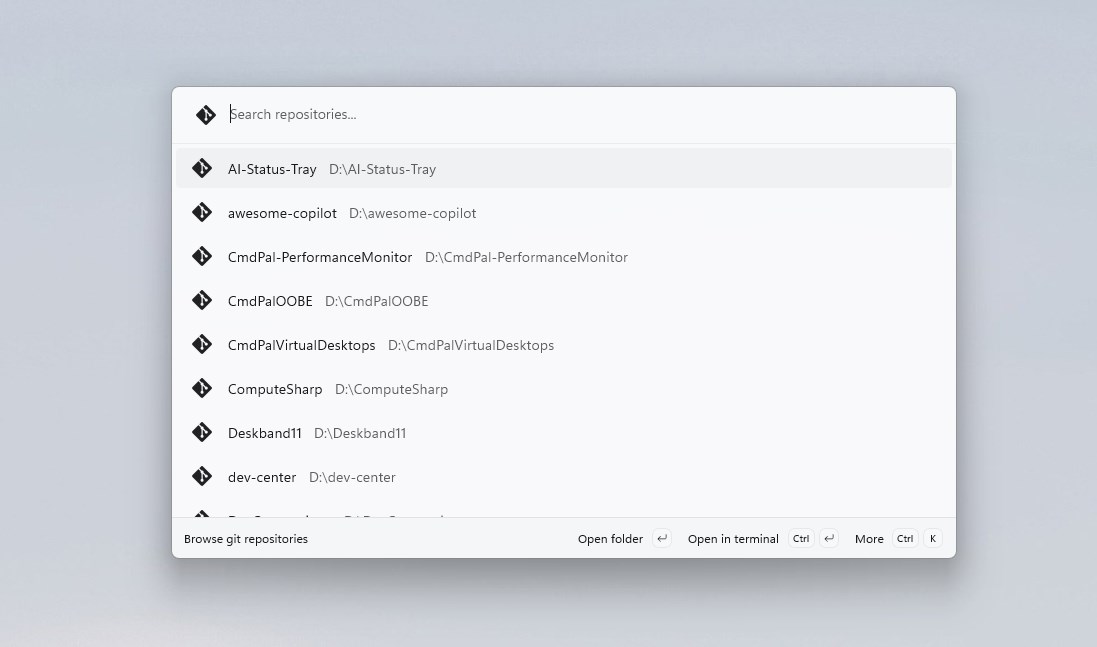
Git Repositories for Command Palette integrates with the Windows Command Palette to let you instantly discover and access all your local git repositories. Point it at your project directories and it scans for git repos automatically. Then open any repo in Explorer, VS Code, or Terminal with a single keystroke. Features: • Scan & discover git repositories across multiple directories • Open repos in Explorer, VS Code, or Windows Terminal • Auto-run a command when opening in terminal (e.g. git status, npm install) • Real-time search and filtering by name or path • Pin favorite repos to the Command Palette dock • Configurable scan depth (2–6 levels) • Theme-aware icons for light and dark modes • Fully offline — no data collection, no network access Getting started: Open Command Palette, select "Browse git repositories", and configure your scan paths. That's it.
Developer Tools · Windows · Free