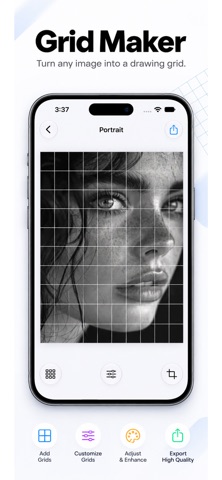
Grid Maker for Drawing makes it easy to transfer any reference image onto paper or canvas using the classic grid drawing method. Perfect for portraits, sketches, paintings, and illustrations, it helps artists draw accurately by focusing on one grid section at a time. Features : * Add customizable grids to any image * Multiple grid types including rectangle and square * Adjust rows, columns, line width, color, and transparency * Add multiple grid overlays * Fixed and movable grid modes with rotation support * Convert images to black & white * Adjust brightness and contrast * Pick colors directly from your reference image * Zoom and pan for precise alignment * Import photos from your gallery * Export high-quality grid images Whether you’re a beginner or a professional artist, Grid Maker for Drawing provides a simple and accurate way to create perfectly proportioned artwork. Privacy Policy: https://digitalhole.github.io/DHPrivacy.html Terms of Use (EULA): https://www.apple.com/legal/internet-services/itunes/dev/stdeula/
Photo & Video · iPhone, iPad · Free
Rating: 4.8 out of 5, based on 12 user ratings.