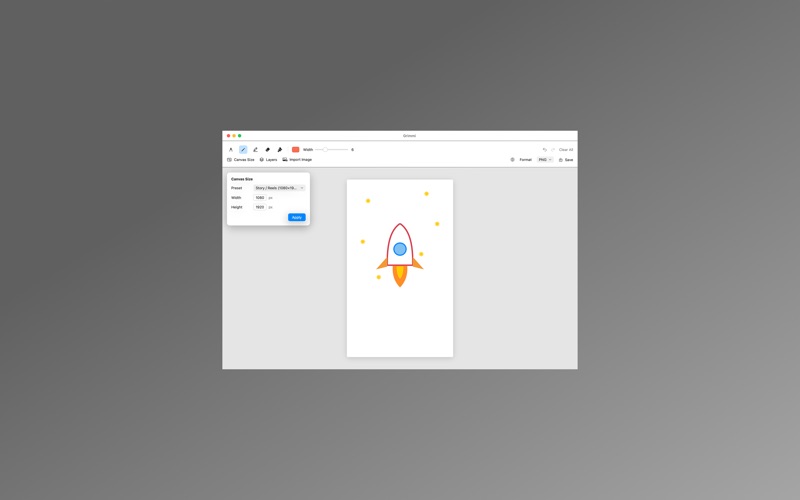
Grimmi is a lean, lightweight paint app for macOS. You can start drawing the moment you open it without having to learn complex tools, yet it packs essential features like layers, various brushes, and vector PDF export. Whether you need to quickly sketch ideas during a meeting, draw with your kid, or add a hand-drawn feel to simple diagrams—Grimmi is all you need. ■ Express yourself with five essential tools • Pen — Crisp, clear standard lines • Pencil — Thin, subtly translucent strokes with a hand-drawn feel • Marker — Thick and semi-transparent, layering up like a highlighter • Eraser — Erase mistakes precisely and transparently • Background Fill — Fill an entire layer at once with your chosen color Color and thickness settings are saved independently for each tool, so you don’t have to readjust every time you switch—keep your pen thin and your marker thick. ■ Organize freely with layers Draw outlines over a background sketch, then color on a separate layer—add as many layers as you want, reorder them, hide them temporarily, or delete them completely. Undo, Redo, and Clear All apply only to the currently selected layer, so you never have to worry about accidentally ruining your other layers. ■ Import photos and scanned drawings Bring in existing images like PNG, JPEG, TIFF, or HEIC as a new layer. It’s perfect for annotating photos, tracing over scanned sketches, or keeping a reference image on your canvas while you work. ■ Any aspect ratio, any format Choose from built-in canvas presets—including Instagram Square, Story/Reels vertical, Widescreen, and A4—or manually enter any custom pixel size. Export your finished artwork in PNG, JPEG, or vector PDF formats. Vector PDF exports stay sharp no matter how much you zoom in, making them ideal for printing or embedding into documents. ■ Native support for 5 languages Fully supports Korean, English, Japanese, Simplified Chinese, and Traditional Chinese. Switch instantly using the globe menu inside the app without needing a restart. ■ Your drawings stay yours Grimmi requires no internet connection or account login. All your artwork stays strictly on your Mac, and no user data is ever transmitted externally. Running safely inside the macOS sandbox, it only accesses the files you explicitly select. ■ Recommended for: • Anyone who wants to quickly jot down ideas or notes by hand • Parents looking to draw casually with their kids • Professionals needing simple hand-drawn diagrams for presentations or documents • Anyone looking for a lightweight tool instead of heavy, complicated drawing software • Users operating macOS in multi-language environments Start drawing lightly today with Grimmi.
Utilities · iPhone, iPad · $8.99