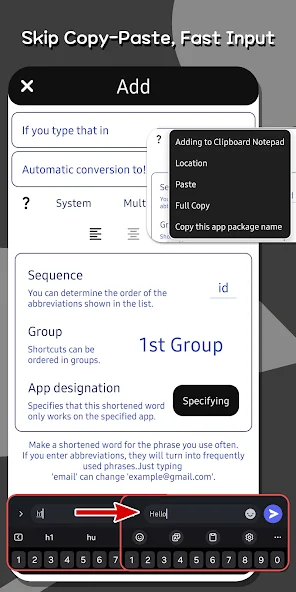
He Notepad is the ultimate note-taking app with a simple yet feature-rich design. Quickly create notes and manage them effortlessly! ✔️ Intuitive Clipboard Management Manage notes without complicated gestures like swiping or long presses. Important notes can be pinned to the top, and accidental deletions are prevented with confirmation pop-ups and undo features. ✔️ Powerful Search Easily find notes among many entries with our powerful search feature. ✔️ Read-Only Mode Activate read-only mode to avoid unwanted keyboard pop-ups while reading notes. Links, phone numbers, and email addresses can be clicked directly. ✔️ Automatic Note Saving No worries about losing your notes. Our background auto-save function securely preserves your notes even after app closure. ✔️ Lock Screen Support Securely protect sensitive notes using lock screen and biometric authentication. ✔️ Backup & Sharing Safely backup notes to files, restore when needed, or easily share with friends. ✔️ Instant Home Screen Access Immediately view important notes when turning on your device. ✔️ Add Images & Descriptions Add images and detailed descriptions to notes for clarity. ✔️ Convenient Text Replacement Set frequently used long texts as shortcuts for efficient input. ✔️ Drawing Feature Include simple drawings or annotations directly in your notes to visually represent ideas. Experience simple and efficient note management with He Notepad! Accessibility Guide This accessibility right is for recognizing the text entered by the user and converting it into the text specified by the user. Permission required to use He Notepad Text Replacement. It never collects or stores on the server, and only remains on your device. Also, if you don't give me permission, you won't be able to use the feature, but you can give me permission later. Location Permissions Guide The permissions are location collection permissions. The reason for collection is required for the ability to automatically enter your current location if you use the shortcut "[Automatic: Location]", one of the He memo functions. It is only used for the above functions and is never used for any other purpose.
Productivity · Android · Free
It's just a notepad. Nothing fancy, just a notepad. For real, it’s just a notepad.