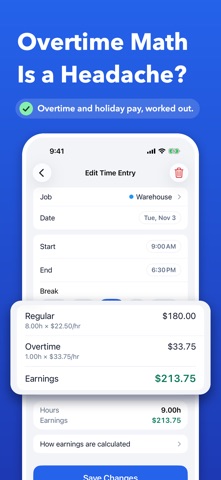
Track Your Hours. Know Your Worth. Hours Tracker is the simplest way to track your work hours and earnings. Built for hourly workers, shift workers, freelancers and anyone with more than one job: you see exactly what you've earned, with overtime, breaks and holiday pay worked out for you. NEW IN 2.0 • Clock In and Clock Out with one tap. A live timer on your Lock Screen and in the Dynamic Island, with Start Break and Clock Out right there. • Widgets, Siri and Shortcuts: "Clock in with Hours Tracker". • Calendar view with hours for every day. • Weekly overtime, double time, night and weekend pay, and rounding. • Invoices for your clients, as a PDF. • Reminders to clock in, to clock out, and when you arrive at work. • Available in 17 languages. TRACK YOUR TIME • Add a shift in seconds: start, end, break and notes. • Overnight shifts end the next morning, automatically. • Copy a shift to other days. • Weekly, bi-weekly, semi-monthly or monthly pay periods. ALL YOUR JOBS, ONE APP • Each job has its own hourly rate, currency, colour and rules. • Rate changes from a date keep older shifts at the old rate. • See one job, or all jobs together. WE DO THE MATH • Daily and weekly overtime, double time, holiday rate. • Tips in cash or card, shown next to your earnings. • "How earnings are calculated" shows every step. PROFESSIONAL REPORTS • Export timesheets to PDF, Excel or CSV, with signature lines. • Invoices with your client's details, tax and payment terms. YOUR DATA, YOUR DEVICE • No account. No ads. No tracking. • Your data stays on your iPhone and, if you like, in your own private iCloud, so it's on all your iPhones. • Face ID lock, backup and restore, and import from CSV. UPGRADING FROM 1.x? Everything comes with you: your jobs, entries, holiday pay and settings move over automatically the first time you open 2.0. Earnings and overtime are estimates for your records, not payroll or legal advice. Questions or ideas? Tap Help & Feedback in Settings.
Business · iPhone, iPad · Free
Rating: 4.9 out of 5, based on 7 user ratings.