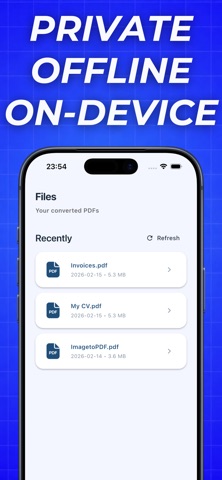
Stop struggling with messy scans and clunky tools. TapPDF makes it effortless — just pick a photo, tap once, and get a crisp, professional PDF. No sign-ups. No learning curve. No nonsense. Whether it's a receipt from lunch, a signed contract, homework for class, or a stack of handwritten notes — TapPDF handles it all in seconds. What makes TapPDF different? Your files never leave your device — every conversion happens locally, right on your phone. No uploads, no servers, no tracking. Your privacy isn't a feature — it's a promise. No watermarks. No ads. No distractions. Just clean, sharp PDFs that look exactly the way they should. Works completely offline — convert anywhere, anytime. No Wi-Fi needed. Try it free Your first PDF export is completely free — no credit card, no commitment. Experience the speed and simplicity yourself. Love it? Upgrade anytime for unlimited conversions and full access to every feature. People use TapPDF for: → Scanning receipts and invoices → Converting photos of notes and whiteboards → Creating PDF files from documents and contracts → Sharing professional files in seconds → Everyday productivity on the go One tap. That's all it takes. Download TapPDF and see why the simplest converter is also the best one. Terms of Use: https://www.apple.com/legal/internet-services/itunes/dev/stdeula/ Privacy Policy: https://quiet-cornucopia-c59.notion.site/Privacy-Policy-306e20caf4ea8049a422f3ef1c8893f9?source=copy_link
Utilities · iPhone, iPad · Free
Rating: 4.7 out of 5, based on 3 user ratings.