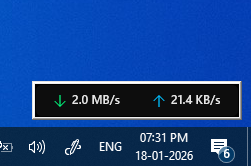
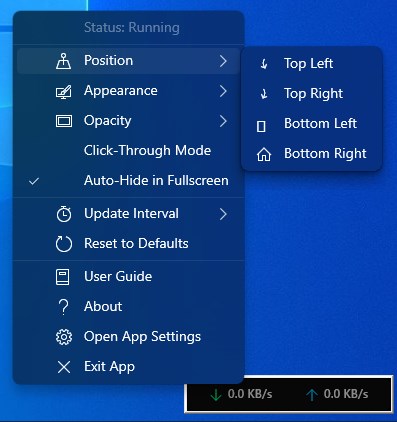
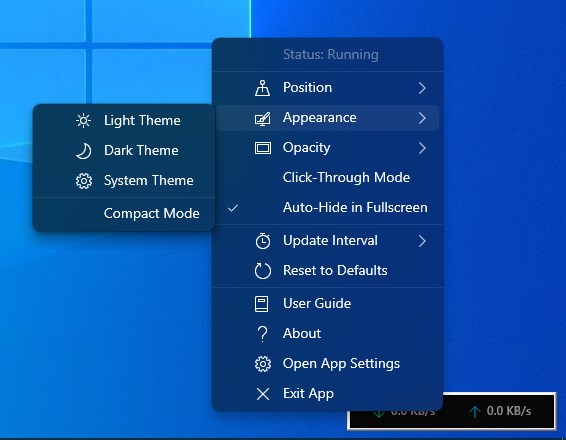
Monitor your internet speed in real-time with this minimal, elegant desktop overlay. Internet Speed Indicator sits unobtrusively on your screen, showing live download and upload speeds at a glance. Perfect for: - Gamers who need to monitor connection quality - Streamers tracking upload bandwidth - Remote workers ensuring stable connections - Anyone who wants to keep an eye on network performance Key Features: Stay informed with real-time speed monitoring that updates every second. Choose from light, dark, or system themes to match your desktop. Position the indicator in any corner of your screen for optimal visibility. The smart auto-hide feature keeps your screen clear during fullscreen games and videos. Click-through mode lets you interact with windows behind the indicator without moving it. Compact mode shrinks the display for an even smaller footprint. Customize opacity from 60% to 100% to blend seamlessly with your wallpaper. Adjust update intervals to balance accuracy with system performance. All your preferences are saved automatically. Simple and Efficient: No complicated setup—just install and start monitoring. The indicator uses minimal system resources and won't slow down your PC. Access all settings with a simple right-click. Built-in user guide helps you get the most from every feature. Privacy-Focused: All monitoring happens locally on your device. No data is collected or transmitted. Your network activity stays private. Whether you're troubleshooting connectivity issues, optimizing your setup, or just curious about your internet performance, Internet Speed Indicator gives you the information you need without getting in your way.
Utilities · Windows · Free