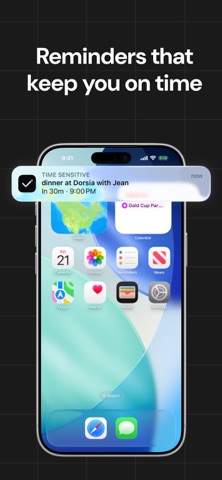
Write your day the way you'd say it. JotPlanner is a daily planner built around one line of text. Type "study for exam fri 7pm" and it picks out the day and the time for you — no forms, no fields, no setup. Just a to-do list that understands what you wrote. ONE LINE IS THE WHOLE INTERFACE Type a task the way you'd say it out loud. JotPlanner reads the date and time straight out of your words and schedules it: • "email prof at 2" • "finish essay tomorrow 9pm" • "pay tuition sep 1" • "call mom sunday" REMINDERS SO YOU DON'T FORGET Every task with a time gets an alert before it starts — ten minutes ahead by default, or whatever you choose. Tasks without a time get one quiet nudge in the morning. The problem was never writing things down. It was remembering them. YOUR LIST NEVER FORGETS Didn't finish something? It moves to today's checklist automatically, marked so you can see where it came from. Nothing falls off the end of a busy week. A DAILY CHECKLIST AND A CALENDAR Swipe between days on the week strip, or open the month view and jump to any date, any month, any year. Check tasks off as you go and watch the day fill up. BUILT TO STAY OUT OF YOUR WAY • Dark and light themes • Undo any deletion • Set or clear a time on any task in two taps • Everything stored on your device — no account, no sign-up Made for students, and anyone whose week is fuller than their memory. — JotPlanner Pro Full access requires a subscription: • $12.99 per month • $39.99 per year, with a 3-day free trial Payment is charged to your Apple Account at confirmation of purchase. Subscriptions renew automatically unless cancelled at least 24 hours before the end of the current period. Manage or cancel anytime in your Apple Account settings. Any unused portion of a free trial is forfeited when you purchase a subscription. Terms: https://jot-planner.github.io/Legal/terms.html Privacy: https://jot-planner.github.io/Legal/privacy.html
Productivity · iPhone, iPad · Free