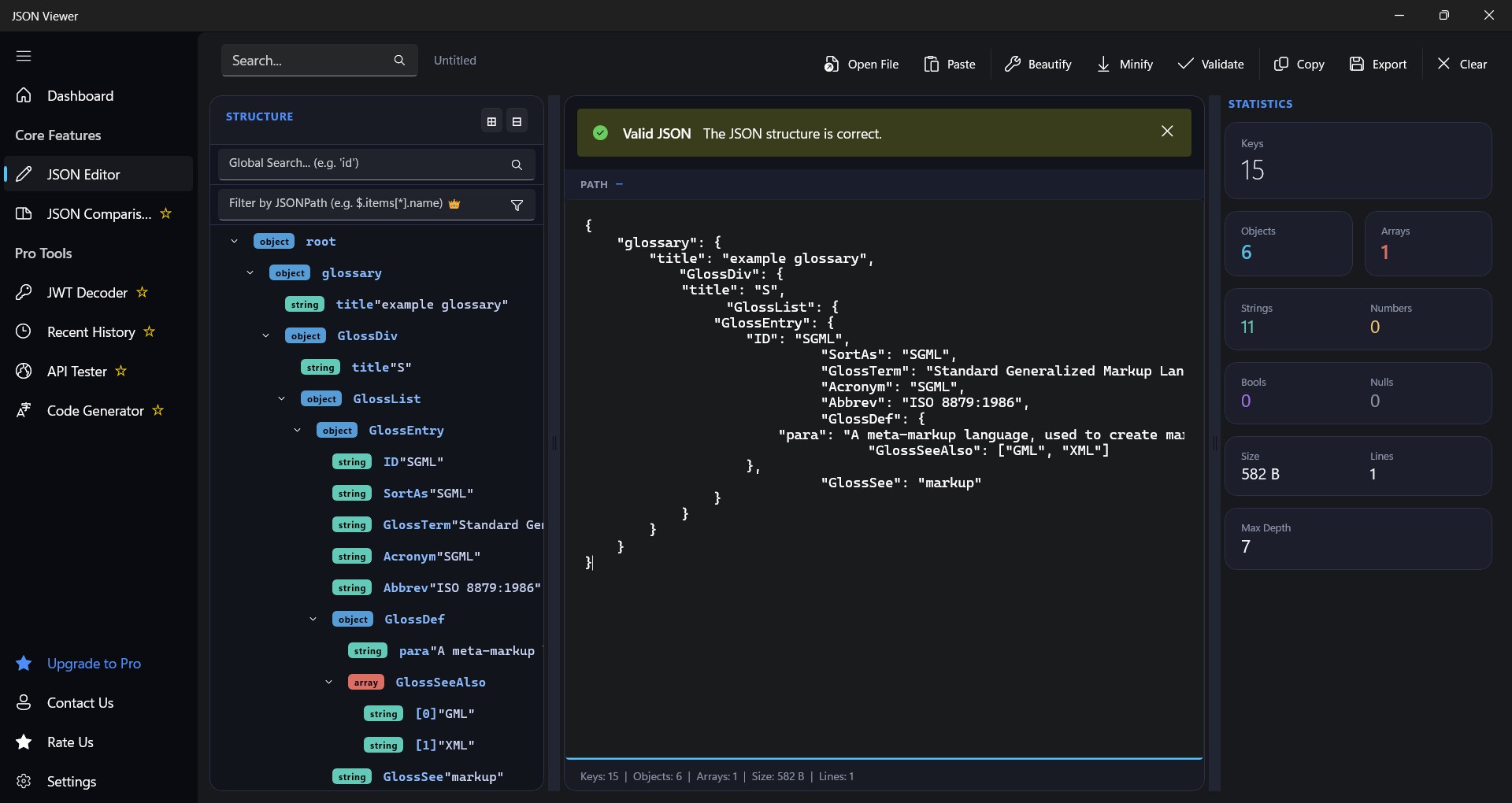
🚀 JSON Viewer – Format, Minify & Beautify JSON Effortlessly! Looking for a powerful and modern JSON viewer? 🧐 Our JSON Viewer app lets you format, minify, and visualize JSON data with ease. Whether you're a developer, data analyst, or just working with JSON files, this tool is built for you! ✨ Key Features: ✅ JSON Formatter – Beautify and structure JSON for better readability 📜 ✅ JSON Minifier – Compress JSON to a compact format ⚡ ✅ Syntax Highlighting – Color-coded JSON elements for easy visualization 🎨 ✅ Copy to Clipboard – Quickly copy formatted JSON with one tap 📋 ✅ Clear Input – Reset your JSON data instantly 🧹 🚀 JSON Viewer – Format, Minify & Decode The ultimate parsing and editing tool for developers, data analysts, and tech professionals! JSON Viewer transforms messy, impossible-to-read JSON files into beautifully structured, color-coded, and fully interactive data trees. Whether you need to quickly format a massive API response, minify your code for production, or debug Web Tokens, this tool has everything you need in a lightning-fast, sleek, native Windows environment. 💻✨ ⚡ Core Features (Free): • 📝 Smart JSON Editor: Open, paste, or drag-and-drop massive JSON files instantly. • 🎨 Auto-Format & Beautify: One-click formatting turns chaotic scripts into clean, beautifully indented, readable code. • 🗜️ Minifier: Strip whitespace and compress your JSON for production environments. • 🌳 Interactive Tree View: Navigate deep, complex JSON data effortlessly using the collapsible structure sidebar. • 🔍 Global Search: Find keys, values, and arrays in milliseconds. • 📋 Quick Copy: Seamlessly copy your raw, formatted, or minified output straight to your clipboard. • 🌙 Premium Dark & Light Themes: Code comfortably night or day! 👑 JSON Viewer PRO (Includes a 7-Day FREE Trial!): Take your productivity further with our suite of advanced developer tools: • ⚖️ Advanced Comparison Tool (Visual Diff): Compare two JSON files side-by-side with color-coded highlighting for added, removed, and modified lines. • 🔐 Smart JWT Decoder: Paste any JSON Web Token to instantly decode the header, payload, and signature into readable JSON. • ⚙️ Code Generator: Instantly convert any valid JSON object directly into ready-to-use C# Classes or TypeScript Interfaces! • 🌐 API Tester: Fetch live data locally by pasting an endpoint URL and automatically format the response. • 💾 Unlimited Exports: Save your code snippets as .json, .xml, or .csv files. • 🕒 Recent History: Quickly reopen your most recently accessed JSON datasets without digging through folders. Stop wasting time trying to read unformatted text! Download JSON Viewer today and start parsing your data with the fastest, most powerful JSON utility built right into your Windows desktop. 🛠️📈 💡 Perfect for developers working with APIs, databases, and configuration files! Get a smooth and user-friendly JSON viewing experience today. 🔽 Download Now & Simplify Your JSON Workflow!
Productivity · Windows · Free