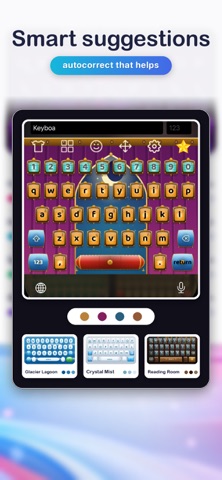
Make your iPhone keyboard truly yours with Keyboard Plus: 90+ keyboard themes, cute and cool designs, live effects, sounds, voice typing and smart predictions in 27 languages. MAKE YOUR KEYBOARD YOURS • Browse 90+ keyboard themes, from cute and aesthetic to neon, luxury and minimal. • Apply themed keys, full-background artwork, colors and custom fonts. • Download and switch themes in just a few taps. TYPE WITH CONFIDENCE • Get live word predictions in the suggestion bar. • Catch mistakes with autocorrect and quickly undo a correction with Backspace. • Use built-in English offline, or download prediction and autocorrect packs for 27 languages. VOICE TYPING AND CLIPBOARD • Tap the mic key to dictate: speak in the Keyboard Plus app, switch back, and your words are typed where you left off. • Clipboard history keeps your recent copies for 24 hours; pin the ones you reuse. MORE WAYS TO EXPRESS YOURSELF • Find around 500 emoji across eight categories, with your recent picks close at hand. • Turn on keyboard clicks and haptic feedback to suit the way you type. FREE TO USE The default keyboard and built-in English work without a purchase, ads, a network connection, or Full Access. Browse free themes or unlock selected themes by watching a rewarded ad in the Keyboard Plus app. KEYBOARD PLUS PREMIUM Upgrade to unlock every theme and remove all ads. Choose an annual or monthly auto-renewable subscription. Subscriptions renew automatically unless cancelled and can be managed in your App Store account settings. PRIVACY BY DESIGN Ads run only in the Keyboard Plus app—not in the keyboard extension. Clipboard history is stored only on your device in Keyboard Plus's shared App Group and is never collected. Voice typing uses Apple speech recognition in the Keyboard Plus app, and audio is never stored. Clipboard capture and haptics require Full Access; core typing, the default look, and built-in English do not. GET STARTED 1. Download Keyboard Plus. 2. Enable the keyboard in iPhone Settings. 3. Choose a theme in the app. 4. Open the keyboard and start typing in your style. TERMS OF USE Apple Standard Terms of Use (EULA): https://www.apple.com/legal/internet-services/itunes/dev/stdeula/
Utilities · iPhone, iPad, Android · Free
Rating: 4.0 out of 5, based on 3 user ratings.