
Screenshots


About Koji Board Camera: Site Photos
Construction site photos with a board, straight to a photo report.
Koji Board Camera replaces the paper chalkboard and pasting photos into Excel. Take job site photos with a digital board (工事黒板), edit the board without leaving the camera, and make a photo report (写真台帳) as PDF or Excel.
■ Ready to shoot
・No account, no sign-in. Works offline at the site
・No forced updates, no ads
・Open the board camera from Control Center, the Lock Screen or the Action button. Shoot with the volume buttons or Camera Control
■ Edit the board while shooting
・The board editor takes half the screen, so the camera stays visible
・Suggestions from this project, number + / −, auto-increment
・Drag and pinch the board. Wide or tall, several colors
■ Boards for every kind of job
・Rename, reorder and hide items
・Presets for private jobs, public civil works and government building works, with the official work breakdowns
■ Never lose a photo
・Each shot is kept safe until it is saved. No watermarks
■ After shooting
・Fix the board text, position and color later. Draw arrows, circles, boxes and text without changing the original
■ Photo reports and exports
・A4 PDF with 3 photos per page, cover and captions. 2 or 6 per page and Excel with Pro
・Tidy file names and folders, board list CSV (Pro)
・Electronic delivery (PHOTO.XML) for Japanese public works (Team). Tamper-detection certification (J-COMSIA) is not supported
・Sketches drawn with your finger or Apple Pencil on the board (Pro)
・Shot lists, before/after exports for subsidy applications and overlay of the earlier photo (Pro)
・Share a project over iCloud with the people you invite (Pro: up to 2 people per project, Team: no limit). Invited people need no purchase. There is no developer server
The app is in Japanese.
Privacy Policy: https://stackworksdev.github.io/koji-shashin/privacy.html
Terms of Use: https://stackworksdev.github.io/koji-shashin/terms.html
AVALW Coverage
Not yet mentioned in AVALW articles.
Similar apps


 MyJio: For Everything JioJio Platforms LimitedTrue 5G, recharges, payments & UPI, music & movies, backup, games, news & more.★ 4.4 27428k


 Microsoft WordMicrosoft CorporationThis application requires a qualifying Microsoft 365 subscription. Microsoft 365 includes premium Word, Excel, and PowerPoint apps, 1 TB cloud storage in OneDri★ 4.8 17535k



 Samsung NotesSamsung Electronics Co, Ltd.(Samsung Notes is optimized for Samsung Galaxy Books. Other computers may have issues running it.) "Samsung Notes allows you to use the enhanced S Pen to write ★ 4.8 15228k



 ChatGPT ClassicOpenAIThe official ChatGPT desktop app brings you the newest model improvements from OpenAI. Do more on your PC with ChatGPT: · Instant answers—Use the [Alt + Space] ★ 4.8 11034k


 ChatGPTOpenAI OpCo, LLCIntroducing ChatGPT for iOS: OpenAI’s latest advancements at your fingertips. This official app is free, syncs your history across devices, and brings you the l★ 4.8 11034k


 Microsoft OutlookMicrosoft CorporationOutlook helps you stay connected and organized at the office and at home with easy access to emails, files, calendar events, and contacts across all your accoun★ 4.3 10673k


 Turbo VPN: Unlimited VPN ProxyINNOVATIVE CONNECTING PTE.LIMITEDDo you want online security and privacy while browsing? Turbo VPN now provides the fastest, reliable and encrypted network. With Turbo VPN, you can get the safe★ 4.7 10243k



 Microsoft ExcelMicrosoft CorporationThis application requires a qualifying Microsoft 365 subscription. Microsoft 365 includes premium Word, Excel, and PowerPoint apps, 1 TB cloud storage in OneDri★ 4.8 9702k
More by this developer

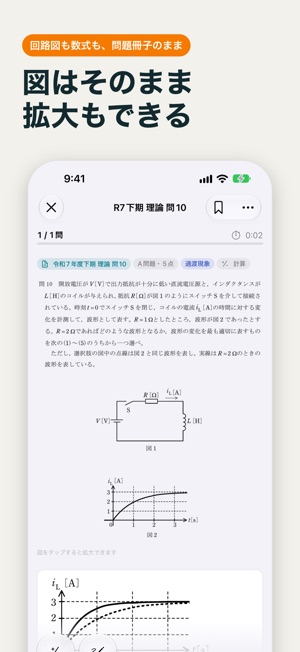

 Denken 電験三種 Exam PrepStackWorks LLCPrepare for Japan's Third-Class Chief Electrical Engineer examination (第三種電気主任技術者試験, "Denken 3"). The app is in Japanese. - 16 sittings from 2015 to the first h-


 Kangyo 管理業務主任者 Exam PrepStackWorks LLCPrepare for Japan's Condominium Management Chief examination (管理業務主任者試験). The app is in Japanese. - All 19 sittings from 2007 to 2025: 950 published exam questi-


 LiftFlowStackWorks LLC筋トレの記録、続いていますか? 「LiftFlow」は、ジムでの記録を最速で終わらせることだけを考えて作られた筋トレ記録アプリです。前回の重量・回数が最初から入力済みなので、同じ内容ならチェックを1タップするだけ。休憩タイマーも自動で始まります。記録も履歴もグラフも、すべて無料です。 ▼ こんな方におすすめ ・セット間-


 Tabifuda - Travel PhrasebookStackWorks LLCWhen you can't find the words on a trip to Korea, show your screen instead. Tabifuda is a point-and-show travel phrasebook. It shows 200 phrases in Korean, Engl-