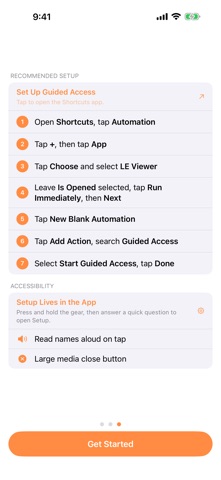
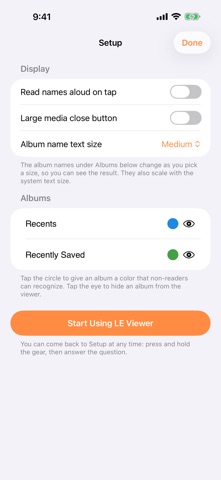
LE Viewer is a photo and video viewer for children and for people with special needs who find the full Photos app overwhelming or hard to use safely. It shows their photos and nothing else. Everything is read-only. Photos cannot be deleted, edited, or shared, no matter what is tapped. The library stays exactly as it was. FOR THE VIEWER - Albums, each with its cover photo and, if you choose, a color a non-reader can recognize - Tap an album to see its photos; tap a photo to see it full screen - Swipe between photos, pinch to zoom, and play videos and Live Photos - Works on iPhone and iPad FOR THE CAREGIVER Setup is inside the app, behind a press-and-hold on the gear and a simple arithmetic question, so a child cannot reach it. - Choose exactly which albums are visible; a hidden album is gone from the viewer entirely - Give albums colors so they can be recognized without reading - Pick the size of album names; it also follows the system text size - Have album names and photo dates read aloud on tap - Make the close button larger for anyone who finds it hard to hit GUIDED ACCESS READY Pair LE Viewer with Guided Access to lock the device to this app. Onboarding walks you through a Shortcuts automation so Guided Access starts the moment LE Viewer opens. LE Viewer is intentionally minimal. There are no extra menus, no sharing buttons and no editing tools: just the photos and videos you have chosen to show.
Photo & Video · iPhone, iPad · Free