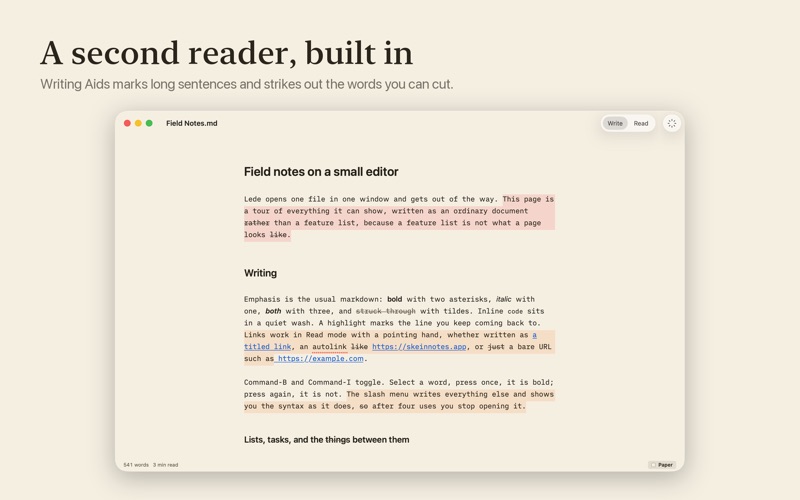
Lede is the app you want when you double-click a Markdown file. One file, one window. No sidebar, no folder tree, no library to import into. It opens the file where you keep it, shows it properly, and gives it back byte for byte. THE SYNTAX DISAPPEARS A heading reads as a heading and bold reads as bold, while the file underneath stays exactly what you typed. Lede hides the markers by what the line says, not by where your cursor is, so the text never reflows as you move through it. That last part is what the other live-preview editors get wrong. THREE VIEWS, ONE MEASURE Write has a caret. Read renders the document properly, with tables, callouts and struck-through tasks. Source shows the file the way a text editor would: monospaced, uncoloured, with line numbers. Switching between them never moves a line. A PAGE WORTH LOOKING AT Four page colours — warm Paper, White, Grey and true Black for OLED displays — applied to the whole window rather than to a panel inside it. Each carries its own ink and its own accent, measured against that page. Seven type sizes, and a line length set in characters rather than pixels, so a larger size widens the measure instead of squeezing the words. A SLASH MENU THAT TEACHES ITSELF OUT OF A JOB Type / and pick a heading, a list, a table, a callout. It shows you the Markdown it is about to write, so after a few uses you type the syntax yourself and stop opening the menu. MARKDOWN, PROPERLY 647 of 650 CommonMark examples and 666 of 672 GitHub Flavored Markdown examples, measured against the specifications' own test suites. Tables, footnotes, task lists, nested lists, code fences with highlighting. IT GIVES YOUR FILE BACK UNCHANGED Open and save, twice over, and the bytes are identical. Smart quotes and dashes are off and cannot be turned on, because rewriting your punctuation as you type breaks the one promise this app makes. If the file changes on disk while you have it open, Lede tells you and lets you choose. NOTHING LEAVES YOUR MAC No account, no server, no telemetry, no analytics. Lede checks once a day whether a newer version exists and that is the only thing it ever sends. NATIVE, AND SMALL Written in AppKit for the Mac. No Electron, no browser engine hidden inside, no JavaScript runtime. The whole app is about five megabytes and it opens immediately. Lede is free. Not free with an upgrade, not free for now: there is nothing to buy and nothing to subscribe to. From the makers of Skein.
Productivity · iPhone, iPad · Free