
Screenshots


About Life Timeline: Time Journal
See how you spend your day with Life Timeline.
• Automatic recording
Enable location and motion access to help organize your stays and travel. Pause and resume whenever you choose.
• A clear daily overview
Review your day with a colorful time distribution ring, activity records and available steps. Explore activity totals by day, week, month and year.
• Corrections you control
Change an activity’s category, place, time or note. Undo a correction and restore deleted activities from Trashcan.
• Optional Apple Health integration
Read the sleep, step, workout and mindfulness data you permit to enrich your timeline. Life Timeline does not write or change Health data.
• Local records and backups
Your records are stored on your iPhone. Export a backup to a destination you choose, restore an existing backup and return to the safety copy if needed. No account or in-app subscription is required.
Background recording requires Always location access. Precise Location and motion access help recognition. iOS can delay updates or restrict background activity; force-quitting may stop recording until the app is opened again. Indoor movement and short stops may be incomplete or misclassified. You can review and correct your records.
Life Timeline is a personal time journal, not a medical or emergency monitoring service.
AVALW Coverage
Not yet mentioned in AVALW articles.
Similar apps


 Zedge™ Wallpapers & RingtonesZedgeDiscover millions of background wallpapers & ringtones or make your own with AI.★ 4.7 17993k


 Zillow Real Estate & RentalsZillow.comFind your new home to buy or rent with expert real estate tools and millions of listings right at your fingertips. Seamlessly save, search, and share home listi★ 4.8 7238k


 Android AutoGoogle LLCControl maps, media and messaging, with Gemini while you drive★ 4.1 6304k


 Amazon AlexaAMZN Mobile LLCUse the Amazon Alexa app to manage Alexa-enabled devices, control music playback, view shopping lists on the go, keep track of upcoming reminders, check on acti★ 4.5 5906k


 PinterestPinterest, Inc.Pinterest is a place of endless possibilities. You can: - Discover everyday inspiration - Shop styles you love - Try and learn something new Create boards, save★ 4.8 5789k


 Parallel Space - app cloningLBE TechRun multiple accounts of the same app on a single device★ 4.1 5115k


 Microsoft SwiftKey AI KeyboardSwiftKeyAI-powered Copilot. Personalized keyboard with gifs, stickers & themes★ 4.3 4602k



 World of Tanks Blitz – Daylight AssaultWargaming Group LimitedCharge into battle with the explosive energy of daylight! This bright World of Tanks Blitz theme brings 5 high-resolution wallpapers packed with sun-scorched de★ 4.1 4525k
More by this developer

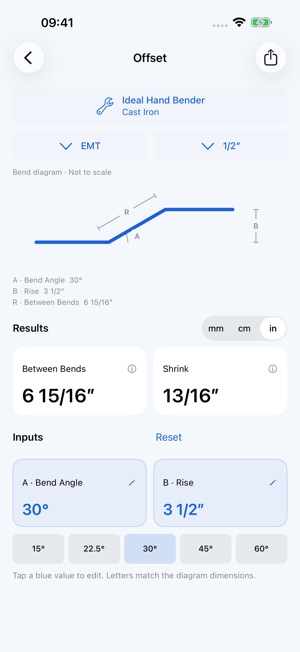

 Conduit Bends & Diagrams建立 蒋Keep conduit dimensions and bend diagrams together. Choose a bend, equipment and size, then enter your dimensions to see the results. Features • 10 bend types: -


 Smart Remote - TV Remote建立 蒋A smarter way to control your TV — with healthy screen habits for the whole family. Smart Remote is a powerful, user-friendly remote control app designed for mo-

 Bible For Watch建立 蒋Let God's Word feed your heart for one minute every day! The Daily Bible is a Bible reading and spiritual App for Christians that helps you read the Bible every-

 PetiWidgets Pet for watch建立 蒋PetiWidgets is an incredible app that allows you to customize your Home Screen, Lock Screen, and Live Activities with adorable PixPetiWidgets, the little pets y-