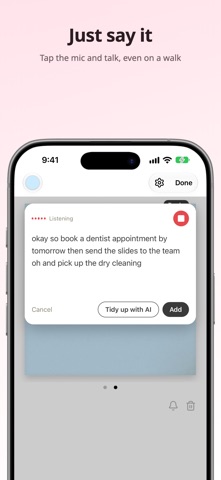
Just say it. No typing, and your note lands right on your Home Screen. Sticky Memo puts your notes on your Home Screen and Lock Screen, so you see them every time you pick up your phone. WHEN IT HELPS - An idea hits you on a walk Tap the mic on your Lock Screen and just talk. No stopping to type: what you say becomes your note. - You always forget what to buy Keep your shopping list in a Home Screen widget and check it right in the store. Bought it? Tap its checkbox on the widget. No need to open the app. - You want a to-do list, but typing it is a chore Say whatever comes to mind and tap "Tidy up with AI". Your words become a tidy list, one task per line. All you do is talk. - You used to write reminders on your hand Your note stays on the widget all day. What to pack before you leave, what to do today: one look at your Home Screen. - You need a nudge at a set time Add a reminder to a note or to a single to-do item. Once, every day or every week. FEATURES - Home Screen widgets in small, medium and large - Notes on your Lock Screen (Live Activity) - Voice input with "Tidy up with AI" - To-do lists you can check off in the app or on the widget - Reminders: free and unlimited - Six paper colors, plain, lined, grid or to-do paper, and handwriting-style fonts - Swipe left and right to switch notes - No account needed. Your notes stay on your device ABOUT THE LOCK SCREEN Because of how iPhone works, the note on your Lock Screen disappears after about 12 hours. Open the app and it shows up again. Home Screen widgets stay put. PRIVACY Your notes are stored only on your device. Only when you tap "Tidy up with AI" is the dictated text sent to our server to be tidied up, and it is not stored. FREE AND PRO Free: up to 2 notes and 2 AI tidy-ups a day. Widgets, the Lock Screen, voice input, to-do lists and reminders stay free. Sticky Memo Pro: unlimited notes and up to 50 AI tidy-ups a day. Choose a monthly or yearly subscription, or a one-time purchase. Subscriptions renew automatically unless cancelled at least 24 hours before the end of the current period. Manage or cancel them in your Apple Account settings. Privacy Policy: https://shofj.com/en/apps/widget-memo/privacy-policy Terms of Use: https://shofj.com/en/apps/widget-memo/terms-of-service Apple Standard EULA: https://www.apple.com/legal/internet-services/itunes/dev/stdeula/
Productivity · iPhone, iPad · Free