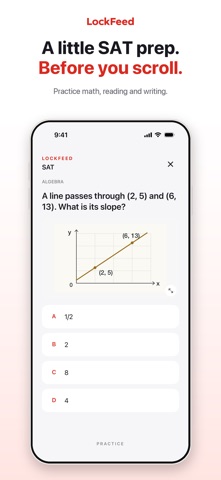
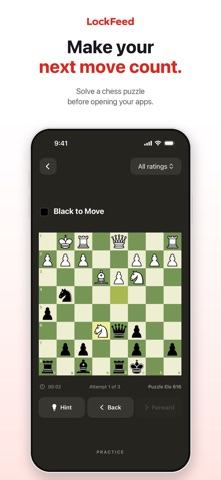
Earn your screen time with a little learning. LockFeed puts a short challenge before the apps you choose. Enable one or more quizzes, choose how many questions to complete, and use Apple Screen Time to add a pause before you scroll. HOW IT WORKS • Choose the apps you want to lock. • Enable quizzes and choose how many correct answers you need to unlock. • Set a default unlock time, with optional custom times for individual apps. • Complete your challenge to unlock the app you want to use. • When your unlock time ends, the app locks again. MAKE EACH UNLOCK YOUR OWN Start with one question per unlock, or choose up to 10. Each completed quiz round counts as one question. Your progress is saved if you leave before finishing. Use Manage Apps to Lock to add or remove apps and give each app its own unlock time, or let it follow your default. Changing a time does not cut short an unlock you have already earned. FIVE FREE APP UNLOCKS Try five successful quiz-based app unlocks. After those five unlocks, Lifetime Access is required for further unlocks. Each earned unlock lasts for the full duration you chose. LIFETIME ACCESS A one-time in-app purchase enables unlimited quiz-based app unlocks and standalone quiz practice. Standalone practice requires Lifetime Access. There is no subscription, and the price for your region is shown before purchase. Restore Purchases is available for previous buyers. FIND SOMETHING YOU WANT TO LEARN Practice vocabulary, identify famous artworks and country flags, solve chess puzzles, or find notes on a guitar fretboard. Read short Python functions and identify their time complexity, or explore practice questions in math, science, exam preparation, driving theory, and citizenship. Learn about AI with LLM Fundamentals and Practical Deep Learning: 304 questions with explanations and links to supporting lessons. Questions and explanations work offline; opening source lessons requires an internet connection. Your enabled quizzes form a shared pool across your protected apps. The quizzes take turns in a shuffled order, with each getting a turn before repeating. When you require multiple answers, each question advances to the next quiz in the rotation. Manage your enabled quizzes or adjust your unlock settings anytime. Quiz content is bundled for offline use, and no account is required. CHOOSE YOUR STYLE Switch between Classic and a neutral black-and-white Dark appearance in Settings. Your lock screens follow your chosen style, while quiz artwork keeps its original colors. HAVE AN IDEA OR NEED HELP? Use the Feedback tab to write a message and send it to joma@lockfeed.app from your email account. Unsent drafts are saved on your device. LockFeed uses Apple Screen Time permission to manage access to the apps you select. Short practice quizzes are learning aids, not complete exam preparation courses or official exam simulations.
Education · iPhone, iPad · Free
Rating: 4.3 out of 5, based on 11 user ratings.