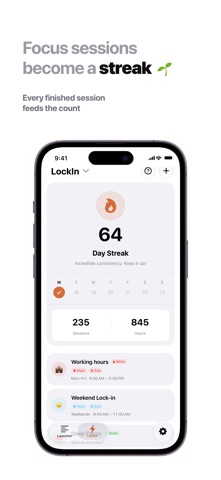
LockIn blocks the apps and websites that pull you off whatever you sat down to do. It also gives you a launcher holding only the apps you picked on purpose, so unlocking your phone doesn't have to start with a detour through a feed. BLOCKING You can block one app, a whole category, or a website. You do it by building focus templates: Deep Work, Study, Sleep, Gym, whatever your week actually contains. Each template keeps its own app list, color and emoji, so switching between them is one tap. Templates can also start on their own. Set one for weekdays from 9 to 12, or every night at 10, and it runs whether or not you remember. Strict Mode is for the sessions you actually mean. Once a strict focus starts, ending it early takes three deliberate steps: write down why you are quitting, type the unlock phrase, then press and hold. There is no single tap that gets you out. Force-quitting LockIn will not release the block either. The blocking plan lives outside the app, so closing it, backgrounding it or crashing it leaves the shields up. NOTES AND TO-DOS Your notes and to-do lists live in the same app that blocks your distractions. Before a session, pick the tasks you mean to finish. When it ends, see what you got done and start the next one with whatever is left. Notes come in List, Cards or Grid, and both have their own widgets. YOUR HOME SCREEN A launcher is just a list of apps you chose deliberately. You open them straight from the widget without walking past anything else. There are more than 20 widgets: clock, date, calendar, weather, quote of the day, focus timer, launcher, notes, to-do list and a progress ring, in every size. Lock Screen widgets too, and a Live Activity that keeps a running session visible without unlocking. Font, weight, design, alignment and time format are all yours to set. WHAT YOU GET BACK Reports by day, week, month, or a range you pick, charting every session you have run. Streaks count the days you actually focused, not the days you opened the app. Achievements cover streaks, consistency, session count, hours and a handful of one-off moments. There is a new quote each day, and you can share it as a card. SIRI, SHORTCUTS AND FOCUS FILTERS Start a focus with your voice, from a Shortcut, from a button on a Home Screen widget, or automatically through an iOS Focus Filter. PRIVACY Your Screen Time data stays on your device. There is no account and nothing to sign up for. Backup and sync run through your own iCloud, and you can leave sync switched off entirely. FREE AND PRO The free version has no time limit on it. You get 3 launchers, 5 focus templates, 1 schedule, 14 days of history, Strict Mode, unlimited notes, the Inbox plus 2 to-do lists, and every widget, for as long as you keep the app. LockIn Pro lifts the caps on launchers, templates, schedules, to-do lists and history, then adds pinned and locked notes, week, month and custom reports, iCloud Sync, widget styling and the archive. $1.99 a month or $9.99 a year, both starting with a 7-day free trial. Lifetime access is $29.99, paid once. Payment is charged to your Apple Account when you confirm the purchase. Subscriptions renew automatically unless you switch off auto-renew at least 24 hours before the current period ends, and your account is charged within the 24 hours before renewal. Manage or cancel yours in your Apple Account settings. Terms of Use: https://applockin.vercel.app/terms Privacy Policy: https://applockin.vercel.app/privacy
Productivity · iPhone, iPad · Free