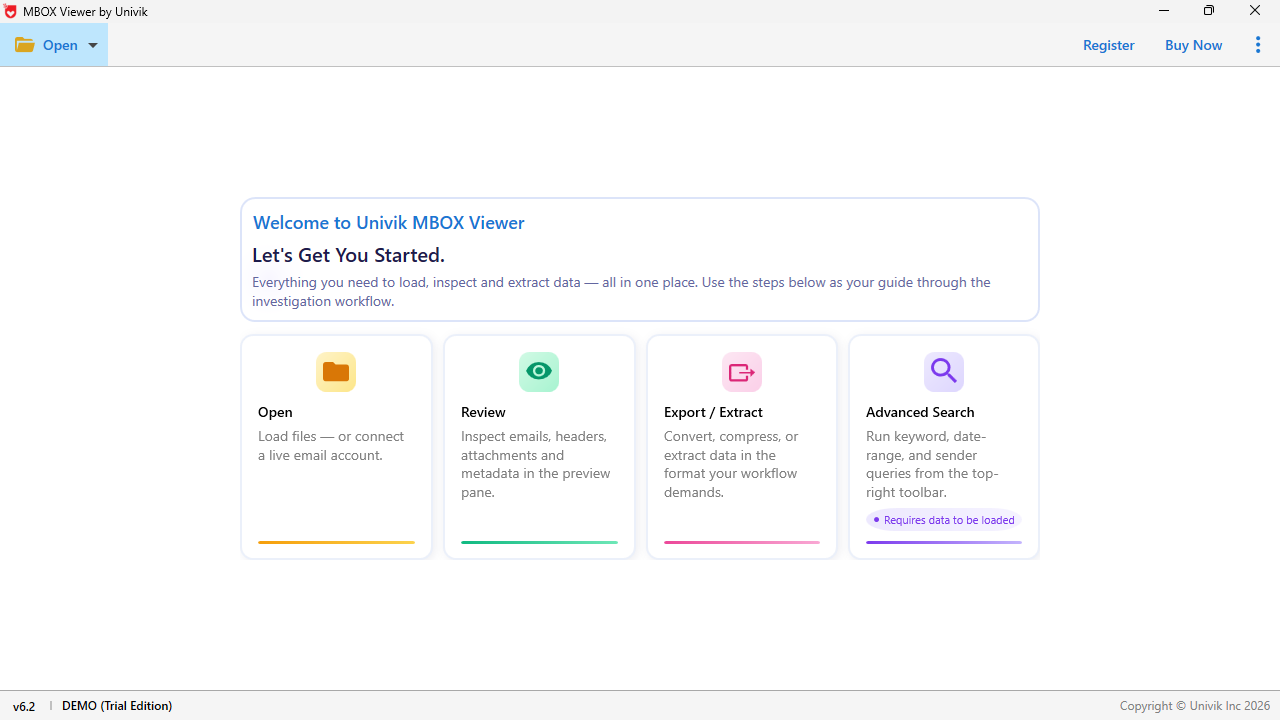
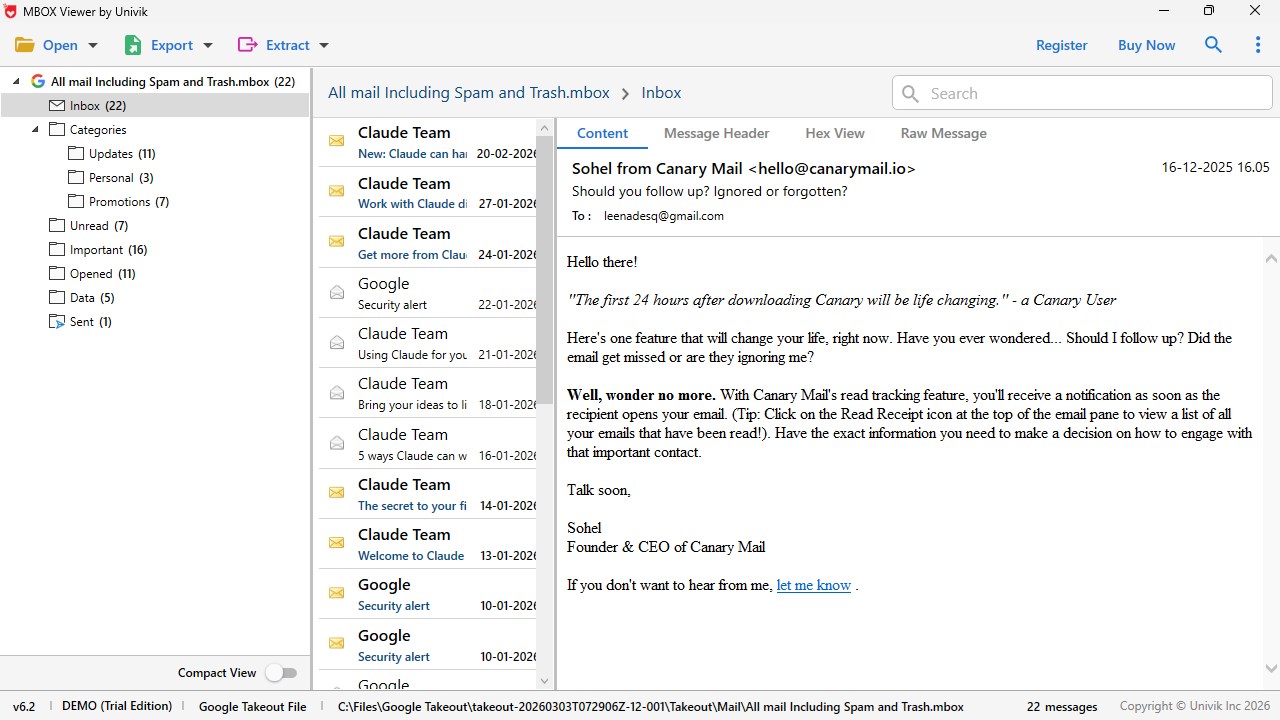
MBOX Viewer by Univik to Open, View and Read MBOX email files on Windows. Open MBOX files on your Windows PC with Univik MBOX Viewer. This MBOX file viewer is a standalone desktop application that lets you view MBOX emails, read email content, browse attachments and inspect message headers - all without installing any email client. Load MBOX, MBX and MBS files from any source, navigate the folder hierarchy and read every email with complete formatting, inline images and attached files displayed accurately. Whether you have Thunderbird mailbox archives, Google Takeout downloads, Apple Mail backups, Eudora databases or orphan MBOX files from any email client - this MBOX viewer opens them instantly and displays all email content in a clean, organized interface. Univik MBOX Viewer works completely offline. No internet connection is required. No cloud upload. Your email data stays on your computer. This MBOX reader is built for privacy-conscious users, forensic investigators and anyone who needs to access MBOX emails safely without modifying the original data. HOW TO OPEN MBOX FILES Opening MBOX files is straightforward with Univik MBOX Viewer. Click "Add Files" to select one or more MBOX files, or click "Add Folder" to load an entire directory containing multiple mailbox files. The MBOX file reader automatically parses the selected files and displays the complete folder hierarchy in a tree view on the left panel. Click any folder to see its emails listed in the center panel. Select any email to read its full content in the preview pane. That is all it takes to view MBOX files on Windows - no email client installation, no configuration and no technical knowledge required. The MBOX viewer also provides an auto-detect feature for email clients installed on your system. If you have Thunderbird configured, the application can locate your Thunderbird profile directory and load mailbox files directly from the default storage location. WHAT YOU CAN VIEW Read complete email content - every email displayed with its full message body including plain text, HTML formatting, embedded images and inline content exactly as the sender composed it. View email headers - From, To, CC, BCC, Subject, Date, message size and attachment count shown prominently for every email. Browse attachments - view the list of files attached to each email including file names, types and sizes. Open attachments directly from the viewer to inspect documents, images, spreadsheets and other files. Explore folder hierarchy - the complete mailbox structure including Inbox, Sent, Drafts, Junk, Trash and all custom folders and subfolders displayed in a navigable tree view. Inspect email metadata - detailed message header information including routing data, server stamps, content type, encoding and MIME structure available for forensic analysis. View email counts - total number of emails per folder and subfolder displayed alongside the folder tree for quick overview of archive size. Open large MBOX files - view multi-gigabyte archives containing hundreds of thousands of emails without file size restrictions or performance degradation. The memory-optimized parser handles files of any size on standard hardware. MULTIPLE VIEW MODES Univik MBOX Viewer provides multiple ways to inspect each email for different purposes: Mail View - the standard reading view displaying email content with full HTML rendering, images, formatting and layout as the recipient would see it in their email client. Best for reading emails. HTML Source View - displays the raw HTML source code of the email body. Useful for developers, forensic analysts and anyone who needs to inspect the underlying markup of an email message. Hex View - displays the raw binary content of the email in hexadecimal format. Essential for forensic investigation, data integrity verification and deep-level email analysis. Helps detect email tampering, encoding anomalies and hidden content. Message Header View - displays the complete email header block including all routing information, server hops, timestamps, authentication results (SPF, DKIM, DMARC), content type declarations and envelope data. Critical for forensic investigators, spam analysts and email authentication verification. MIME Structure View - displays the MIME tree of the email showing how the message is structured internally - text parts, HTML parts, inline attachments and file attachments organized in their hierarchical MIME layout. Raw Source View - displays the complete raw email source as plain text including all headers and body content in their original RFC 822 format. The unprocessed view of the email exactly as stored in the MBOX file. Attachment View - displays all attachments associated with the selected email in a dedicated panel with file names, sizes, types and options to open or save individual attachments. RTF View - renders the email content in Rich Text Format for an alternative display of the message body. MBOX FILE SOURCES SUPPORTED This MBOX viewer reads files created by virtually every email client and service that uses the MBOX format. Open MBOX files from Mozilla Thunderbird, Google Takeout (Gmail export), Apple Mail (Mac Mail), Microsoft Entourage, Eudora, Opera Mail, SeaMonkey, Postbox, Claws Mail, KMail, Mulberry, PocoMail, Spicebird, Sylpheed, Evolution Mail, Netscape Mail, Zimbra Desktop, The Bat!, Proton Mail, Horde Webmail, Roundcube, Google Vault and other applications that generate standard MBOX files. MBOX FILE VARIANTS SUPPORTED Univik MBOX Viewer handles all common MBOX variants transparently: Standard MBOX (.mbox) - the most common format used by Thunderbird, Google Takeout, Apple Mail and most email clients. MBX (.mbx) - variant used by Eudora and some older email clients. MBS (.mbs) - variant used by Opera Mail and certain other email applications. MBOX without extension - orphan mailbox files that lack a file extension. Common when copying between systems, extracting from backups or handling Thunderbird profile files (which store MBOX data without extensions). MBOXO, MBOXRD, MBOXCL, MBOXCL2 - technical variants with different line-quoting conventions, all processed transparently. SEARCH AND FILTER EMAILS Finding specific emails in large MBOX archives is simple with the built-in search and filter tools. Search by sender email address or name. Search by recipient. Search by subject line keywords. Search by date or date range. Search by content keywords within the email body. Filter emails that contain attachments. The search results appear instantly in the email list, letting you locate specific messages across archives containing thousands of emails. Combine multiple search criteria for precise results. OPENING LARGE MBOX FILES Some MBOX files are extremely large - INBOX.mbox, SENT.mbox and DRAFTS.mbox archives from years of email usage can reach several gigabytes in size. Google Takeout exports from active Gmail accounts often produce MBOX files exceeding 2 GB, 5 GB or even 10 GB. Univik MBOX Viewer is built to handle large MBOX files without performance issues or file size restrictions. The application uses memory-optimized parsing that reads large MBOX archives progressively rather than loading the entire file into memory. This means you can open large MBOX files on standard hardware without running out of system resources. A progress indicator shows the parsing status so you know exactly how far along the loading process is when working with very large archives. Whether your MBOX file contains 500 emails or 500,000 emails - whether it is 10 MB or 10 GB - the viewer opens it, displays the folder hierarchy and lets you read every email with the same speed and stability. No file size limits. No email count restrictions. No artificial caps on what you can view. FORENSIC EMAIL ANALYSIS Univik MBOX Viewer is designed with forensic investigation in mind. The multiple view modes (hex, headers, MIME, raw source) provide deep visibility into email structure and metadata. Forensic investigators can examine email routing paths, verify authentication headers, detect tampering indicators, inspect MIME boundaries and analyze encoding without altering the original MBOX data. The viewer operates in read-only mode - the source MBOX file is never modified during viewing, preserving evidence integrity. The viewer handles large MBOX evidence files without file size restrictions, ensuring investigators can examine complete email archives regardless of size. WHO USES THIS APP Digital forensics investigators examining MBOX email evidence with hex, header and MIME analysis tools. Legal professionals reviewing email archives for litigation support, depositions and eDiscovery. Compliance officers inspecting employee email records during regulatory audits and internal investigations. IT administrators accessing large Thunderbird, Google Takeout and Apple Mail archives on Windows PCs. System administrators reviewing mailbox backups and exported email data from retired email systems. Home users who need to open and read MBOX files received as email backups, shared archives or Google Takeout downloads. Former Thunderbird, Apple Mail or Eudora users who want to access old emails without reinstalling the original email client. Anyone who needs to open, view, read and search MBOX email files on Windows without installing an email client. PRIVACY AND SECURITY Your emails contain sensitive personal, legal, financial and professional information. Univik MBOX Viewer processes all data locally on your computer in read-only mode. No email data is uploaded to any server or cloud service. No internet connection is required. No account registration needed. The MBOX file reader never modifies your source files - original data remains completely untouched. You maintain full control over your email data at every step.
Utilities · Windows · Free