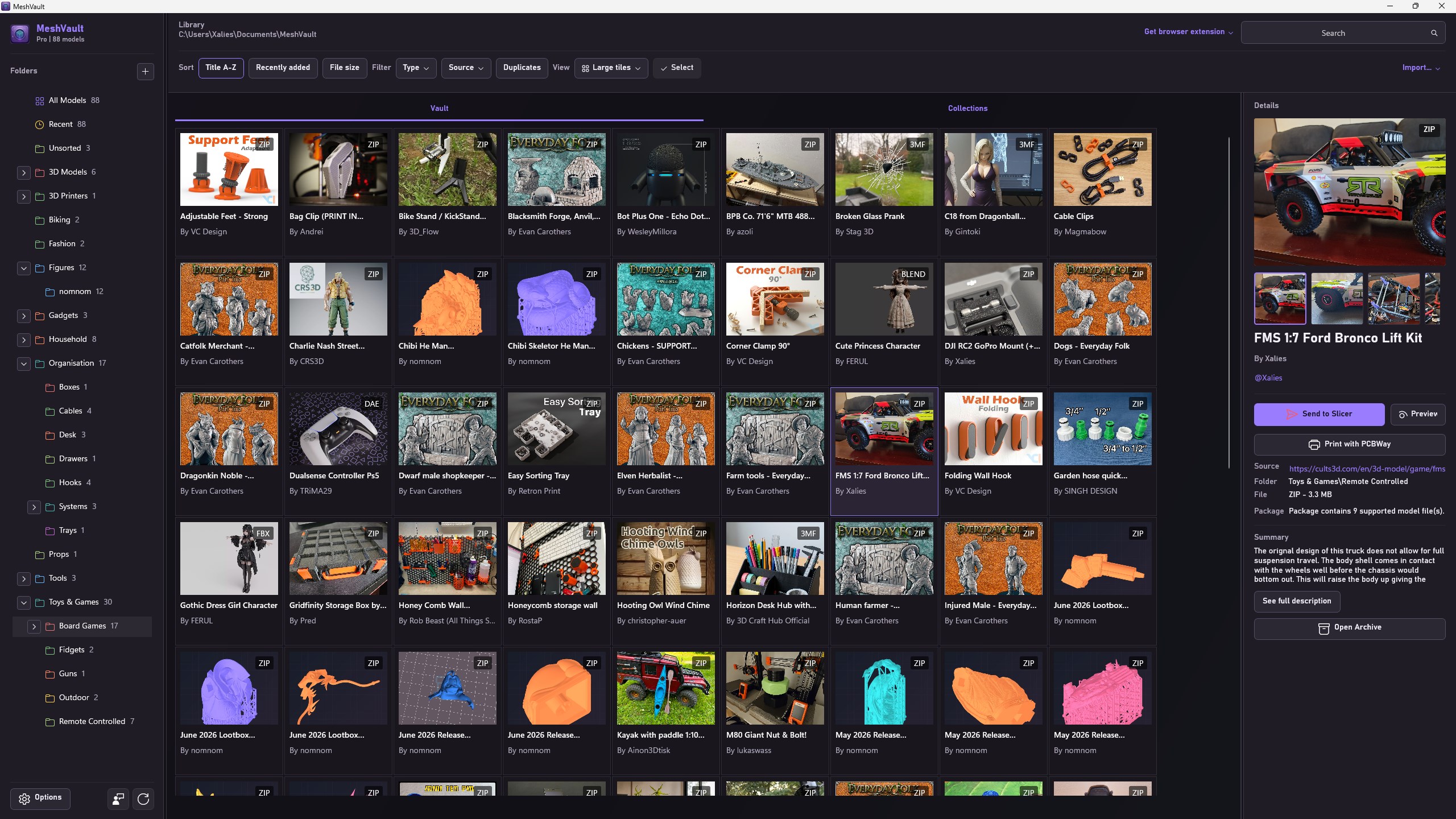
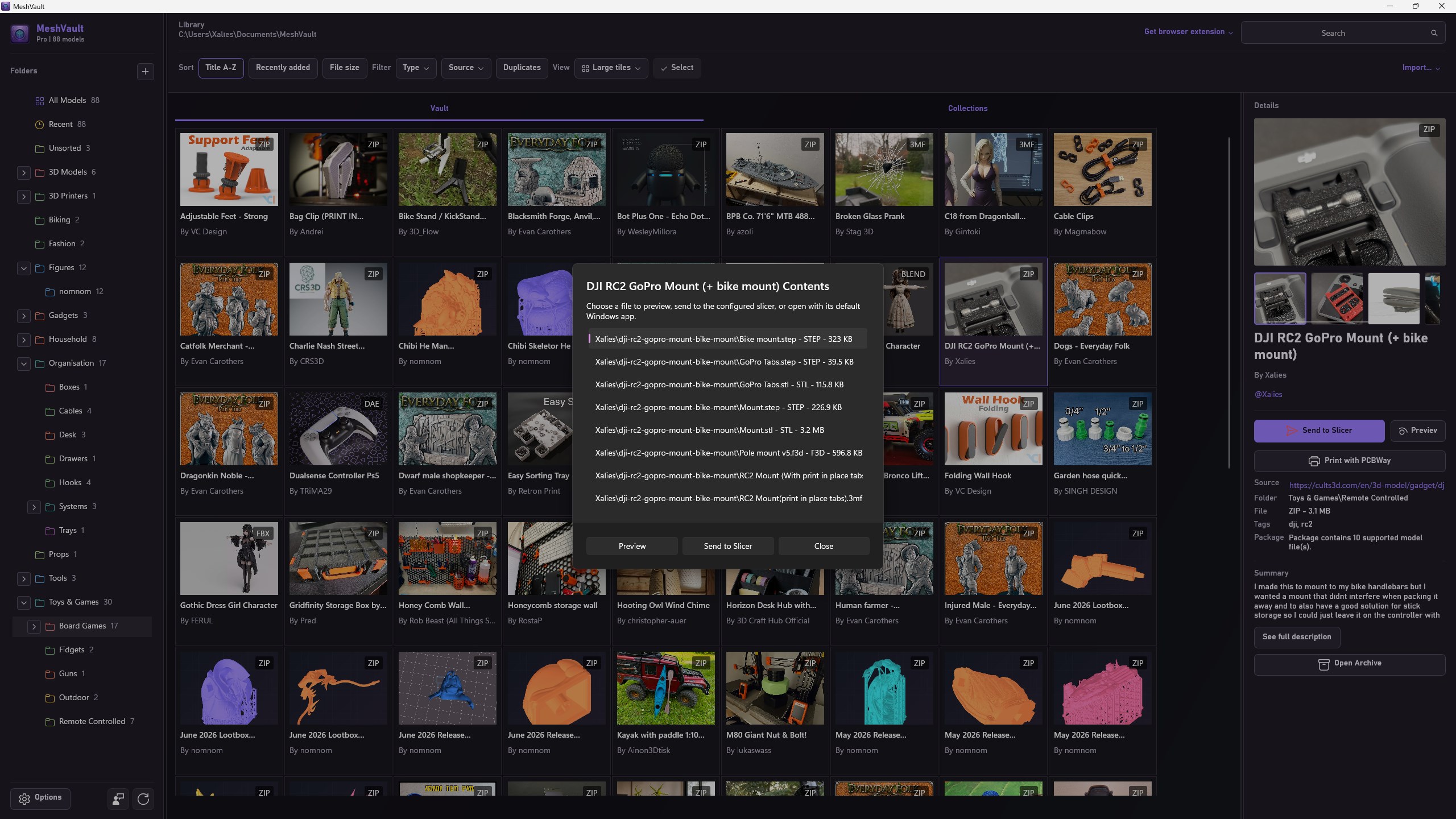
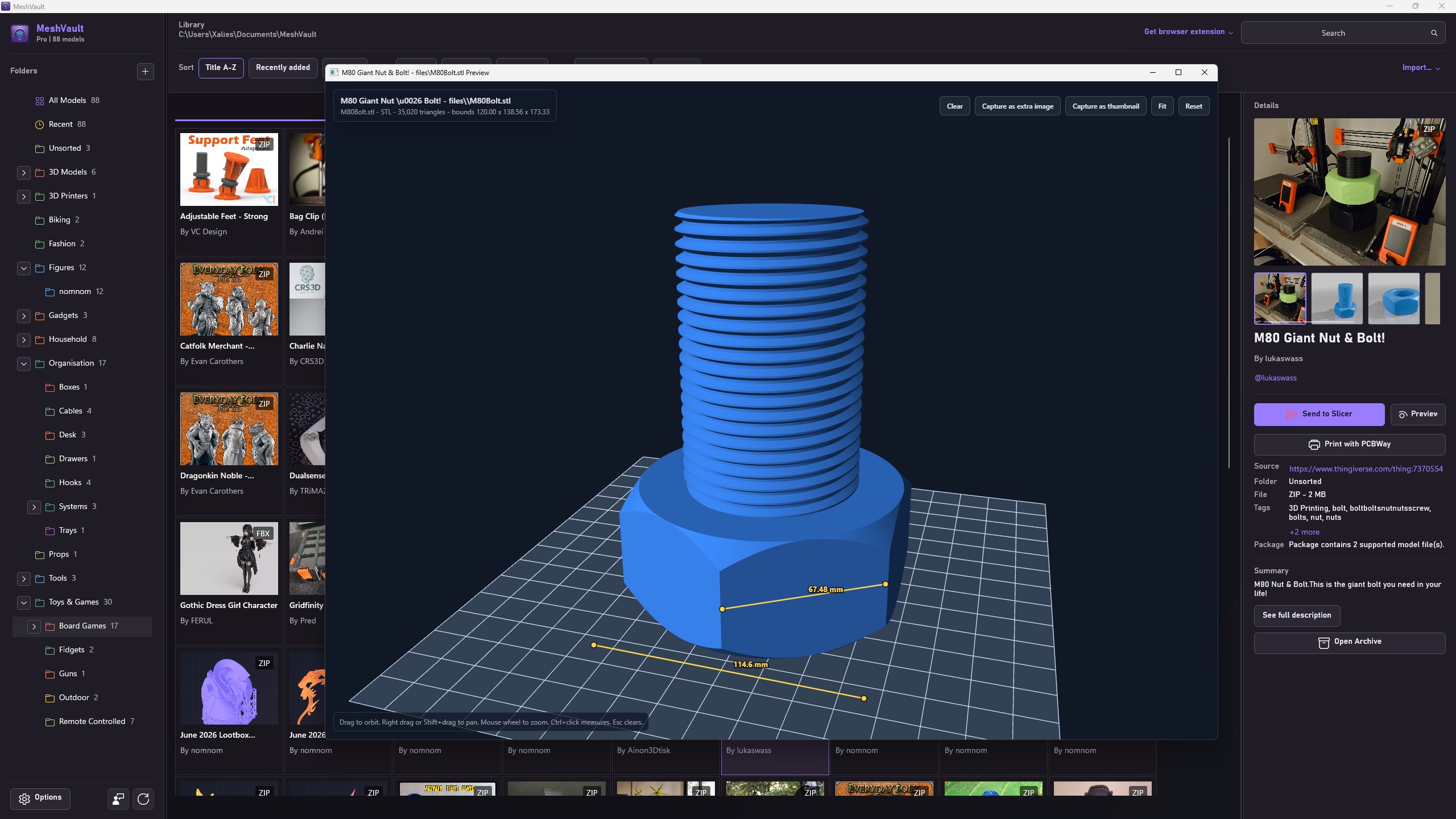
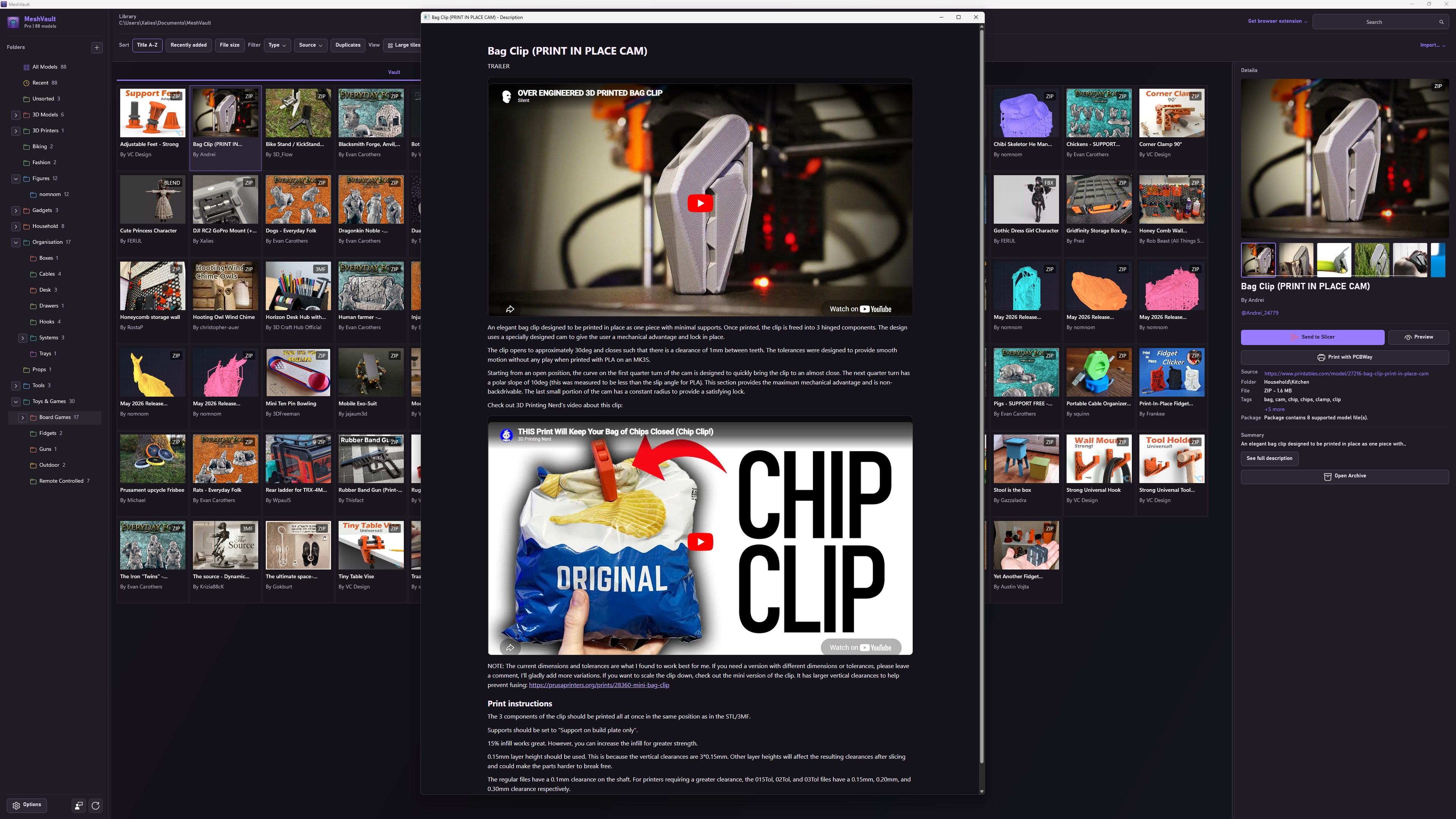
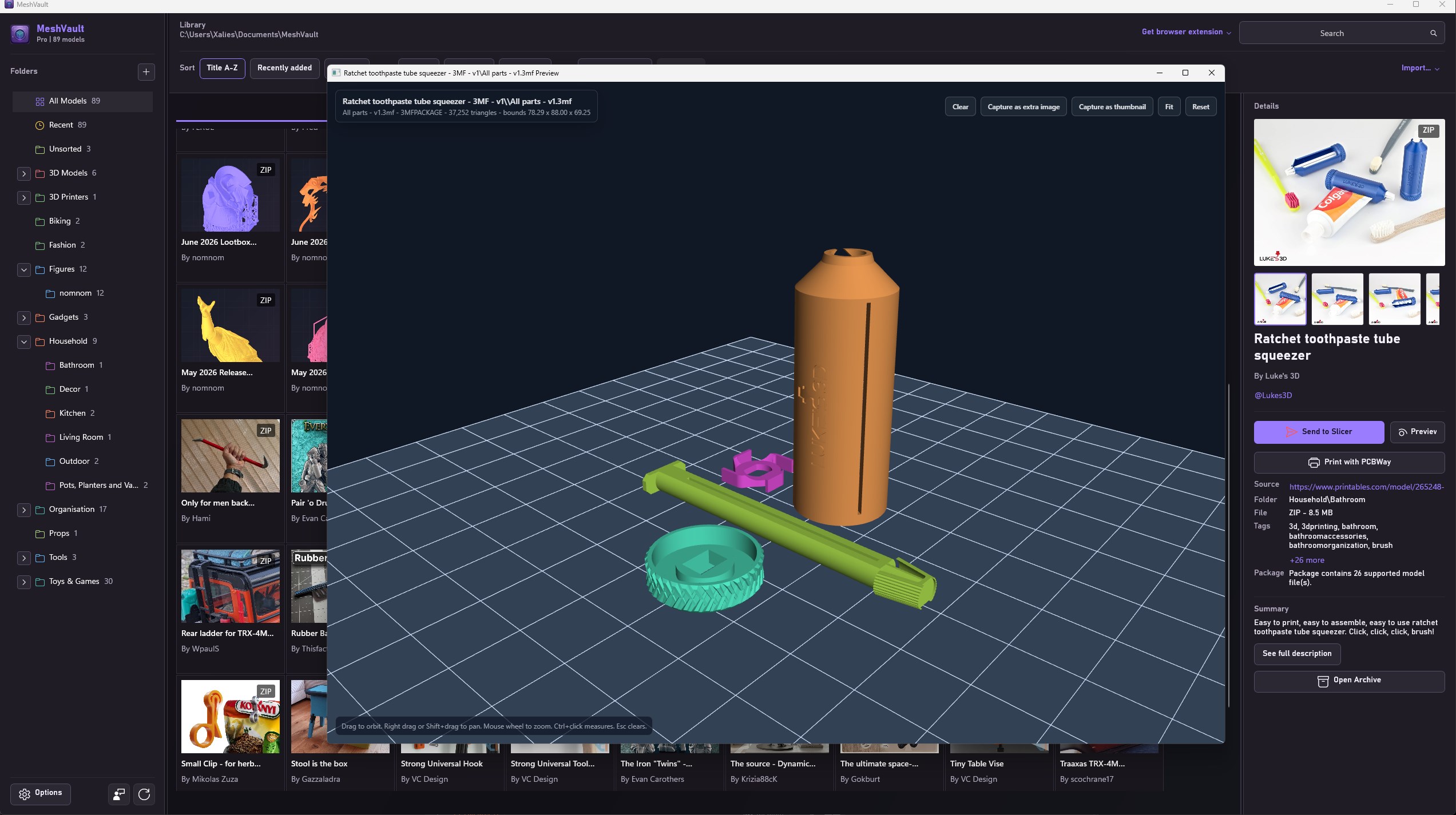
MeshVault is a Windows library manager for 3D model files, built for makers, 3D printing users, CAD hobbyists, and anyone who wants their model collection to be easier to find, preview, and use. Instead of leaving STL, 3MF, STEP, ZIP, G-code, and project files scattered across Downloads, MeshVault gives you a dedicated local vault. Your files stay in normal Windows folders, while MeshVault indexes them, stores metadata, keeps thumbnails and extra images, and makes the whole library searchable and visual. MeshVault is now free. Optional affiliate links help keep MeshVault free. Turn them off in Options to use standard links. Filament colours appear in the details panel, using supported 3MF profiles and matched guides. Share complete models with .mvpack, including metadata, images, settings and attachments. Improved 3MF compatibility with OrcaSlicer, Snapmaker Orca and PrusaSlicer. Choose a temporary conversion, keep an original version, or replace the original. Temporary leaves the library file unchanged. The converted copy is cached and reused for future sends. Built for real 3D printing workflows MeshVault is designed around the way model collections actually grow: - Capture model downloads from supported websites with the optional MeshVault Connect browser extension. - Import files manually from old downloads, CAD exports, existing folders, archives, or drag and drop. - Keep ZIP, 3MF, RAR, 7Z, TAR, TGZ, and TBZ2 archives organised without extracting them first. - Generate thumbnails for supported models that do not already have images. - Add your own metadata, tags, summaries, descriptions, thumbnails, extra images, and print settings. - Preview supported model files before opening them in another app. - Measure models, inspect G-code layers, and capture preview renders as thumbnails or extra images. - Send compatible files to your slicer or open them in their default app. - Prepare supported files for PCBWay upload. - Group models into collections without moving them on disk. - Detect duplicates and keep the library cleaner. Browser extension MeshVault works with the optional MeshVault Connect browser extension for Chrome, Microsoft Edge, and Firefox. When MeshVault is open or running in the tray, MeshVault Connect can bring model downloads into your active library with useful metadata such as title, author, source URL, tags, description, thumbnails, extra images, and package details where available. The extension is optional. MeshVault can also import files directly from Windows through drag and drop, file import, folder import, archive import, and library scanning. Model previews MeshVault includes an in-app preview window for supported model and toolpath files. Preview and thumbnail support includes STL, OBJ, 3MF, GLB, GLTF, PLY, DAE, FBX, STEP, STP, G-code, GCO, FCSTD embedded thumbnails, and supported files inside archives. Preview tools include orbit, pan, zoom, a build plate reference, configurable colours, optional random colours for separate bodies, quick measurement, G-code layer viewing, and render capture that can be saved back to the model. Library and metadata MeshVault stores the library database inside the selected library folder, so the model collection stays portable and easy to back up. The app interface includes multiple language options, so MeshVault can better fit the system language and region of more users. Metadata can include title, author, author profile, source URL, source site, folder, tags, summary, full description, print settings, package details, thumbnail, extra images, file type, file size, duplicate hash, and printed status. Collections let you group models virtually without moving files on disk. A model can stay in its real folder while also appearing in one or more collections. Optional MeshVault Server MeshVault can connect to an optional MeshVault Server on your local network. This is useful if you want a shared or headless MeshVault library that can be browsed from another machine or through a browser. MeshVault Server is free and available from meshvault.app. The Windows app remains the main desktop vault. The companion app supports the workflow when you are away from your PC or want to move models from phone to library. Supported file types MeshVault indexes: 3DM, 3DS, 3MF, MVPACK, AMF, BLEND, BLEND1, CATPART, CATPRODUCT, DAE, DWFX, DWG, F3D, FBX, FCSTD, GLB, GLTF, GCODE, GCO, IGES, IGS, OBJ, OFF, PLY, SCAD, SLDASM, SLDPRT, STEP, STL, STP, X3D, ZIP, RAR, 7Z, TAR, TGZ, TBZ2. Archives are scanned for supported model files. MeshVault can inspect package contents and preview, open, import, or prepare supported files where available. More ways to organise and use your library Favourites can bring models from your main library, watched folders, and connected servers into one quick-access view. Watched folders let MeshVault index an existing collection in place and generate supported thumbnails without moving the original files. Assign models and folders as FDM, resin, or CNC projects, configure separate software for each workflow, and let MeshVault detect installed slicers and project software automatically. Z-up and Y-up controls can be set globally, per folder, or during bulk thumbnail regeneration. Related-file browsing keeps nearby images, PDFs, and supporting documents accessible from the model. Manual archive imports can be kept as one model, split into separate indexed models, extracted with their folder structure, or kept intact while contained models are indexed virtually. Privacy and local-first design MeshVault is designed around a local-first library. Your model files and MeshVault database live on your PC in the library folder you choose. Local network features, such as MeshVault Server and the Android companion, are used to access or move data within your own devices. MeshVault does not require a cloud account to manage your local model library.
Utilities · Windows · Free