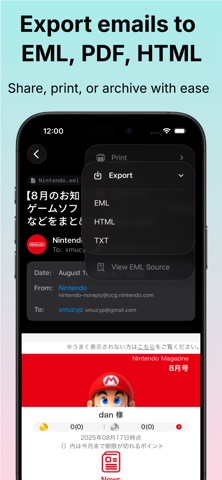
MSG to PDF Converter makes it easy to open, view, and convert Outlook MSG email files into clean, professional PDF documents on Mac, iPhone, and iPad. Archive important emails, preserve business records, print conversations, or share Outlook messages in a universal format — all with fast, private, on-device processing. FEATURES • Convert Outlook MSG files to high-quality PDF documents • Preserve email content, formatting, headers, and metadata • Open MSG files from Files, Mail, AirDrop, and other apps • Batch convert multiple MSG files at once • Export PDFs for sharing, printing, or long-term archiving • Include attachments inline or extract them separately • Customize page size, headers, and watermarks • Drag and drop MSG files on Mac • Clean, intuitive interface for Mac, iPhone, and iPad • Fast offline processing — no internet connection required • Full Dark Mode support PERFECT FOR • Archiving Outlook emails • Preserving legal and business records • Printing email conversations • Sharing emails as universally accessible PDFs • Saving important messages for long-term access PRIVACY FIRST Your MSG files are processed locally on your device. Nothing is uploaded to external servers, and no cloud processing is required. Your emails and attachments stay private and under your control. Turn Outlook MSG files into polished, shareable PDFs — quickly, securely, and entirely on your device.
Productivity · iPhone, iPad · $1.99