
Screenshots


About My NAS Manager
My NAS Manager puts your Synology NAS in your pocket. Check its health, work with your files and manage downloads from iPhone and iPad.
OVERVIEW
• Live CPU, memory, network and temperature with realtime charts
• Top processes, system information and recent activity
FILE STATION
• Browse shared folders and search the current folder
• Upload and download with progress, retry and cancel
• Rename, copy, move and delete one item or many
• Preview files and create share links
STORAGE
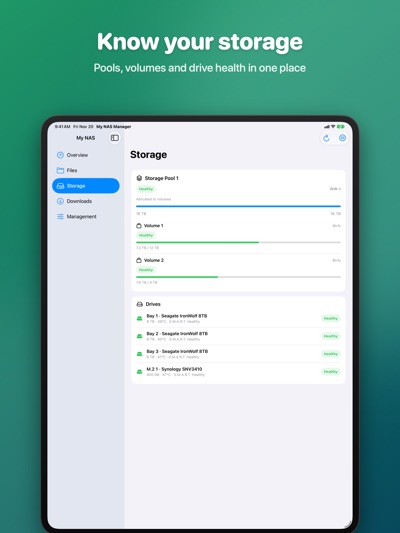
• Storage pools, volumes and drives with usage and health
• Drive temperature and S.M.A.R.T. status
DOWNLOAD STATION
• Add HTTP, FTP or magnet links
• Pause, resume, delete and filter tasks
MANAGEMENT
• Start or stop installed packages
• Security Advisor results, network interfaces and system logs
• Run Hyper Backup jobs and restart DSM
DESIGNED FOR IPHONE AND IPAD
• Sidebar layout, menu bar commands and keyboard shortcuts on iPad
• Dark Mode, Dynamic Type and 15 languages
PRIVATE BY DESIGN
The app connects only to the NAS you enter. No accounts, ads or tracking. Your session is kept in the iOS Keychain. Two-factor authentication and HTTPS are supported.
Available features depend on your DSM version, installed packages and account permissions. SSH settings require the one-time Lifetime purchase.
Synology and DSM are trademarks of Synology Inc. My NAS Manager is not affiliated with Synology.
AVALW Coverage
Not yet mentioned in AVALW articles.
Similar apps


 Phone by GoogleGoogle LLCReliable phone calls with spam protection, caller ID and more helpful features★ 4.4 52440k


 Google Play servicesGoogle LLCGoogle Play services - Google services for Android apps★ 4.3 44573k



 Call of Duty®: Modern Warfare® 4 (Windows)Activision Publishing Inc.War erupts on the Korean Peninsula as North Korea launches a full-scale invasion that threatens to destabilize the world in Call of Duty®: Modern Warfare® 4. A ★ 4.3 16579k


 gov.brServiços e Informações do BrasilGov.br is a means of user access to digital public services.★ 4.6 14047k


 MyTelkomsel – Buy InternetTelkomselBuy credit, internet quota, streaming, game voucher & get cashback with e-wallet★ 3.8 12353k


 myIM3: Data Plan & Buy PackageIndosat Ooredoo HutchisonCheck balance & quota, detect & block spam, exchange IMPoin only on myIM3★ 4.4 11302k


 Files by GoogleGoogle LLCClean up your phone, find files, play media, and share files offline★ 4.5 9097k


 CNH do BrasilServiços e Informações do BrasilDigital driver's license and vehicle registration certificate, first driver's license, traffic violation and vehicle information.★ 4.9 8390k
More by this developer


 LunarV: Lunar Calendar Âm LịchHung Tien PhamLunarV is a clear, accurate Vietnamese lunar calendar and almanac (âm lịch) for iPhone, iPad, Mac and Apple Vision Pro. See lunar dates and lucky hours, pick go-


 vTTS: Offline Text to SpeechHung Tien PhamMake time for the books you love, even when your eyes need a break. vTTS reads books and text aloud on iPhone, iPad and Mac, with voices built into the app and -

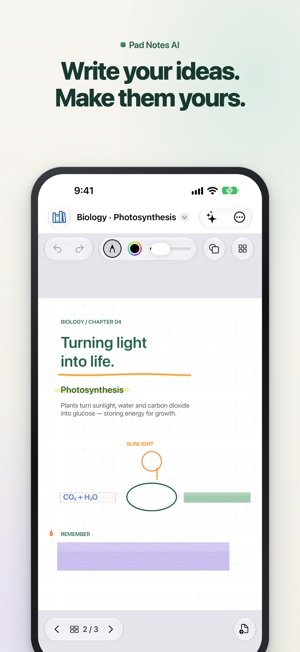

 Pad Notes AI: Note TakingHung Tien PhamHandwrite, type, annotate PDFs and study in one notebook on iPhone, iPad and Mac. Pad Notes AI pairs a natural Apple Pencil experience with memorization tape an-


 Lunar Block - Teris 3DHung Tien PhamLunar Block transforms the classic falling-block puzzle into a cinematic 3D orbital arena for iPhone, iPad, and Mac. Stack, rotate, hold, and drop crystal block-