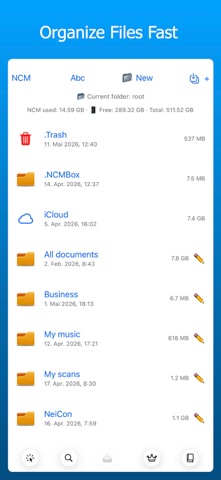
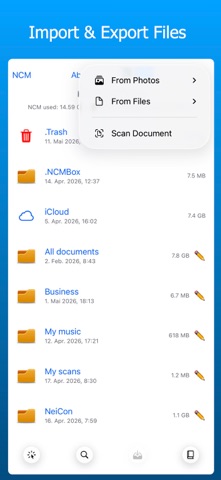
NC File Manager is a powerful and versatile file and document manager for iPad and iPhone. Import, scan, search, organize, view and export your files — all in one app. Import & Access • Import documents from Mail and Files • Import photos and videos from the Photos app • Scan documents to PDF • Access files stored locally and in iCloud • File Sharing via Finder and iTunes • Direct file transfers between NC File Manager devices via AirDrop File Management • Create and manage folders • Organize documents efficiently • Move, rename and delete files • View files, photos and videos • Manage and view OpenDocument Text (ODT) files • Built-in search for files and documents • Clear overview of storage usage PDF Tools • View PDF documents • Open and view a second PDF alongside the first • Switch between horizontal and vertical PDF views • Rotate entire PDF documents or individual PDF pages • Split PDF documents before or after the current page • Cover selected areas in a PDF • Annotate PDFs with pen, highlighter and eraser tools • Choose from multiple colors and pen thicknesses • Edit and fill out PDF forms • Compress PDF files • Save edited PDFs as new files Compression & Merge • Extract standard ZIP archives • Compress videos, photos and PDF files • Merge videos and PDF documents Premium Features Try all the Premium features listed below during the free trial period. After the trial, an in-app purchase or subscription is required to continue using these features. • Export and share files • Transfer files directly from NCM to NCM • Create ZIP archives • Create password-protected ZIP archives • Extract password-protected ZIP archives • Extract RAR archives • Extract password-protected RAR archives Privacy First NC File Manager works locally on your device. No account required. No tracking. No ads. Designed for users who want full control over their files and documents on iPad and iPhone. Terms of use (EULA): https://www.apple.com/legal/internet-services/itunes/dev/stdeula/
Productivity · iPhone, iPad · Free