
Screenshots


About Now Planner
A to-do planner that fits what's on your mind into the free time on your day.
Write it. Place it. Start it. Less to sort, fewer things to decide.
ONE THOUGHT, ONE LINE
· Each line is a task. A title is enough.
· Tasks without a date go to Later. Sort them out when you want to.
· When your head is full, write many lines at once and turn only the ones you need into tasks.
· Add "#Work" for a list and "30m" or "1h" for a duration.
· Attach a place and a link, and connect related tasks.
FIT IT INTO FREE TIME
· Meetings and appointments from your device calendar show up faintly on the timeline, and that time stays free of tasks. Events are read only, never changed.
· Drag a task from Later onto the timeline, or use Find time to pick the nearest free slot.
· Early mornings and late nights outside your active hours fold away. On iPad and the web, Week view shows the whole week.
TAP START AND GO
· Tap Start and the timer runs right away. No time limit; it counts the time you spend.
· Edit the task and its notes while you work. It keeps going when you close the screen.
· When you stop, the start and end times are kept as a focus record. Edit records or add them by hand.
· No streaks, no scores.
PAST PLANS, ONE BY ONE
· Unfinished past plans don't roll over to today. They show up as one line, "3 past plans", above today's timeline.
· Choose for each: Do today · Move to Later · Already done · Delete.
· Put something off twice and it asks what is blocking it. Not sure where to start: pick a first step. Too big: split it. Low energy: do 2 minutes. Waiting on someone: move it to Waiting.
THE SAME DAY, EVERYWHERE
· Sign in to see the same tasks on iPhone, iPad and the web.
· Write tasks without opening the app: Home and Lock Screen widgets, a Control Center button, Siri and Shortcuts.
· Reminders arrive before a task starts, leading with its first step when it has one. "10:00 · Open the notice first"
· Morning briefing sends today's plan every morning.
· On iPad and the web: a ⌘K command palette and keyboard shortcuts.
· Light and dark mode, several themes, and a color and icon for each list.
Every feature is free. No ads.
AVALW Coverage
Not yet mentioned in AVALW articles.
Similar apps


 MyJio: For Everything JioJio Platforms LimitedTrue 5G, recharges, payments & UPI, music & movies, backup, games, news & more.★ 4.4 27428k


 Microsoft WordMicrosoft CorporationThis application requires a qualifying Microsoft 365 subscription. Microsoft 365 includes premium Word, Excel, and PowerPoint apps, 1 TB cloud storage in OneDri★ 4.8 17535k



 Samsung NotesSamsung Electronics Co, Ltd.(Samsung Notes is optimized for Samsung Galaxy Books. Other computers may have issues running it.) "Samsung Notes allows you to use the enhanced S Pen to write ★ 4.8 15228k



 ChatGPT ClassicOpenAIThe official ChatGPT desktop app brings you the newest model improvements from OpenAI. Do more on your PC with ChatGPT: · Instant answers—Use the [Alt + Space] ★ 4.8 11034k


 ChatGPTOpenAI OpCo, LLCIntroducing ChatGPT for iOS: OpenAI’s latest advancements at your fingertips. This official app is free, syncs your history across devices, and brings you the l★ 4.8 11034k


 Microsoft OutlookMicrosoft CorporationOutlook helps you stay connected and organized at the office and at home with easy access to emails, files, calendar events, and contacts across all your accoun★ 4.3 10673k


 Turbo VPN: Unlimited VPN ProxyINNOVATIVE CONNECTING PTE.LIMITEDDo you want online security and privacy while browsing? Turbo VPN now provides the fastest, reliable and encrypted network. With Turbo VPN, you can get the safe★ 4.7 10243k



 Microsoft ExcelMicrosoft CorporationThis application requires a qualifying Microsoft 365 subscription. Microsoft 365 includes premium Word, Excel, and PowerPoint apps, 1 TB cloud storage in OneDri★ 4.8 9702k
More by this developer


 SSH, FTP - TerminaChang Joo ParkTake your server management on the go. Termina is a modern, fast, and highly secure SSH client and terminal emulator designed for both mobile phones and tablets-


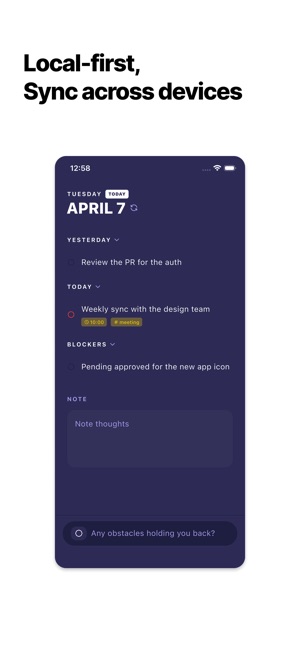
 Capio: Work Log & PlannerChang Joo ParkStop the Morning Standup Panic. Jira and Slack are for teams, but Capio is for you. It’s the private bridge between your deep work and your team’s updates. Whet★ 5.0 2


 Minimal Habit & Routine - RowsChang Joo ParkSee your day at a glance. Rows turns each day into a single line and your month into a clear, beautiful pattern — private, ad‑free, and ready in seconds. Why ch★ 5.0 1